
KOREC is delighted to announce that group expansion means we are now seeking to fill 30 new positions, in a range of departments, across the UK and Ireland. These new roles include openings in our offices in Cambridgeshire, Dublin and Liverpool.
World beating technology for curious minds
KOREC specialises in bringing world leading geospatial technology to the UK and Irish markets, all backed up by in-house software development, training, technical support and servicing.
Through partnerships with companies such as Trimble, Esri and Parrot, KOREC aims to provide its customers with a wide range of ground-breaking geospatial technology. This offering includes everything from high accuracy GPS, 3D Laser Scanners, drones and robots to AI, Mixed Reality and Mobile Mapping solutions.
High profile customers
KOREC customers include some of the biggest names in the UK and Ireland including National Highways, United Utilities, Irish Rail, Network Rail, F1, Ordnance Survey, National Trust, Costain and Balfour Beatty; some of the smallest from sole ownership survey companies and drone operators to environmentalists and soil scientists; and let’s not forget some of the more unusual – Munro baggers, and mapping professionals involved in tropical disease vaccination projects or landmine clearing.
We have openings available for those in the industry and for those with no previous geospatial experience but looking to work in a fast-moving, technology led company. These roles include positions in sales, software development, recruitment, administration, technical support, training, marketing and servicing.
Alan Browne – KOREC CEO said “We may be a fast-growing company in a technology led industry but our 50 years in the business mean that we’ve had time to build and define our company culture and that means we’ve also created a great workplace and a world-class ethos. Our staff tell us that KOREC is a rewarding and exciting place to work and that’s something we’re really proud to have achieved.”
For further information, please visit https://www.korecgroup.com/careers-at-korec/
We are adding these new roles to the website regularly.
ENDS
How does the new Trimble Catalyst DA2 receiver measure up against the DA1?
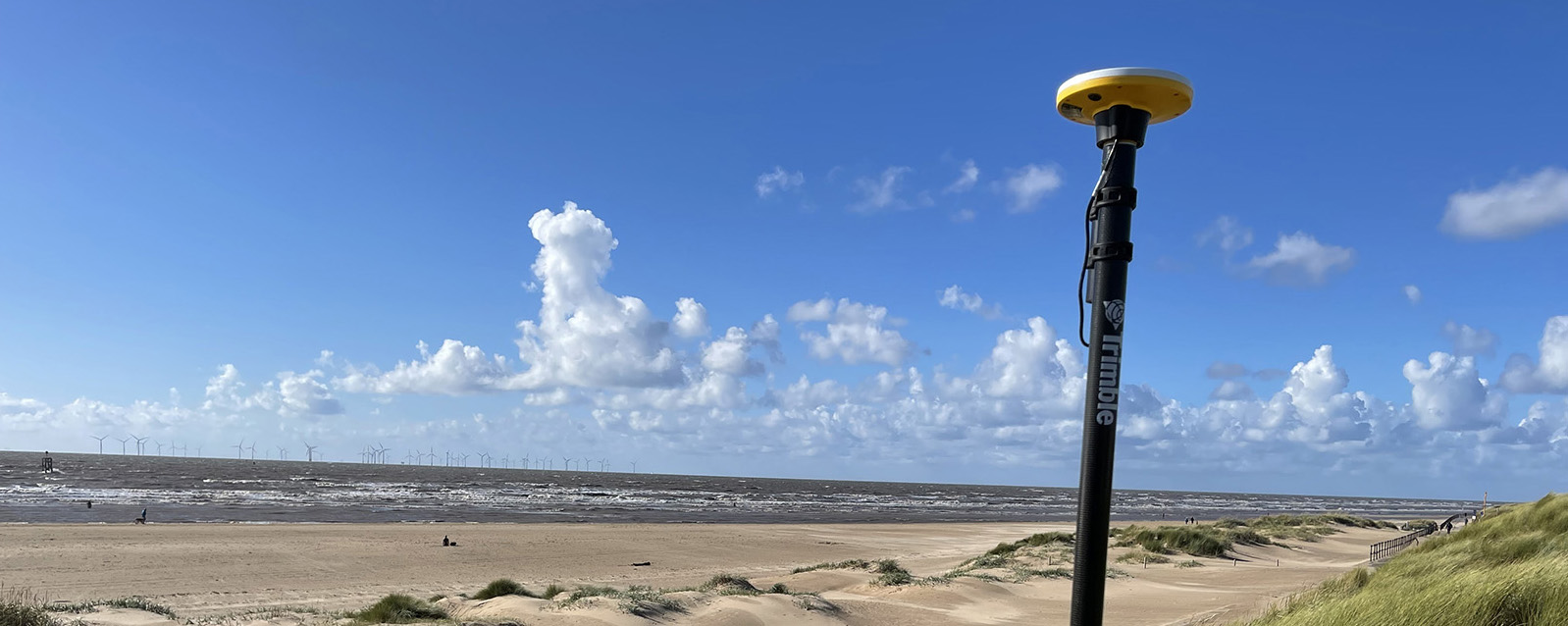
What better way to find out than by putting afforable cm accuracy in the form of the DA2 into the hands of experienced Catalyst user and advocate of the DA1 system, Andrew Stephenson Principal Designer on the Morrison Water Services Northern area Engineering Team.
Andrew was an early adopter of Trimble Catalyst and used the DA1 extensively saving £20k on a recent 1-2cm asset collection project which was nominated for a Water Industry 2021 award for its innovative approach to high accuracy data capture and management.
The set up
Andrew and Morrison Water Services Surveyor, Asa Blake, used the DA2 in conjunction with a 1cm accuracy Catalyst subscription and their existing KOREC Capture field software running on a rugged Trimble TDC600 Android device (although the DA2 is also now compatible with iOS devices). Drawing on previous experience of how the DA1 worked under different conditions, Andrew was keen to carry out some comparative tests with the new DA2 in the same situations to test its performance and ultimately, it’s productivity improvements.
Three challenging test sites
Andrew and Asa opted to test the DA2 in three demanding scenarios which any GNSS would find challenging, firstly, Leeds City centre, secondly under tree canopy and finally in a remote location with no mobile phone coverage.
Here’s Andrew’s report:
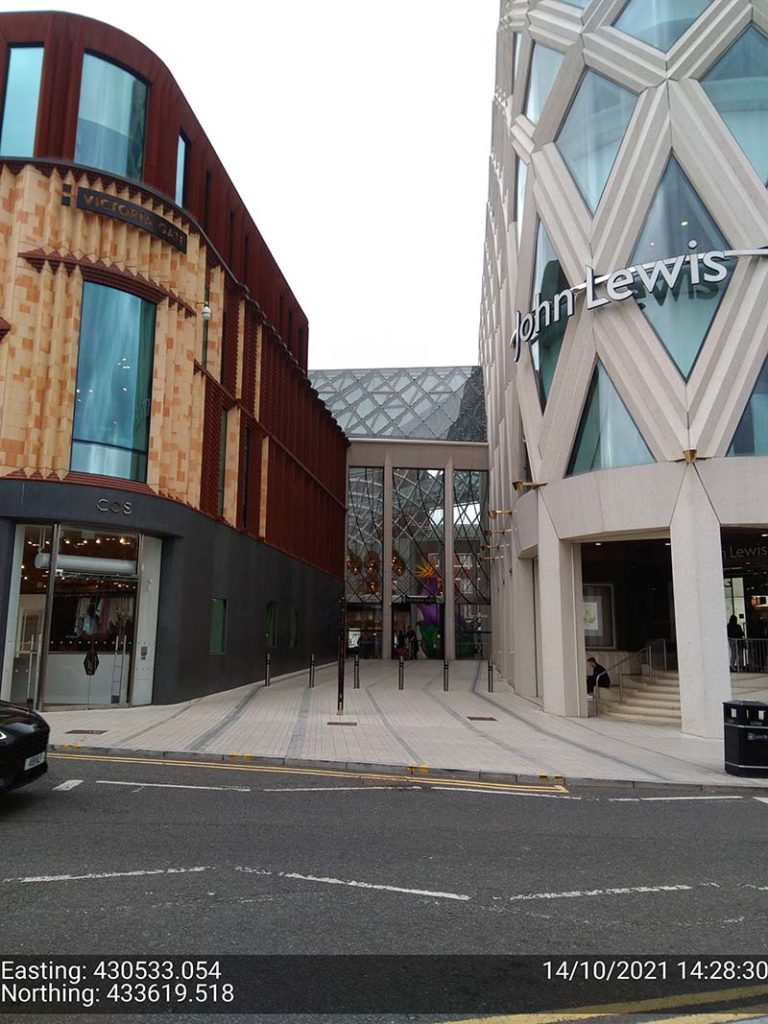
Leeds city centre – built up environment
“In Leeds City centre we were able to achieve 1cm positions. Even next to the John Lewis building where previously we’d been unable to receive a signal at all, the DA2, always delivered an accurate position.”
The technology behind the performance: Trimble ProPoint
Until the launch of the DA2, Trimble ProPoint was only available in top of the range Trimble GNSS receivers. ProPoint delivers better results in harsh GNSS conditions, for example, near tree canopy and in built-up areas.
Under tree canopy
“We tested this scenario under the trees in Cookridge, Leeds – centimetre positions were easily achievable. ”
The technology behind the performance: Trimble ProPoint (see above).
Expect cm positions under tree canopy within 40 seconds!

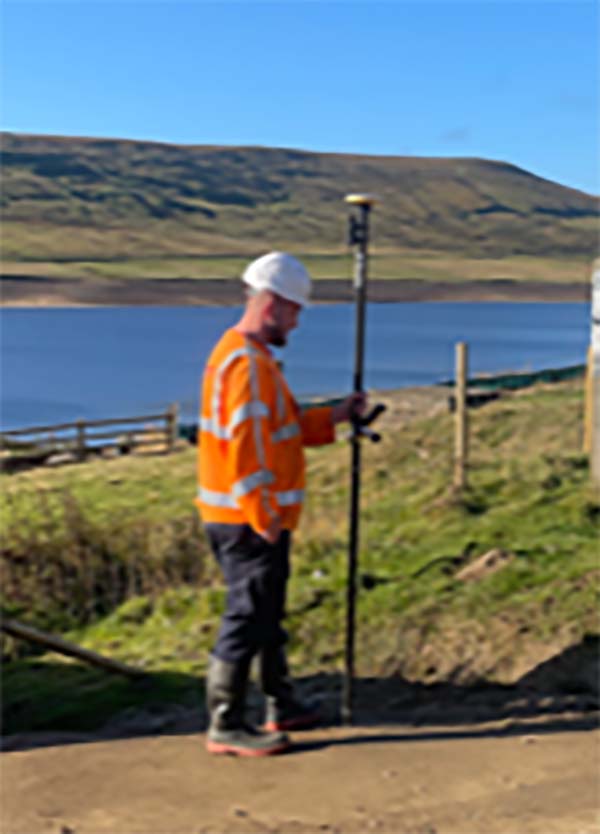
Remote location with no phone signal
“This is a common problem for us so we knew exactly where to test out the DA2’s capabilities for this one. Scar House is situated in the Nidd Valley in North Yorkshire and it’s almost impossible to get a mobile phone signal there. The DA2 again delivered 2cm positions thanks to its ability to receive corrections via satellite rather than via an internet connection. This is a game changer for us.”
The technology behind the performance: Trimble RTX.
The DA2 means that you are no longer reliant on receiving your cm corrections over an internet connection. Thanks to Trimble’s RTX technology you can now get your corrections via satellite (GPS, Galileo, GLONASS, BeiDou, QZSS, IRNSS, MSS, SBAS) which is great for areas with limited mobile phone coverage and internet connectivity.
Conclusion
Andrew’s verdict: “Most of our projects have a specification for 10cm accuracies and in fairness to the DA1 we were often able to work within this spec, but not always. The afforable cm accuracy of the DA2 brings peace of mind and the knowledge that we can always overachieve on precision and in particular,in the three conditions above that previously challenged us.
We’ve also noted some additional benefits with the DA2 – the improved speed is excellent! By the time we’d logged on we were down to 1cm which is a remarkable improvement on the DA1. The DA2 is also Bluetooth enabled which saves battery drain for the phone because there is no need to bother with leads (or water!) into the connection of the phone.
The DA2 delivers outstanding results where we would have never thought possible with the Catalyst technology. We tested this at Scar House Reservoir, which is as remote as it gets in Yorkshire, but the DA2 delivered accuracy of 2cm using RTX which is remarkable!”
You can read about our Trimble Catalyst business case here.
A related case study on knotweed mapping with Catalyst is here and asset data collection here.
Visit our webinar section here for the full details on the new Catalyst system.
Congratulations to Atkins, the company that has been appointed by the government’s Geospatial Commission to help create a digital map of underground pipes and cables throughout the UK.
The map will be known as the National Underground Asset Register (NUAR) and is being developed by Atkins alongside mapping agency Ordnance Survey and geospatial data management leaders 1Spatial.
Designed to revolutionise construction and development across the country, the Geospatial Commission NUAR map release states that, “The economic cost of accidental strikes on underground pipes and cables is estimated to be £2.4 billion per year and one cause is inaccurate information on the location of buried assets. Once operational, NUAR is expected to deliver around £350 million per year in benefits by avoiding accidental asset strikes, improving the efficiency of works and better data sharing.”
The project is about to enter its build stage, a process estimated to run for three years. This is a large and ambitious undertaking, but the geospatial industry is highly progressive when it comes to the development and adoption of technology for field data capture and verification and the NUAR project will no doubt make excellent use of these developments.
Here at KOREC we can’t help but make three suggestions for technology that could be beneficial on a project of this nature:
Mobile Mapping + GPR Survey
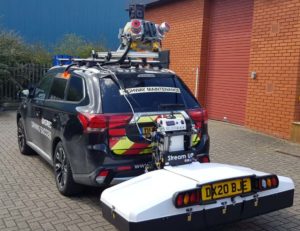
The KOREC Professional Services team has just completed a roads project that saw them carry out a Trimble MX9 vehicle mounted mobile mapping survey at the same time as an underground mapping survey using Ground Penetrating Radar (GPR). This dual-purpose survey was completed with a single pass (reducing emissions and keeping boots off the tarmac) and produced a data set suitable for many applications from asset management to road conditions surveys to pre site risk analysis.
The Trimble® MX50, offered for sale by KOREC, is a practical field-to-finish mobile mapping solution for asset management, mapping, and road maintenance. The system delivers a very accurate point cloud of the environment along with complementary immersive imagery providing substantial gains in productivity in areas such highway management, utilities and local government.
Augmented reality
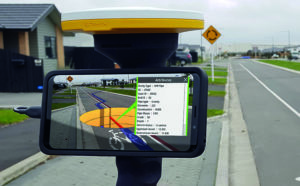
Imagine if you could see things that are hidden or that don’t actually exist yet. Trimble® SiteVision™ brings geospatial data to life so you can easily visualise, explore and understand complex information with unrivalled centimetre accuracy, right from your mobile device.
Ideal for use before and after in an application such as the NUAR project, SiteVision is proven technology used for the visualisation of underground assets by organisations such as Balfour Beatty Plc, O’Brien Contractors and the A14 Integrated Delivery Team.
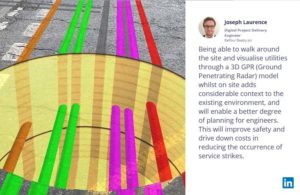
Trimble SiteVision couldn’t’ be easier to use and is highly portable for use on site.
Centimetre accurate, low-cost positioning for large workforces
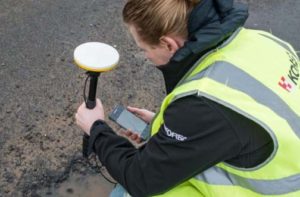
If you have a large workforce that requires centimetre positions to support its main line of work, then Trimble Catalyst provides an excellent way of enabling a varied workforce of non-surveyors to achieve the high accuracy that utility positioning requires, but without the costs of a high-end survey grade GNSS.
Trimble Catalyst is a revolutionary, GNSS concept delivering positioning as a service to mobile devices. It turns your existing Android or iOS device into a precision mapping, navigation and measurement tool that you can use with any location enabled app or service including KOREC Capture and Esri FieldMaps.
The cost of the Catalyst hardware has been kept low at just £300 per receiver and subscriptions come in a range of choices depending on the number of licenses required and hours used. However, Catalyst is more suitable for some users than others and our business case post on this is well worth a visit.
It’s also the perfect partner for our KOREC Capture Utility module for field data capture specific to the utilities sector.
If you’d like to find out more about any of these technologies, please contact:
Call UK Sales: 0345 603 1214
Call Ireland Sales: 01 456 4702
For anything else, view our contact page.
Graham Sharp specialises in talking to potential KOREC customers ready to invest in Trimble X7 technology for the first time. For many of these businesses, this is a decision based on many considerations from ROI, to financing to running costs.
He’s therefore put together some great packages designed to tackle head-on the FAQ’s that have to be asked before a successful investment.
What’s in the package?
- A full system ready to go with all hardware from one provider
- Software capable of full onboard registration and export to proprietary formats
- Warranty for the duration of the finance (extendable after)
- Firmware & software updates for the duration of the finance (extendable after)
- Technical support – forever
- Calibration costs and associated down time – ZERO !
How much is the package?
Prices include a complete Trimble X7 system, that offers full onboard registration and export to proprietary pointcloud formats and is also fully covered with a Silver KCP (KOREC Care Package) for all warranty, updates and support for the length of your finance deal from the following rates:
3 Years @ £265 per week
4 Years @ £218 per week
5 Years @ £191 per week
For a no cost / no obligation demonstration of the Trimble X7 and details on this package, please contact:
Call UK Sales: 0345 603 1214
Call Ireland Sales: 01 456 4702
For anything else, view our contact page.
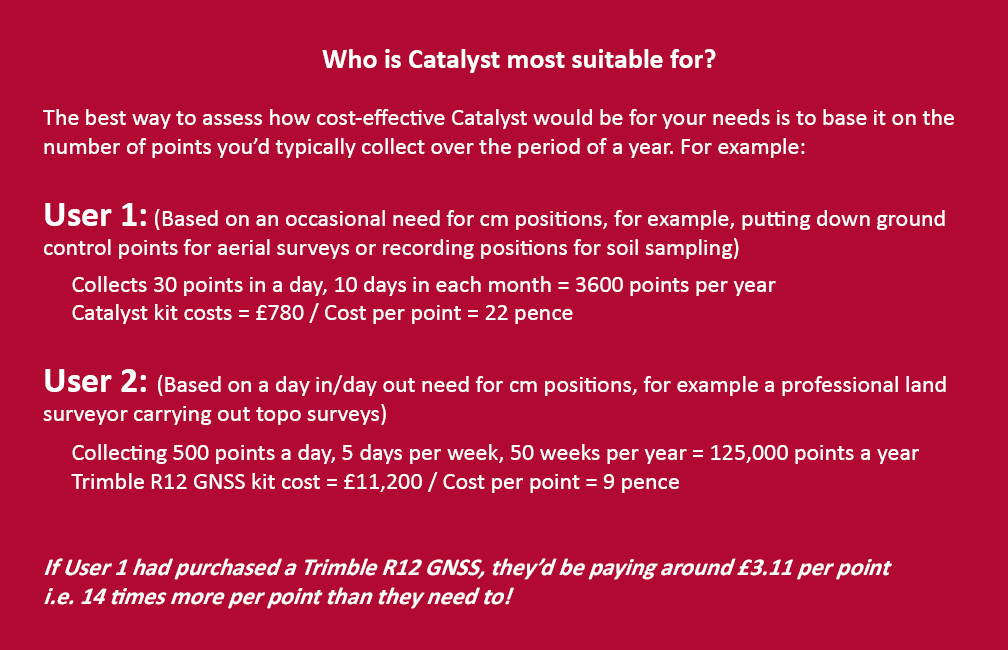
If surveying isn’t your main day to day activity but you still have a need for cm positions in your workflow, then the business case for Trimble’s Catalyst is a strong one.

Trimble Catalyst is a revolutionary, GNSS concept delivering positioning as a service to mobile devices. It turns your existing Android or iOS device into a precision mapping, navigation and measurement tool that you can use with any location enabled app or service including KOREC Capture and Esri FieldMaps.
The cost of the Catalyst hardware has been kept low at just £300 per receiver and subscriptions come in a range of choices depending on the number of licenses required and hours used.
However, Trimble Catalyst is not a solution for those who cite survey grade accuracy as the primary part of their working day. Instead, Catalyst has been developed for users who require cm positions as back up to the bulk of their work, for example, the scientist who needs to know precisely where a sample was collected, the utilities engineer who needs to position a valve or the knotweed removal specialist who must know exactly where the plant is located.
In short, the best way to assess whether Trimble Catalyst will provide the best value proposition for your cm positions is to base it on the number of points you typically over the period of a year.
Case study: DTM Technologies
Typical of the type of user who can benefit from the enormous savings Catalyst delivers is Owner/Director of DTM Technologies, Alan Roberts.
Established in 2014, North Wales based DTM Technologies offers a range of specialist 3D Structural and 3D Modelling Services capturing data predominantly through 3D Laser Scanning and drones. The company uses the very latest in data capture technology (Including the Trimble TX8 Laser Scanner) and provides the high resolution and accurate survey, mapping and environmental information that’s often used to form the basis of any construction (BIM), environmental or engineering project.
With the majority of Alan’s work requiring either a point cloud or aerial imagery, he has an important but fairly minimal need for cm positions. Six years ago, his approach was to purchase a survey grade GNSS system and a license for the corresponding annual correction service. However, he is quick to cite that he is not an engineer or a degree trained surveyor and during the years with this system, he found it expensive to use. As well as the up-front costs for the initial purchase of the hardware, he was also paying an annual correction service charge of around £1,200 p.a. – both large outlays. He therefore sought a solution that would better fit his requirements, spread the cost and offer better value overall.
Alan accordingly purchased a Trimble Catalyst receiver from KOREC and selected the subscription service best suited to his workflow from the options of 60 cm, 30 cm, 10 cm or 1 cm, in this case 1cm. The Catalyst antenna was compatible with his existing mobile phone, easy to set up and required no specialist positioning or GNSS knowledge for use.
The Business case in numbers
Alan states that in a standard working month he may carry out around four surveys that require cm positions and that he can capture the four or five points he requires plus a few check points in one hour of subscription time. He is therefore spending just £10 per site for cm positions, around four times a month. Based on those figures, with the subscription cost spread over a 12 month period, his annual running costs are £480.
| Previously | |
| Hardware: Initial outlay for GNSS system and controller (approx) | £10,000 |
| Annual correction service charge | £1200 |
| Now | |
| Hardware: Catalyst Receiver for use with Alan’s own phone | £300 |
| Subscription: On demand at £10 per hour based on typical annual use | £480 |
Upfront hardware savings ≈ £9600
Annual running cost savings ≈ £760 p.a.
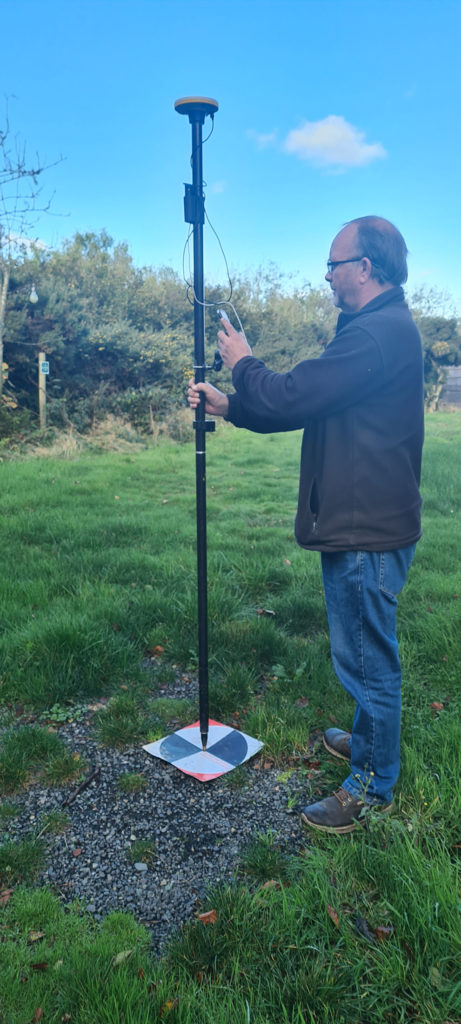
As an experienced user of Trimble Catalyst, even Alan still believes that that system is almost too good to be true. “With Trimble Catalyst, achieving cm accuracy in the field is no longer a niche occupied only by land surveyors, often with the price tag to match. Previously, I was pretty well priced out of the market for this level of accuracy but Catalyst really does bring high cm positions to a mass audience. I’m now in a good position to pass my savings on to my clients which definitely helps in a competitive marketplace.”
Next steps – the new Catalyst DA2
Alan was an early adopter of the Trimble Catalyst system and is already assessing the recently released DA2 receiver.
With much of his work in Snowdonia, mobile phone reception is often compromised and even taking three different SIM cards doesn’t always guarantee a successful connection. The DA2 comes with RTX corrections which means he will no longer be reliant on receiving his cm corrections over an internet connection. Thanks to Trimble’s RTX technology he will be able to get his corrections via satellite.
In addition, the DA2’s ProPoint technology will enable him to pick up his positions in challenging GPS conditions such as near tree canopy.
You can read about our DA2 test here.
A related case study on knotweed mapping with Catalyst is here and asset data collection here.
Visit our webinar section here for the full details on the new Catalyst system.
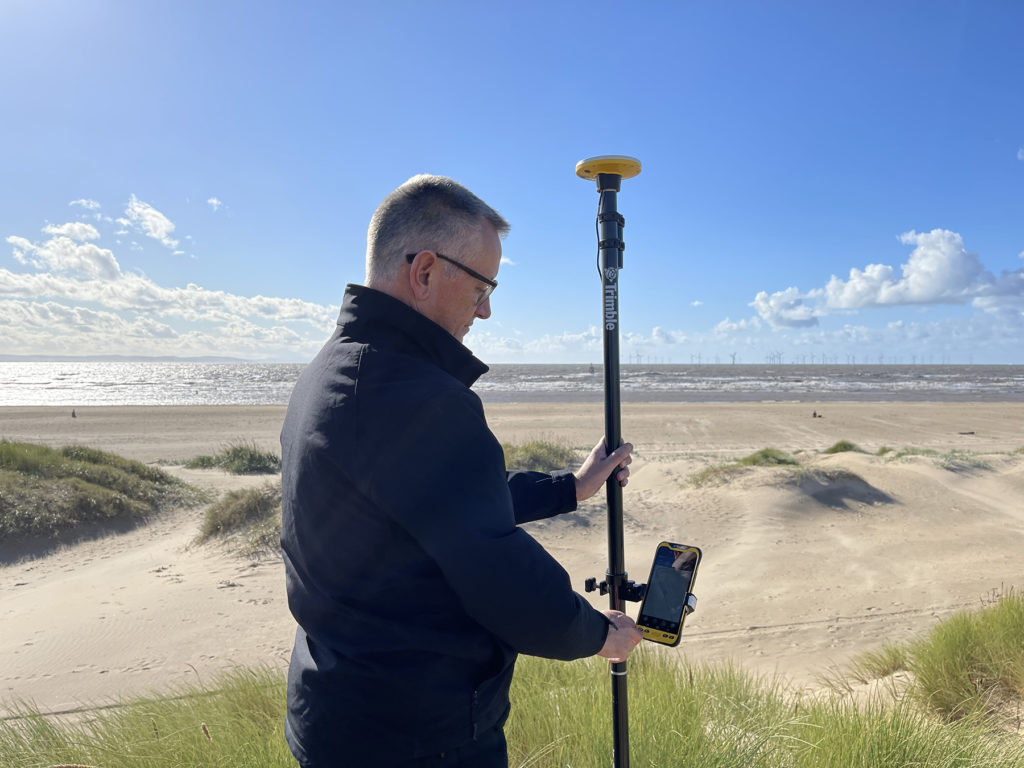
We’d like to introduce you to a new acronym – PAAS or Positioning as a Service!
The DA2 is the second-generation receiver and antenna for Trimble’s Catalyst service. Simply, Catalyst is a revolutionary, GNSS concept delivering positioning as a service to mobile devices. It turns your Android or IOS device into a precision mapping, navigation and measurement tool that you can use with any location enabled app or service including KOREC Capture and Esri FieldMaps.
Catalyst delivers the most cost-effective method for achieving cm accuracy positioning in the industry.
Subscription based services have grown faster than traditional businesses in many areas of the economy. Trimble is leading the way in PAAS with its Catalyst positioning service.
Of course, here at KOREC we don’t just take things at face value so our Mapping Business Area Manager, Richard Gauchwin, has been out and about putting the DA2 through its paces.
We caught up with him to find out what’s new and what’s impressed. Here’s his verdict:
- Number one has to be the fact that the DA2 is now a full GNSS receiver which removes dependencies on the mobile device which you may have seen with the DA1.
Whilst the DA1 connected via a cable into an Android phone, it was the app on the phone where all the GNSS processing was carried out. In short, processing times etc were limited by the phone’s performance. Not so with the DA2 receiver, it’s a whole different story! The biggest plus is that Catalyst is now so much faster to use. For example using the DA1, it might take you minutes to get a position, with the DA2, we’re talking seconds!
They may look the same and still weigh in at just 330g, but in terms of performance they couldn’t be more different.
2. The DA2 brings you far more flexibility as it now has Bluetooth which allows you to connect wirelessly to your mobile device of choice. And believe me, there is definitely more choice because this now means that the DA2 is compatible with both IOS and Android.
3. The DA2 offers Trimble’s ProPoint technology which has previously only been available in top of the range GNSS receivers. ProPoint means better results in harsh GNSS conditions, for example near tree canopy and in built-up areas. Expect a cm position near tree canopy within 40 seconds.
4. New subscription choices mean even better scalability. Subscriptions have been clarified to accommodate the better accuracies achievable. Choose from 60cm, 30cm, 10cm or 1cm. Trimble have also provided more choice in the number of hours you can purchase including some great options available for equipping large workforces. And of course, you still only pay for what you use.
5. The DA2 means that you are no longer reliant on receiving your cm corrections over an internet connection. Thanks to Trimble’s RTX technology you can now get your corrections via satellite which is great for areas with limited mobile phone coverage and internet connectivity.
6. The DA2 is future proof and will update wirelessly when required.
Who is Catalyst suitable for?
In a nutshell, we describe Catalyst as being a truly cost-effective option for those who require high accuracy positions as a part of their workflow, for example, positioning Ground Control Points for an aerial mapping project, recording the location of soil samples on a construction project or positioning valve or pipe connections on a drainage job. By having access to a cm accuracy system, with no training costs and no outlay for expensive, specialist hardware, Trimble Catalyst is truly a system that can put cm accuracy into the hands of the many different users and/or across large workforces.
We have a great analogy comparing Catalyst to a buying a printer and printer inks. Simply, the hardware costs in buying a printer are minimal, the service, or in this case the printer ink is where the cost lies. If you are just printing out two or three pages every now and again then this is the equivalent of a Catalyst user who can really gain value from the system. If however, you print off many full reports every day, then you will not achieve good value from Catalyst and it’s best to consider a dedicated survey grade GNSS.
If you’d like to see which KOREC customers been using Catalyst then please visit our customer story blog here to read about:
· V.T.O.L Media – establishing ground control points for aerial surveys
· 3LM – a holistic approach to agriculture and the land
· TP Knotweed – rapid response identification and removal of knotweed
· A14 Integrated Deliver Team – fast one-off positions and augmented reality in the field
A related case study on knotweed mapping with Catalyst is here and asset data collection here.
Visit our webinar section here for the full details on the new Catalyst system.
It’s a topic of great concern to many in our industry – how do we attract the next generation of geospatial professionals?
It’s also a question that we’ve addressed in a column for GeoConnexion magazine based on the experiences of KOREC Director, Mark Poveda, who recently returned to his Dublin College with two colleagues to talk to final year students studying Geospatial/Surveying. However, college students are already engaged with our industry having actively chosen a relevant course and maybe we should be talking to students earlier.
A visit with value
For KOREC Operations Technical Support, Liam Hartley, the 450th Anniversary of his old school, Queen Elizabeth’s Grammar School, Horncastle (QEGS), set him thinking as to what sort of career information he’d have valued as a sixth former living in a rural part of the country just starting to consider future job prospects, apprenticeships, or degree courses.
As a QEGS alumni, he’d seen invites to assist students in CV preparation or interview techniques but felt that this could be the perfect opportunity to offer some time to share his thoughts on geospatial careers with an age group just starting to think about their own futures.
At the invitation of the school’s careers lead, Sarah Holmes, Liam was able to spend a couple of days at the school chatting about the geospatial industry to teachers and students alike.
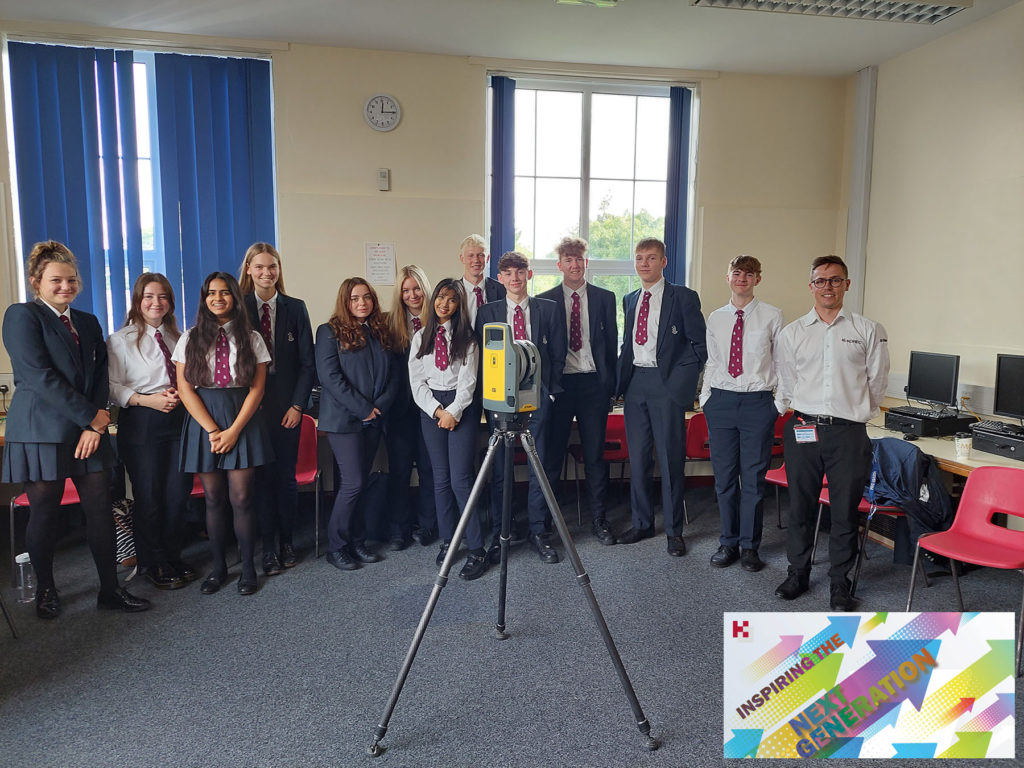
Great technology and engaging examples
Equipped with a Trimble X7 3D Laser Scanner and plenty of examples of what our industry has to offer, Liam reports that he spent a very rewarding 50 minute Development Class with the mixed group of students. Drawing on relevant examples such as 3D data (used in the gaming and film world) he outlined how F1 tracks are surveyed with Mobile Mapping, how sports events measure distance with total stations, how music festivals are set out with GPS mapping systems and how spatial data is everywhere and in everything we do, from using Google Maps to creating smart cities.
Liam feels that at least three quarters of the class seemed very engaged with four or five particularly responsive to the geospatial world. He reports, “I had a really rewarding two days at QEGS sharing my enthusiasm for an industry that has so much to offer as a career. Interestingly, very few of the students were familiar with the term ‘geospatial’ and of course, this highlights the problem we have in promoting a career where our key audience has very little understanding of what we do. If we’re to overcome this, then it’s vital that we are actively promoting our industry to this age group. Here at KOREC, we want to be a supplier that does just that and we’re perfectly positioned to do so from a unique perspective because we see everything that the industry has to offer technology wise. I very much want us to step forward and lead from the front.”
What next?
Liam used his two days at QEGS to plan for a future event for next year that he hopes can be rolled out to similar age groups in different schools. Watch this space!
To learn about KOREC’s Next Generation initiative (aiming to encourage a new generation to the geospatial industry) please contact marketing@korecgroup.com
Got a question? Want to find out more about the X7? Why not submit an inquiry with our friendly team?
Here at KOREC we love an analogy and this cycling one works a treat!
This year the Tour de France gave us a Wout van Aert as the winner of the prestigious stage 20 time trial in Paris. But he didn’t win the race. That honour was earned by the Slovenian Tadej Pogacar and it was he who finished the race wearing the yellow jersey.
Similarly, if your scanning operations depend on a speedy turnaround for your client, then you can be sure that the Trimble X7 has the features to get you over the finishing line first because the race doesn’t end without a fully registered point cloud that’s ready for the creation of 3D models, drawings etc.
Here are seven reasons why the X7 is unrivalled when it comes to delivering a timely, quality job:
- The Trimble X7 provides you with options to speed up your time on site. For example, thanks to a new firmware update (as recently shared by our laser scanning expert Melvin!), auto-calibration can now be switched off for shorter scans. This can save you 30 seconds per scan providing a 30% speed boost. Remember, you are in charge of the workflow, not the manufacturer, instrument or software. If you don’t need HDR photographs, you’d don’t have to have them, similarly for difficult surfaces or objects, with the Trimble X7 you can simply turn the high-sensitivity scanning mode on or off as required.
- It’s not all about the time the scanner is turning and collecting data. The X7’s auto-levelling feature ensures that you are ready to go as soon as you set the instrument down. The X7 has the IMU and dual axis compensator on all models, meaning data is always level to survey grade accuracy and does not require the same level of post-processing as those that don’t meet that same accuracy specification.
- The X7 doesn’t stop when you do! Infield registration is happening while you scan, full scan refinement, georeferencing, colourisation and export, in the same software on the same device, means that whilst you’re driving around between sites, the X7 is still working, registering the data so that it’s ready to send or transfer at the next stop.
- Or if you’re really pressed for time, you can use the wireless capabilities of the Trimble T10 Tablet and send the registered point cloud from the field.
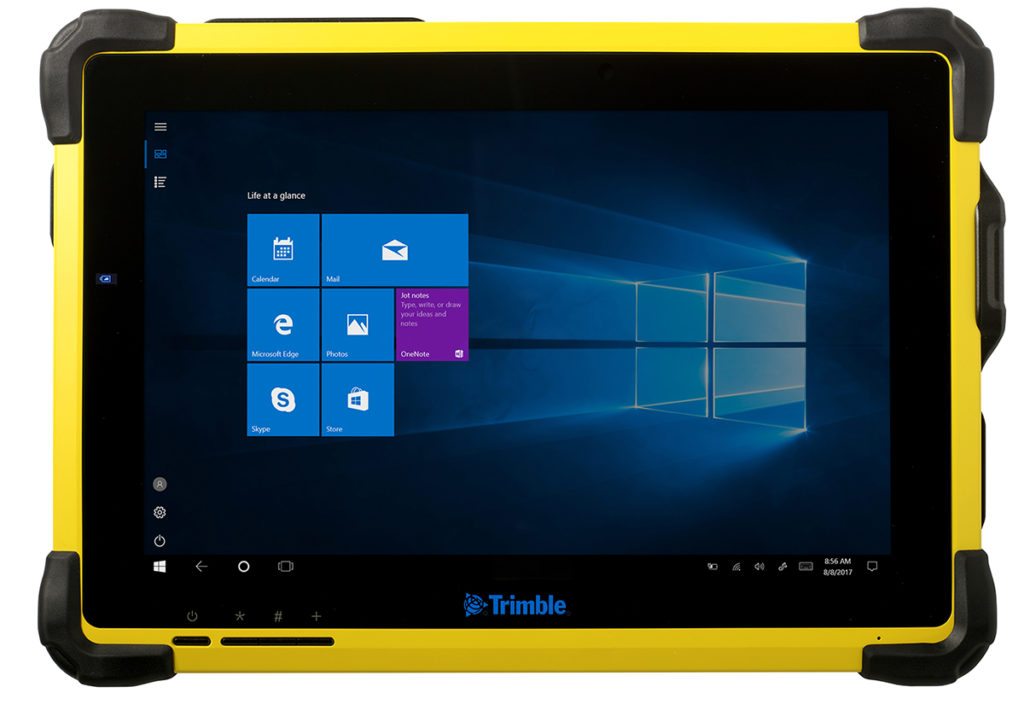
- The full onboard registration in the field also provides data surety – you can be sure that you’ve got everything whilst still on site so need for return visits for missing data.The unmeasured points view from each Station View assures you nothing has been missed whilst you’re still on site. This allows you to fill in any important areas before leaving, a great time saver if it’s something that may mean a return visit or incomplete data set if you had to wait to do this back in an office.
- It’s got a handle 😉
- Finally, the Trimble X7 has been engineered to capture 500,000 points per second ensuring a high quality point cloud cutting down on any issues that can come from capturing more data than you need, namely extremely large data sets that are unwieldy to handle, navigate, transfer and store to archive.
Got a question? Want to find out more about the X7? Why not submit an inquiry with our friendly team?
Call UK Sales: 0345 603 1214
Call Ireland Sales: 01 456 4702
For anything else, view our contact page.
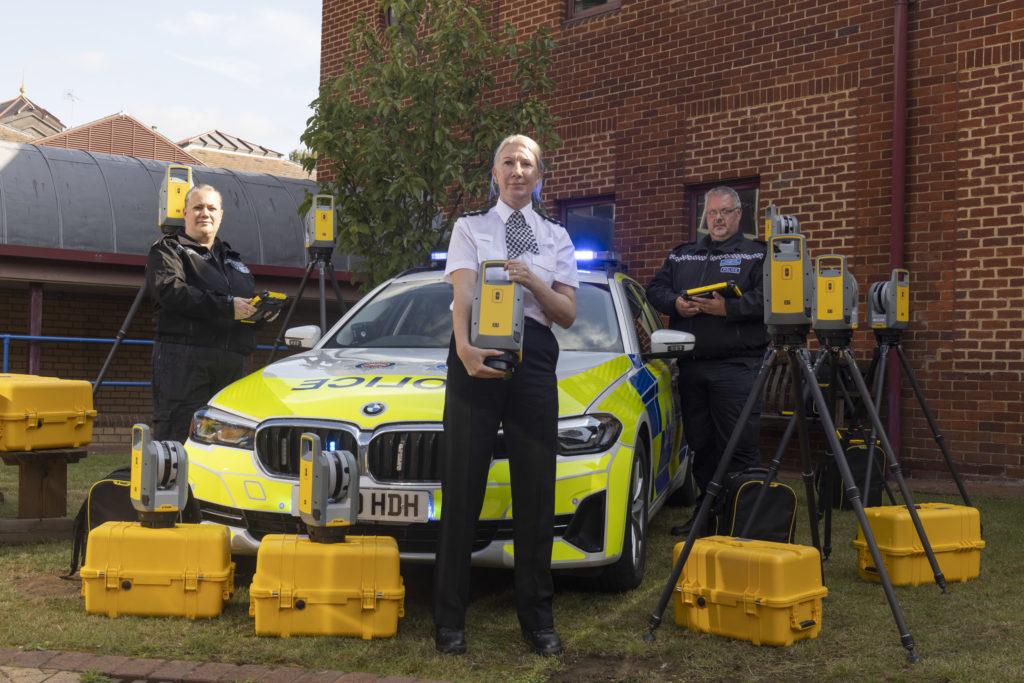
We’re delighted to announce that the hard work of KOREC Regional Director Barry Monk and our KOREC team of scanning/forensic specialists has resulted in a significant investment in Trimble X7 3D Laser Scanners by Surrey and Sussex Police.
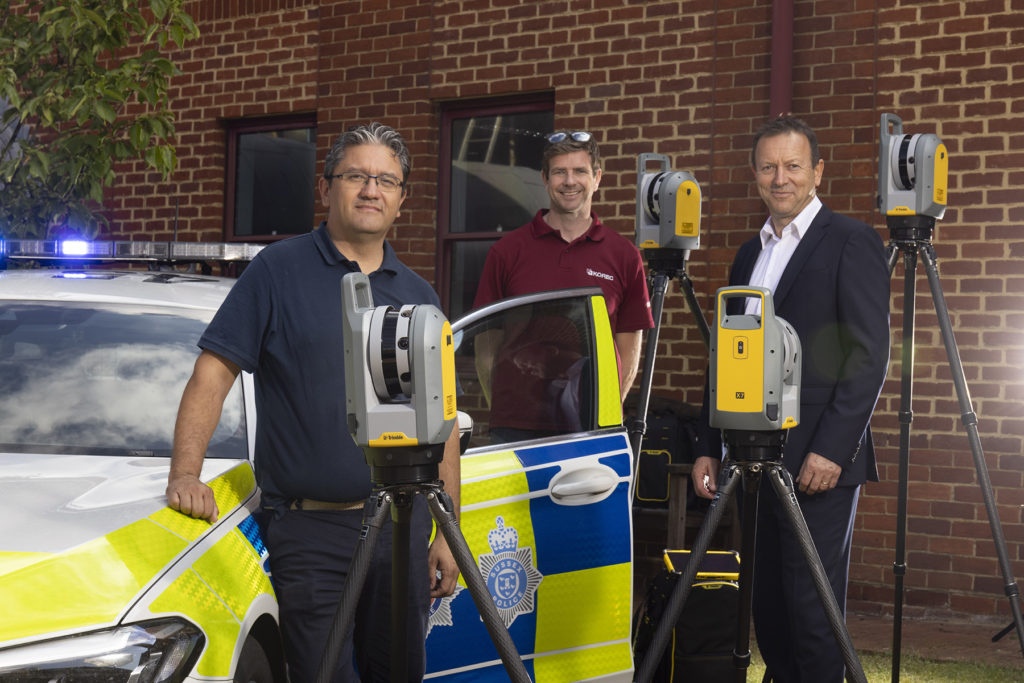
The nine new X7’s have already been delivered and we were pleased to be there on the day to ensure that the handover went smoothly.
Read the official press release here
Whilst the benefits of the Trimble X7 are relevant to a wide range of users including surveying practices, construction companies, architects, steel manufacturers, and many more have been well documented, the demands of police forensic work require an instrument that can deliver in very specific areas which is why the X7 has proved to be an excellent match:
11 points why the Trimble X7 is a perfect match for forensic police work
- Ease of use – the learning curve for the X7 is the shortest of any scanner we’ve ever seen with our training department estimating that even a non-surveyor can be efficient in data collection within hours. This gives it a far wider range of use. Thanks to its intuitive Perspective software running on a tablet, crime and collision scene investigators can reliably collect scan data even if they have not used the instrument for several weeks.
- Fit in with your existing workflow – export formats supported include Trimble and non-Trimble software through the instrument’s new Trimble Perspective software. For example, the open .E57 format for easy importing of data straight into 3rd party registration software.
- Verification of information on site – the X7’s automatic on-site registration means that officers can check that all the information they need has been collected. Often there is no chance to revisit a scene, so this feature is vital for ensuring a full and detailed survey has been completed before leaving the site.
- Survey completed and sent from the site – with registration carried out on site, the finished scan data can be sent from the field for immediate analysis. This ensures a smooth flow of information in an environment where shift work and office processing time can delay the final deliverable by days.
- Fast set up and use – the X7 can be up and running in minutes thanks to the quick release mechanism and automated survey grade self-levelling – just put the scanner down and it’s ready to go.
- Night-time benefits with easy moving and set up around the site – an IMU has been included in the X7 which calculates the new station orientation and will import new data with this orientation already applied. The registration process which follows is then much faster due to the scan already having the correct orientation- just pick it up, hold it as you wish, walk where you want and put it down. This also makes it great for night-time working because unlike other manufacturer’s scanners it is not subject to the dark/low-light condition caveats that optically based solutions are.
- ROI – auto calibration brings reliability, cost-savings and no downtime – not only is the X7 priced competitively, but users are calculating that the auto-calibration feature alone can save in excess of £3k – £4k a year because unlike other manufacturer’s scanners, the X7 does not need to be sent abroad for this process. Instead it’s done automatically, every time it’s used, with the option of a printable certificate.The calibration of some instruments can take up to 2-3 months requiring the hire of a replacement instrument. The X7 eliminates the need for this.
- Rain never stops play – Trimble instruments have a proven record in the rain and with its IP55 rating, the X7 is no exception.
- Highly portable – the X7 weighs just 5.8kg and can be carried easily in a backpack.
- Excellent data quality – fast data collection plus the option of a high sensitivity mode for scanning dark vehicles etc.
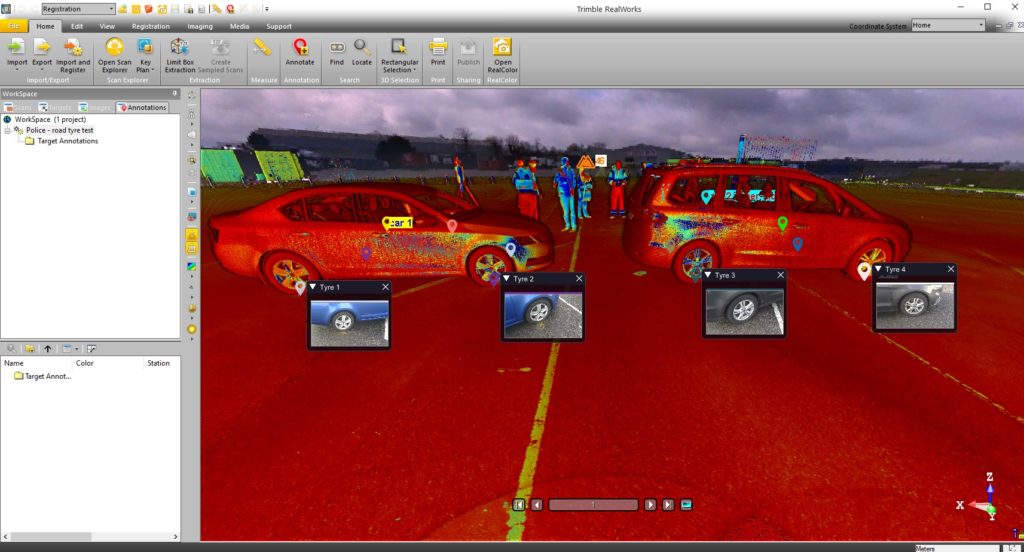
- Images and annotations – Trimble Perspective software on a tablet drives the X7 and allows users to annotate, add images, tags, notes etc.
KOREC’s Barry Monk explains why the X7 is a good choice for Surrey Police and Sussex Police chose the Trimble X7
“Working with Surrey Police and Sussex Police on this project was an exciting opportunity to understand the impact a solution such as this can have in ensuring that the requirements of both Police and the public are met.
Breaking down and understanding each element of attending a scene and collecting crucial information was key. The Police have one chance to collect the data in one visit and not miss a thing. With the Trimble X7 solution we were able to tick so many boxes. It is compact and lightweight with all the accessories in a single, easy to carry lightweight backpack and the X7 even has handle which are important aspects when it comes to transporting it quickly on to a scene. Additionally, the onboard Trimble Forensics Capture software is extremely intuitive to use. The X7 proved quick and easy to set up and GO with auto levelling and confirmed calibration at the beginning of each scan. The 3D visualisation of each scan within the Capture software gave confidence and comfort to the investigator that all data was captured. If there were areas that were missed, an extra scan could be added with ease.
In many of the scenes that the investigators attend, speed with accuracy is key. Once the scene was captured, the investigator could start the registration process in the field or whilst on route to another scene or to the station. The complete point cloud would then be ready to review but it didn’t stop there. Once we had the finished point cloud, putting the data set through to Trimble Forensics Reveal software gave the police the power to verify, understand and produce information to support the outcome of the case. As Trimble’s Reveal software was designed with Forensics investigations in mind, there are many tools to allow the investigator to present that data but also to prove what potentially happened in the incident.
The flexibility of the Trimble X7 linked to the Trimble Forensic Reveal software also enables us to develop for future maybe more complicated scenes for investigation and I am pleased that we will continue to work with the police and provide future developments.”
KOREC specialises in bringing end to end solutions and our Forensics offering is no exception. As well as the Trimble X7, we also offer Trimble Forensics Reveal, software that gives you all the tools you need to recreate, analyse and visualise crime and crash scene data. Ideal for capturing small data sets using tape measures or total stations and also for managing full 3D scan point clouds.
If you’d like further information on Police/Forensics applications for our Trimble survey solutions, please contact our KOREC specialist in this area, Cesar Almeida.
Cesar can be emailed at cesar.almeida@korecgroup.com or called on 07721 919912.
For further information on the Trimble X7:
Call UK Sales: 0345 603 1214
Call Ireland Sales: 01 456 4702
For anything else, view our contact page.
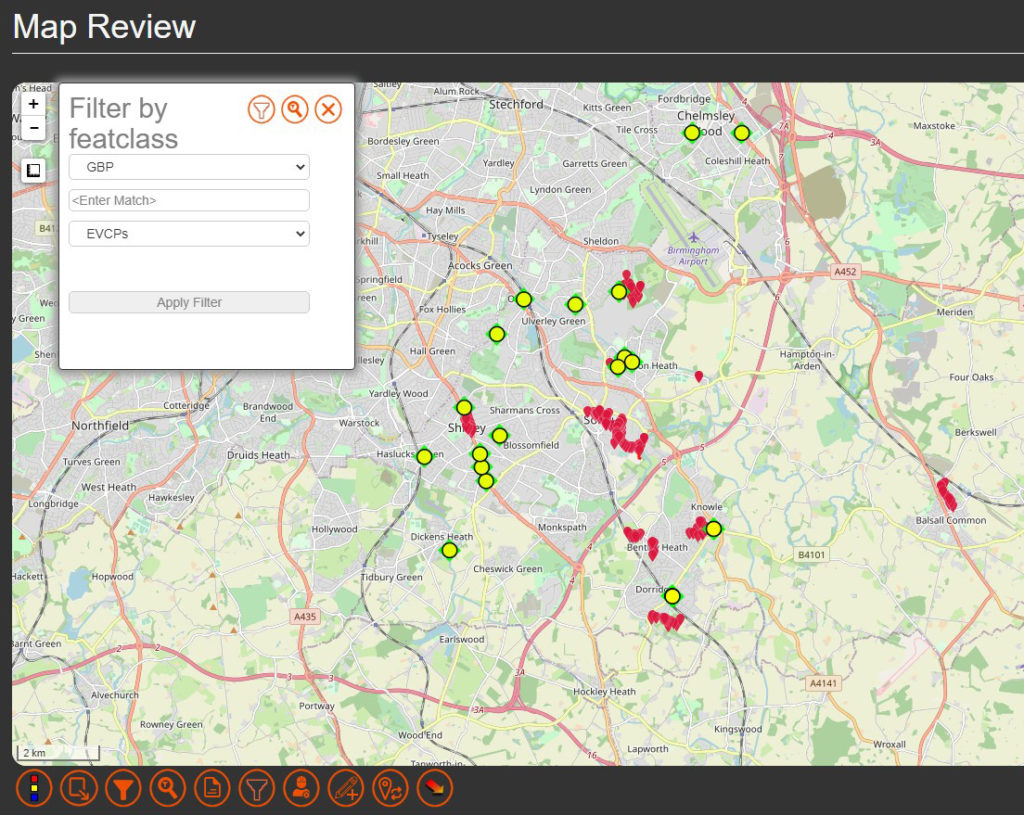
Solihull Council is stepping up its roll out of electric vehicle charging points in a bid to ensure that residents in all types of accommodation, and especially those with no private driveway, are able to charge their electric vehicle locally and efficiently. Locations have also been selected based on whether there is a current demand or expected future demand for vehicles in that area.
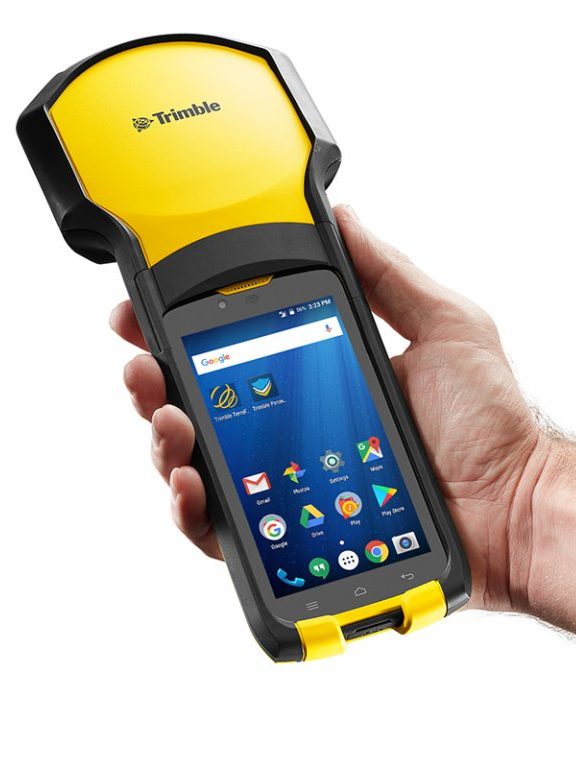
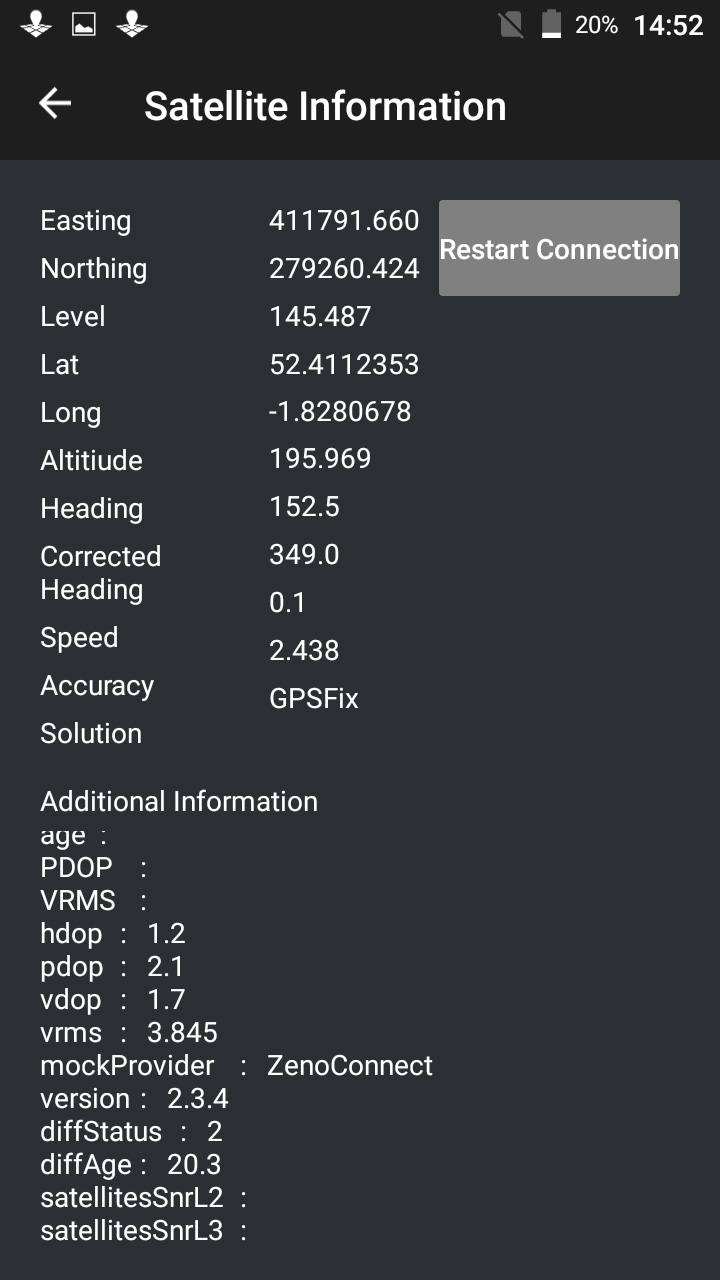
Of course it’s vital for electric vehicle owners to know exactly where each of the fifty-six charging bays are located and the Highways Infrastructure department of the council used a KOREC supplied Trimble TDC150 data logger with KOREC Capture field data capture software on-board to locate each of the ‘as-built’ charging-points around the Borough.
Ryan Wilson, Apprentice GIS Mapping Technician for Solihull Council, customised a form in the KOREC Capture software to collect attributes alongside positional information. Fields included locality name, a photograph, whether the bays at that site were legally restricted by Traffic Regulation Orders and the number of satellites tracked.
Achieving 1-2cm in the field
Using Trimble’s VRS real-time data correction service, Ryan was achieving 1-2cm accuracy with the TDC150 Trimble logger, well over what he required. Even in heavily built-up areas still achieved 20-30 cms.
Ryan also put the TDC150 to good use to locate the nail on which his total station stood to place it within the BNG CRS (Ordnance Survey National Grid reference system) when he needed to measure the layout at one particular site where the road layout was modified slightly.
Our thanks to Ryan Wilson, Apprentice GIS Mapping Technician for Solihull Council for providing the information and images.
Visit here for more information on our range of Trimble GNSS enabled data collectors
Find out about KOREC’s in-house field data capture software here.