

It’s not quite the O.K. Corral, but KOREC’s Cesar Almeida – armed with 20 years of surveying know-how across two countries – takes on one of the industry’s favourite debates: Total Station vs GNSS. Which reigns supreme for topo surveys?
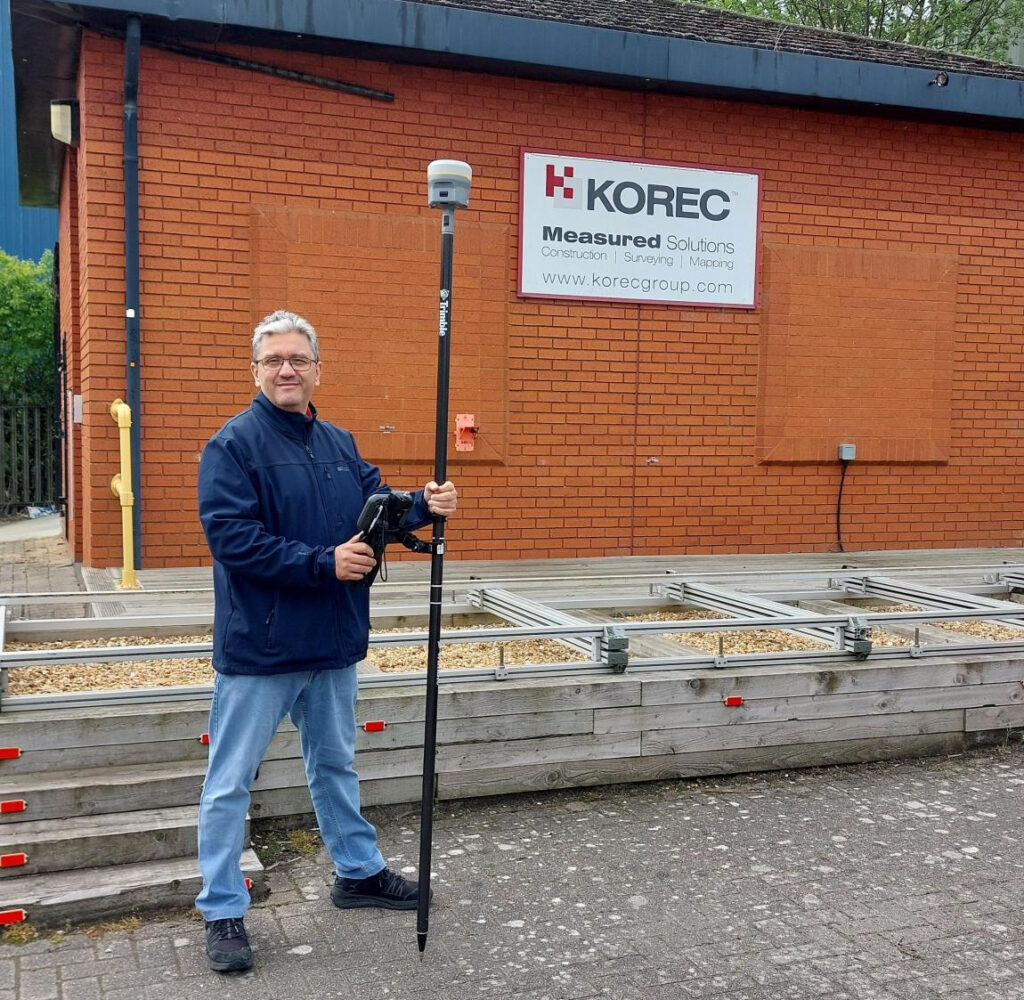
The author, Cesar Almeida
And to add a bit more clarity to the shootout, we’ve brought in KOREC’s Technical Training and Support Director, Richard Selby, to share a few thoughts from out in the field. Take it away Cesar…
A bit of background
“A story to share first. Back in 2005, when the first VRS was established in Portugal, the standard for any surveyor and/or site engineer was very much to use a two-man mechanical total station, and base/rover GNSS.”
Efficient use of the team: manpower matters
“Once they were shown the first GNSS rovers (significantly less costly than a rover and base), the adoption across the mediterranean areas was almost instantaneous over a total station. Customer ‘What do you mean I can swap a team of 2 or 3 people, with a single user on the pole, and get survey-level accuracies for topos?’
The immediate gain is obviously one of better use of the team. Traditional methods using a total station require two people for a topo survey, one holding the pole and another operating the total station, or if a robotic, protecting it from accidental damage or theft. For construction setting out, add in a third person to hammer in the nails or stakes.
During straight forward topo work, a single person can perform these tasks using a GNSS rover, freeing up team members for other projects. And of course, one person is with the rover at all times keeping it safe. It’s therefore easy to argue that the higher cost of a GNSS rover can be justified in operational savings.”
Accuracy expectations: Southern Europe vs UK
“All good, because in that part of the world accuracies under 5cm horizontal and vertical, were fit for purpose for those applications. It’s still the case today.
However, I have been in the UK now for 10 years, and it’s clear and accepted that the standards for accuracies here are higher. There’s probably a number of reasons for it, least of which are TSA guidelines written by the industry and for the industry, which are generally adhered to by customers and companies alike.
This shared standard ensures consistency, credibility, and ultimately, value across the entire supply chain.”
Trimble ProPoint changes it up
“In the last 4 years at KOREC, things have changed. Starting with the introduction of the Trimble R12, followed by the R12i and of course its latest iteration, the R980, we now have Trimble’s ProPoint technology. This gives hugely superior performance under challenging GNSS environments such as under tree canopy and in urban canyons, and the market has responded with several common observations about this technology that more than back up the Trimble marketing spiel:
- Yes, it can measure in more difficult locations than ever before and is much better under canopy and urban canyons than any previous GNSS. (Case study example here)
- Rule of thumb – it has increased productivity allowing users to capture 3 times more data in a day than with a total station or a previous GNSS generation, with enough accuracy for a topo survey. (Case study example here)
- And…the repeatability of the measurements has come down to a point where it’s almost indistinguishable from a total station for topo work. To produce a topo from a ProPoint enabled GNSS compared to a total station has led to results that are now comparable.”
Why wouldn’t you switch?
“So why wouldn’t you use a ProPoint enabled GNSS receiver to do topo work instead of a total station when there are some clearly obvious gains: just one man on the pole, no line of sight required to a fixed instrument, reduction in instrument theft and accidental damage, and overall, faster data capture.”Well, there are of course cons as well
“Recently, I was just discussing with a colleague in sales that the opportunities to use a total station are still quite large and sometimes conditions absolutely dictate that it’s the method of choice because there are still plenty of situations where GNSS just isn’t enough. On construction sites where precision control is critical, or in places like downtown London where skyscrapers turn the GPS signal into spaghetti, total stations are still the go-to. No question. But for a lot of day-to-day work, GNSS is earning its spot in the toolkit — and it’s making a real difference in efficiency and flexibility out in the field.
There’s no doubt that over the last few years GNSS technology has come a long way — and Trimble, with over 40 years of development behind them, has really led the charge. Thanks to these improvements, we’re seeing more and more customers using GNSS for jobs that would’ve traditionally been total station territory. Things like scan-to-topo workflows are becoming more common too, because let’s be honest — scanning is often quicker and easier than setting up a full traverse (at least most of the time!).”
So, what’s my conclusion?
“Unlike the gunfight at the O.K. Corral, it’s taken a bit longer to draw — but here it is:
Now’s the time to consider using GNSS more regularly simply because the technology you find in the Trimble R12i and R980 mean it’s finally accurate and repeatable enough for most applications.
And if anyone can bring a simple balance to an debate like this, it’s my KOREC colleague ‘out in the field’, Richard Selby:
The smart approach? Always remember context is king — the ideal would be to have both a total station and a ProPoint enabled GNSS receiver in the toolkit so that decisions can be made specific to the job in hand.”
What are your thoughts?

Verification, along with documentation for sub-contractors and as-built surveys are areas where 3D Laser Scanning can really add value to a construction workflow.
Scanners are so much easier to use than a total station so why’s the take up so low on construction sites? I thought I’d share a few thoughts!
Construction needs laser scanning now more than ever. Why do I believe this? Because when I go on to construction sites, yes, I do see total stations but I’m also still seeing tape measures, spirit levels and notebooks! The old ways can be functional and achieve a ‘result’ but to manually check every aspect of a large-scale project is extremely time consuming (unsustainable during a skills shortage) and prone to inconsistencies (we’re all human). In short, a few millimetres out on a ground floor can lead to 50mm out elsewhere. Clashes and rework inevitably result in additional expense and delays costing the industry £2 Billion in the UK each year with 49% of UK construction leaders reporting frequency of errors and rework as occurring a couple of times a week and 48% a couple of times a month*.
3D Laser Scanning has taken off within other industries including surveying, forensics, civil engineering, rail, steel fabrication, facilities management etc. When I talk to professionals in these areas it’s very much about the benefits and gains. When I’m in the construction environment, it’s very much about overcoming objections.I don’t believe that this is down to the traditional opinion that ‘construction is slow to adopt new technology’ and industry surveys back this up – for example, over 98% of polled construction companies in the US & UK use some form of AR on their projects and 87% use BIM*. Instead, the construction industry is raising valid concerns that must be addressed if this next step towards a digital site is to be taken.
Here are the five points I hear most:
I’ve got a total station that does the job just fine
Just as the total station superseded the dumpy level, it’s now time to take another step forward, and that step should be a 3D Laser Scanner. First up, you can trust the accuracy of a laser scanner – and we get asked this a lot. For example, all of the Trimble X Series scanners offer a 3” arc over 20mm, that’s 1mm accuracy. They also self-calibrate at the beginning of every job so you can have total confidence in the accuracy of your collected data.
Therefore, it’s delivering sufficient accuracy for construction applications. However, that’s not where the real value lies. A total station can only ever tell the story of the exact points collected which of course may be completely correct and as per the design. Laser scanning tells the whole story – including everything that’s happening between the total station points – and that’s where the ROI lies, this is vital information for avoiding rework costs and delays. The picture delivered by ten carefully surveyed total station points simple can’t compare to the level of information provided by the thousands of points collected by a laser scanner.
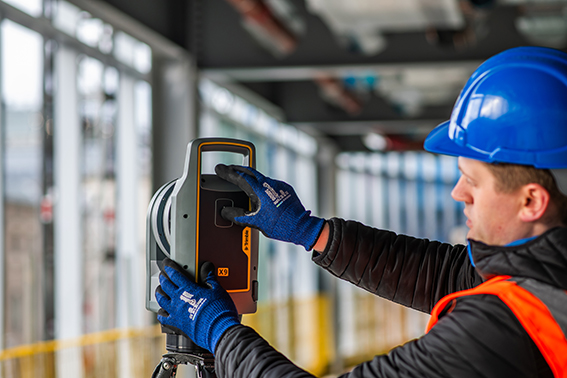
Using a laser scanner on site is relatively easy but it might take me a week to extract the information I need.
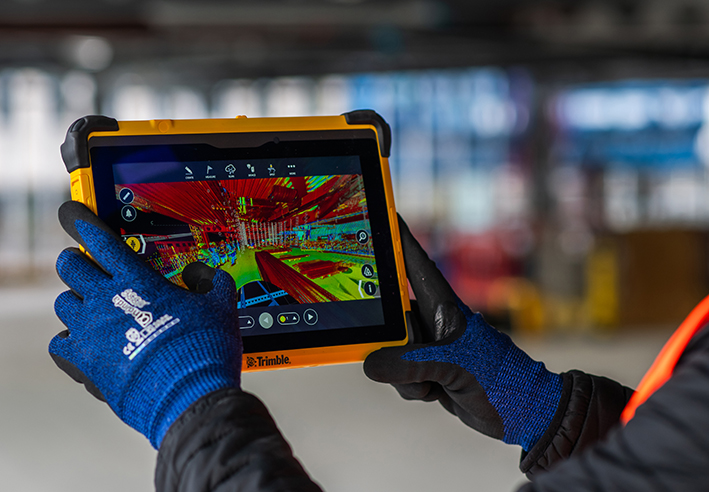
You can use your collected point cloud immediately thanks to on-site registration for error checking (a standard feature with Trimble’s X7, X9 and X12 Laser Scanners). Of course, you can check again back in the office but all the answers you need for reacting immediately to an error or clash on site can be viewed through functionality in the included on-board software, Trimble FieldLink, including setting-out errors, clashes, verticality issues and floor flatness.
To get value out of a point cloud, I’d need to invest in hardware and software that can handle massive data sets.
Again, this might have been the situation in the past but now you can carry out essential functionality in the field using the FieldLink software. Back at the office, Cintoo Cloud is a great asset, allowing you to store massive 3D point cloud datasets in the cloud, eliminating the need for extensive local storage and enabling easy access from anywhere. I’ve got a customer in demolition who scans buildings for recycling purposes and lets colleagues view this data in Cintoo which has massively helped his business at a price on average of £1,200 per year for 500 scans. It’s really easy to use and extract data from, perfect for sharing clash information.
We’d have to learn about another new technology
The good news is that a 3D Laser Scanner is far easier to set up and operate than a traditional total station which is why take-up has been so successful in industries that are not traditionally related to survey. We’ve had people scanning statues for documentation, bar & restaurant interiors for planning and all sorts of buildings by architects. We are currently facing a significant skills shortage in the construction industry and this type of technology can attract a forward-thinking generation that has grown up with smartphones, however, it needs a forward thinking buyer to start the ball rolling.
There are so many different types of laser scanner, it’s hard to know where to start
Correct, the market offers many types of laser scanner which is why I’ve also checked with my KOREC construction colleague, Sam Hough for a recommendation on the best 3D Laser Scanning system for construction documentation and as-builts. Here’s his list:
Trimble X7 or X9 3D Laser Scanner (must haves include on-site registration, auto-levelling, auto-calibration, ease of use, IP55 rating and a handle!)
Trimble FieldLink Intuitive software with some great functionality running on a T10x rugged tablet
Cintoo Cloud for viewing and sharing of large point clouds and further functionality for measuring etc eliminating the need for further software/hardware outlay.
…. which led to an interesting chat with Sam following our recent membership to GIRI – Get it Right Initiative. Sam agrees that 3D Laser Scanning provides a highly effective solution for as-builts, documentation and error/clash detection but he’s ready to argue that it would be far more pro-active to avoid errors and solve any potential problems in the first place! And this is why he will be my next KOREC colleague to share his opinion on LinkedIn…coming soon.
Do you agree with my conclusion that construction is ready to take on 3D Laser Scanning? Please do comment.
For further information on any of the above, please contact myself, Melvin.Penwill@korecgroup.com, or sam.hough@korecgroup.com visit here for full contact information.
*XYZ report Constructing Tomorrow
In his last column, KOREC’s Mark Poveda delved into the crucial questions to consider before buying a 3D Laser Scanner. In this column, he turns his focus to four important factors to weigh up before making an investment in a GNSS survey-grade receiver.
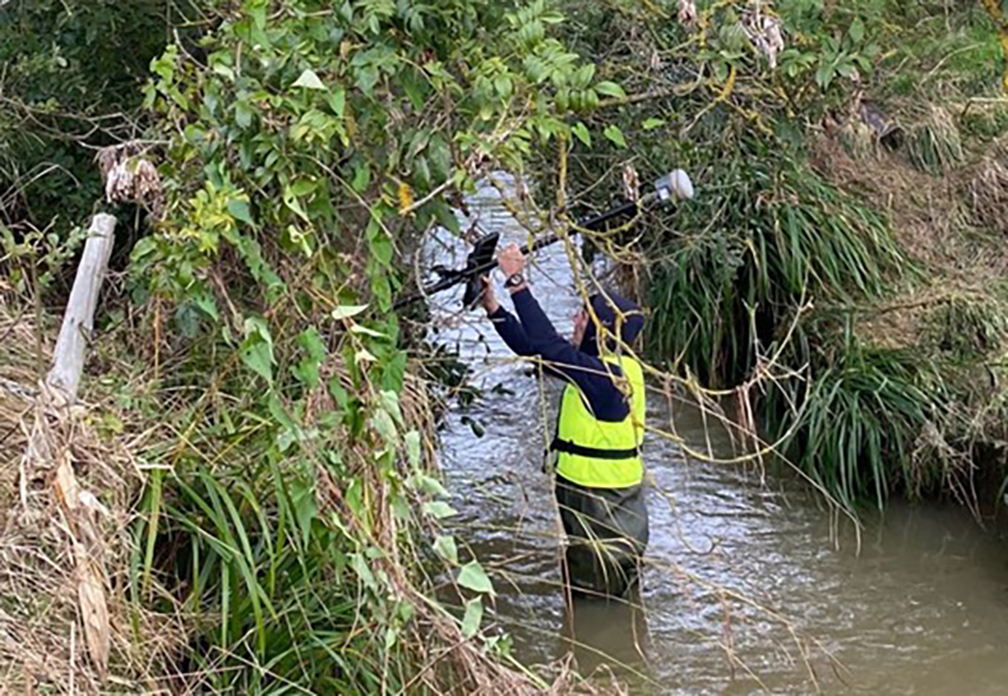
Benchmark Surveys and the Trimble R12i
Across the geospatial industry, we’re seeing a bigger shift towards people using GNSS for their survey grade data collection and setting out operations, thanks in part to developments that have increased their ability to work accurately in challenging GNSS conditions such as urban canyons or under tree canopy. However, it’s important to state that if it’s high-accuracy, mm positions you’re after, then a total station will always be your go to.
In this column, I’m going to take a look at four GNSS areas it’s worth considering, especially if you’re keen to avoid time consuming total station set ups in your day-to-day survey work.
1. It’s not about the number of channels, it’s about how your receiver handles and decodes them
When choosing the correct receiver for your purposes, it’s important to understand that most of them now support multi-constellations (GPS, GLONASS, Galileo, BeiDou), but it’s also important to check that they also support L1, L2 and L5 frequencies which mitigate signal interference in harsh GNSS environments. For example, Trimble’s ProPoint technology, found in several of their receivers, takes signals from all available constellations via three frequencies and uses dual core receivers for fast and accurate precision in challenging survey scenarios. My advice here would be to test repeatability of positions in these conditions during a field trial. We don’t want the spoofed accuracies that can occur with some receivers and this is the only way to ensure that doesn’t happen.
2. RTK and Correction Services for positioning security – choose wisely, they’re not all the same
Your RTK and Correction Services are key to continuous centimetre positions in the field and especially if you’re likely to be working where there’s patchy mobile coverage or your signal may drop in areas like quarries. If you want to avoid getting the total station out for those few points you need when there’s no signal, then it’s important to check that your receivers can also ‘bridge the gap’ using satellite corrections. KOREC customers report that the xFill function on their Trimble receivers, which does exactly this, saves them around 30 minutes of site time by avoiding a total station set up, it all adds up on downtime cost savings. Sometimes they’re not even aware the feature has kicked in because work is continuous and uninterrupted. Again, something to check on your field test.
3. Environmental durability and endurance – will your expensive investment survive the conditions you work in?
Construction sites are demanding places to work in and on top of that, did you know that last year rain fell on 171 days in the UK!
If your expensive investment is going to handle the British weather as well as tough site conditions, then you’ll need an IP65 rating for your receiver, or if you want it to withstand submersion, then IP68, plus you’ll need MIL-STD810G or H for ruggedness for both your receiver and controller. Especially, take a really good look at the build quality during your field test and check out whether it comes with local servicing and repairs from your GNSS supplier.
4. It’s all about the workflow – protecting your data and turning it into manageable information
Finally, a successful survey isn’t just about the receiver, it’s about collecting, processing and analysing that data and of course, protecting the information you’ve collected. Unfortunately instrument theft is a common occurrence so we definitely recommend that your receiver has the ability to sync with secure cloud storage and also that you can choose where it is hosted rather than it ending up in a random location anywhere in the world.
It’s also important to consider the end-to-end workflow and ensure that yours is futureproof. For example, is your collected information compatible with your back-end packages if you’re an n4ce or SCC user? Seamless integration is vital for saving office time on the processing and decoding of your collected data.
Whilst I hope this information is a good guide to what to look for in a GNSS Receiver, my best advice would be to rigorously check before you buy with an extensive field test and especially, check its accuracy and repeatability in different conditions.
If you’re looking to invest in 3D Laser Scanning technology, Mark Poveda urges you to go beyond the spec sheet to unlock your perfect 3D Laser Scanning solution and ask these five important questions instead.
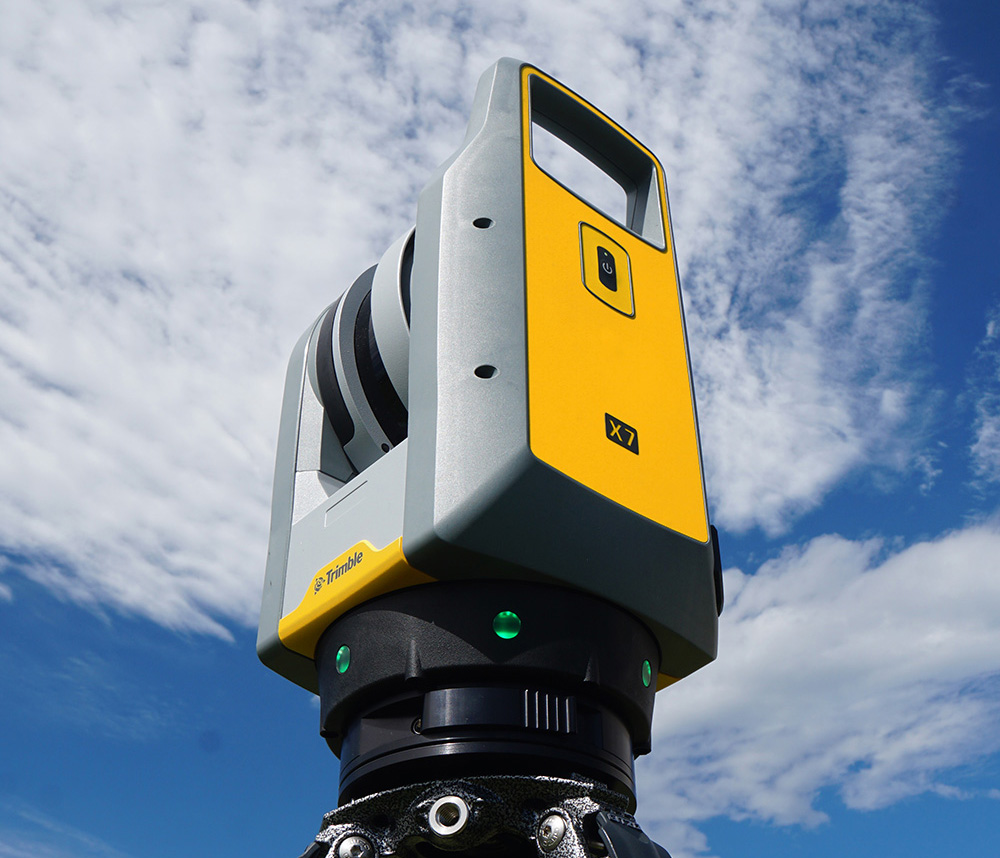
There’s no doubt that 3D Laser Scanning is now a widely accepted tool for surveyors thanks to its ability to quickly and accurately capture detailed 3D spatial data, making it valuable for a wide range of applications.
The technology has continued to evolve and become more accessible in terms of cost and equipment and there’s more choice than ever……which is where the challenge begins!
It’s at this point that I would urge you to move beyond the manufacturer’s spec sheets which are often complex and don’t compare the same information, and instead, ask yourself these 5 important questions:
1. What is the cost of ownership vs. unit cost?
The unit price tag may look good but what are the ongoing expenses? It’s time to dig a little deeper.
First up, I’d urge you to ask how often the scanner needs to be calibrated and here it’s crucial to consider not only the financial aspect of calibration but also the duration your instrument will be unavailable for use, particularly when it requires international shipment. Additionally, factor in the expenses associated with acquiring a temporary replacement.
Under cost of ownership, it’s also important to check for hidden charges including upgrades for firmware software licensing or any additional modules you may need to create your preferred deliverable. Also don’t forget to factor in office processing time and any extra investment in IT.
2. Do I need survey grade auto-levelling?
It’s not all about the time the scanner is turning and collecting data. Having an auto-levelling feature ensures that you are ready to go as soon as you set the instrument down. Having an IMU and dual-axis compensator on a scanner means data is always level to survey grade accuracy and does not require the same level of post-processing as those that don’t meet that same accuracy specification. This also massively improves the accuracy of your scan data over the scanner’s full range. Potentially, this feature can save you around 5 hours a week if you’re undertaking 150 scans a day.
3. What’s more important to you, scan time or total time to project deliverable?
I’ve written about workflows in previous columns, and it’s just as important here, as is a broad look at total production costs, namely adding in the field capture plus the office processing time and investment in IT and training.
The first thing to consider here is that speed is not always what you think or see on the spec sheet, because scan speed and scan rate are not the same thing. Scan speed is the number of points you collect per second, and scan rate is the number of seconds needed by a scanner to collect that data – this depends on the density of the scan data you require and the range of your scan. So in theory, the scanner with the fastest speed doesn’t always have the fastest rate. It’s therefore very important to make sure that you select a scanner that has the best balance for your applications.
Additionally, time saved in the field doesn’t always equate to a faster deliverable. When purchasing a scanner, one of the best ways to deliver a faster result to your customer is through in-field automatic scan registration so it’s definitely worth checking if your potential new scanner has this feature.
4. Will it work in the rain?
On average it rains 151 days a year in the UK! Time to check the IP (ingress protection) rating of your proposed scanner. The first IP digit relates to the level of protection against solid objects; the second digit relates to the level of protection against liquids. If your scanner’s IP rating is IP54, it’s important to understand that it does not have a closed mirror and you may be risking your scanner by working in conditions it’s simply not suitable for. IP54 means that the scanner is protected against water spray and is suitable for outdoor work, however an IP55 rating means suitability for working with in rain.
5. Has it got a handle?
It’s possibly any scanner’s most underrated feature, but your scanner is worth thousands of pounds, not to mention any downtime if it gets dropped! Easy manoeuvrability is vital in tight spaces or if you’re working within complex structures. Several KOREC customers have mentioned this as one of the deciding factors in their purchasing decisions.
…… and this feature doesn’t even get a mention on the spec sheet!
Thinking of investing in a laser scanner? Get in touch and we’ll be happy to discuss your requirements!
Following a number of recent test flights, KOREC’s Darrell Theobalds reports back on where the WingtraOne Gen II scores high, what’s on his wish list and what he truly rates.

Does the WingtraOne deliver?
For KOREC’s sector specialists, the good news is that they always get their hands on a new addition to the KOREC portfolio before anyone else! This time it’s the turn of our drone specialist, Darrell Theobalds, who has been putting the WingtraOne GEN II through its paces.
KOREC has recently become a Wingtra partner to further strengthen the existing KOREC fixed wing portfolio and Darrell, with his extensive experience supporting and training our drone users, understands better than anyone the challenges drone operators face in the field as well as what’s required to overcome them.
Developed in Switzerland, the WingtraOne GEN II is a premium surveying drone aimed at those who seek consistent high-quality drone data and comes with the tag line ‘Map Faster, Map Larger, Map Anywhere’.
Does it deliver? Darrell reports back on his testing:
How I tested the WingtraOne GEN II
I’ve completed six flights in two separate locations so far with the WingtraOne; three with the new LIDAR payload and three with the RGB61 high-resolution mapping camera. Two of the flights with the LIDAR were in wet conditions and the other was on a very windy day. With the RGB camera, we undertook two flights on sunny, calm days and again, one in very wet weather.
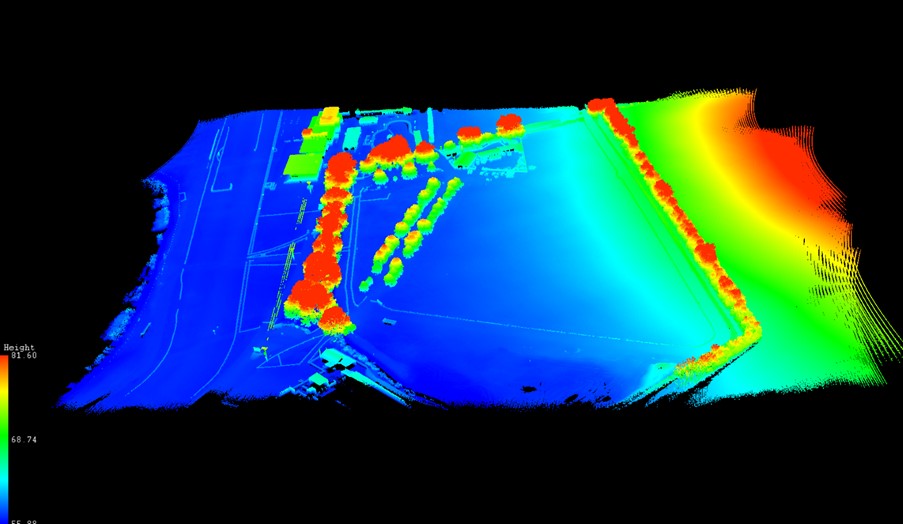
A flight with the WingtraOne and LIDAR payload lasted 4mins 40 sec producing a 183 pt/m2 point density cloud and coving an area of 13ha. The point cloud size was 470mb whilst processing time in the Wingtra LIDAR app took 10 minutes.
First Impressions
Before we get into what’s included with the WingtraOne, it’s worth mentioning the case itself – this is professional packaging! The drone comes in a robust, thoughtfully designed container guaranteeing the safety of both the drone and its sensors during transport. The inclusion of a hardcase for shipping and soft backpack carrier for easy transportation means you’re equipped to take it on a plane, or venture across remote countryside.
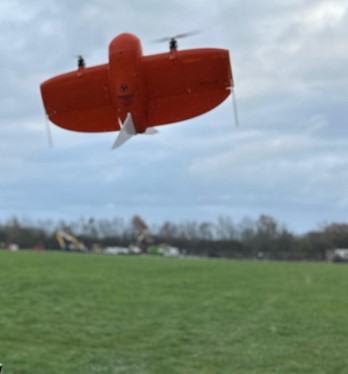
With the case open, the first thing to note is that the Wingtra is bright orange for easy spotting and has a sleek and modern design reflecting its professional-grade capabilities. It’s also extremely compact. This is good to see because power lift drones can be complicated instruments, so this sleek design definitely showcases the ingenuity that’s been put into its development.
What’s in the box?
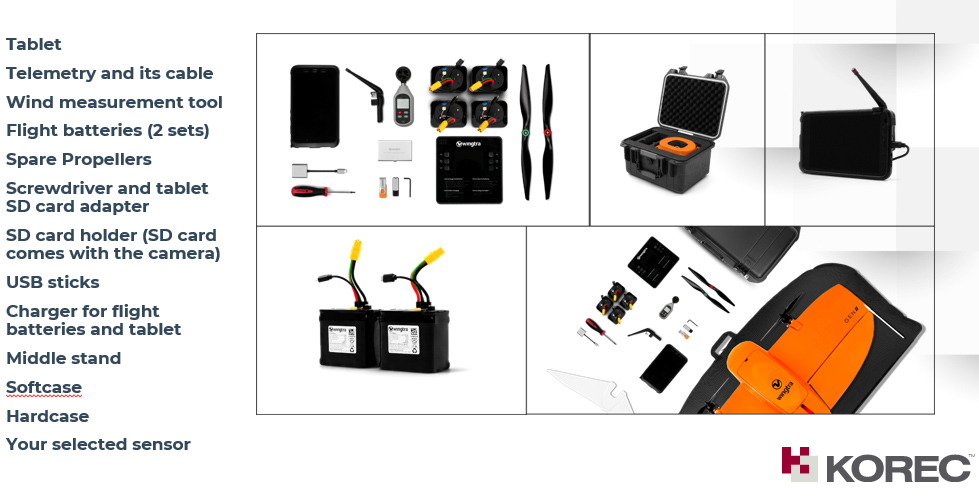
Once you open the box it’s a comprehensive set up. The standard WingtraOne GEN II package comprises not only the drone itself but also a complete set of essential accessories. This includes four batteries, a smart charger, a ground control station Samsung tablet, communication modules, an anemometer, and various accessories for data transfer. Altogether, it’s a carefully curated selection of accessories that are essential for the field data collection.
Getting set up
Setting up the WingtraOne for flight is typically straightforward, thanks to user-friendly instructions, an online knowledge base resource repository of eLearning tools and intuitive design. To start up flights with the Wingtra, you need to set down on a level surface parallel to the wind, insert the middle stand, insert the payload and connect the battery. Then plan your flight, go through the Wingtrahub check list and off you go.
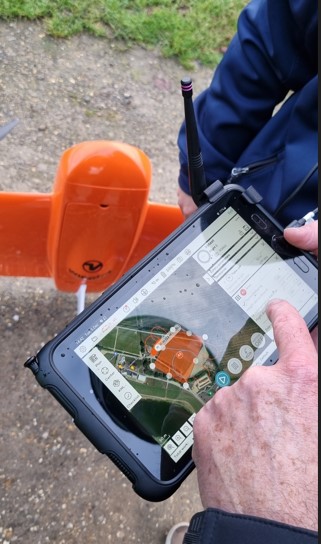
Preparing to fly – intuitive software
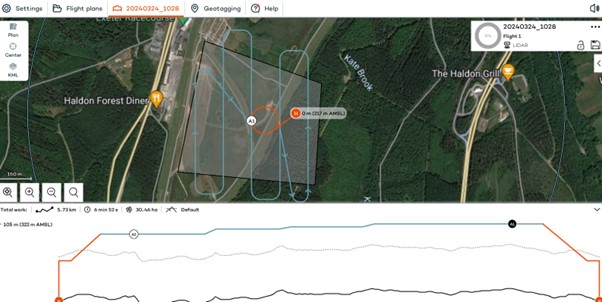
WingtraHub is the Windows software for PPK image geotagging and desktop flight planning and has a simple flight check wizard. This means there is limited chance of error as you would not be able to take off if the initializing process was compromised or if you missed a step.
The Wingtrahub allows the user to plan area and corridor flight import mission parameters from KML and view this mission plan against the terrain. Again, a well-engineered thought-out application.
VTOL! Abolutely one of my Top 5 features
The benefits of fixed-wing and multirotor drones with VTOL (Vertical Take-Off and Landing) capability always appeal to me as I have had a fair number of challenges with sites that are extensive but have limited take-off and landing location.
Powerlift drones like the Wingtra enable vertical take-off and landing like a multirotor drone while also having the efficiency of a fixed-wing aircraft during flight. I have flown fixed wings for the past 12 years and the challenge has always been landing and taking off at confined sites, especially when the landing location has obstacles and you are restricted because you need to land into the wind.
The time spent trying to find the safest location to take off and land can now be spent flying. With the additional functionality of pausing and manually landing like a rotary, it’s really the best of both worlds. Only last week, at a Yorkshire racecourse, I had a flight planned with winds gusting at 30mph and averaging 17mph. I was able to take off and land with no issues. The updated Wingtrahub software and manual override for land, made landing in these type of winds very controlled and safe.
High precision mapping – sensor choices
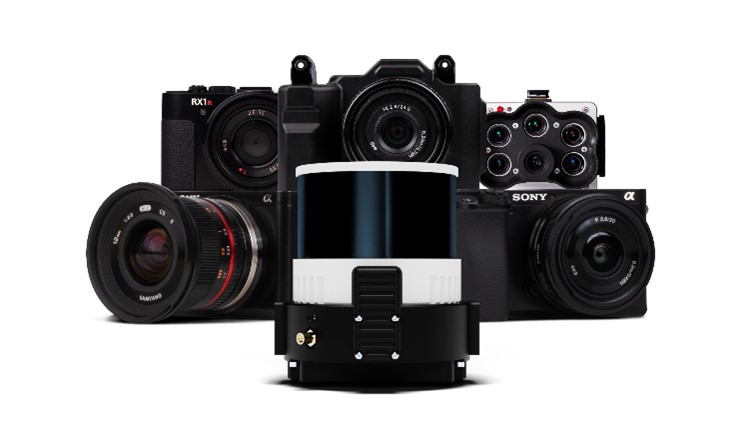
WingtraOne is equipped with high-resolution cameras like the RGB61 and advanced sensors like the multispectral mica sense and Wingtra LIDAR to capture detailed imagery and data for real-world mapping and surveying purposes. This combined with the PPK base data can provide users with deliverables up to 1cm accuracy. I used both the RGB61 and the new LIDAR and was impressed with the results, they both performed remarkably well in windy conditions with no downwash or blurry images. Their solid performance also gave me total confidence that I was achieving one of the things that can save the most time on a job, ‘getting it right first time’.
In the air – what I liked
Long Range and Endurance:
With its fixed-wing design coupled with vertical take-off, WingtraOne can cover large or small areas efficiently in a single flight.
Thanks to its impressive flight range and endurance, the Wingtra can efficiently map vast areas without the necessity for frequent battery swaps or recharges. Moreover, it’s not limited to large expanses; it’s versatile enough to capture smaller sites as well.
Post-Processing Software Integration:
The exports from Wingthra Hub can be processed using various photogrammetry and GIS software packages, outputting the standard point clouds in LAS or Laz, the mesh file in OBJ, your Orthomosaic in Geo tiff or jpeg. Typically, all I need is a combination of Pix4D and Trimble Business Center to accomplish my tasks.
Impressive Performance:
I was impressed by WingtraOne’s performance in the field, including its long flight endurance, high-quality imaging capabilities, and reliable autonomous flight missions. I flew in high gusts of up to 30mph and landed in winds over the max of 17mph which meant the unit can be pushed to its limits while still providing good data. As I mentioned, the lidar sensors and RGB61 sensors performed remarkably well in windy conditions with no downwash or blurry images.
LIDAR camera impressions
February of this year saw the introduction of Wingtra LIDAR. Integration of LIDAR systems typically involves mounting the LIDAR payload onto the drone’s payload bay and ensuring proper integration with the drone’s flight control system and data capture workflow. This will involve some calibration to prevent distortion and incomplete point clouds.
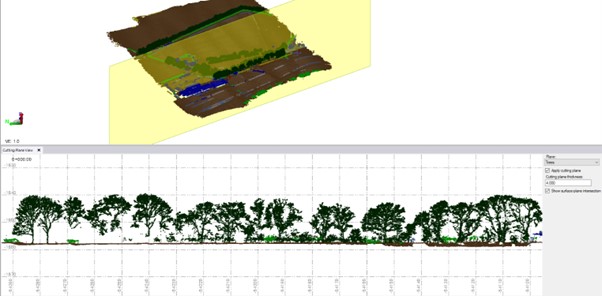
Contrary to belief, LIDAR does not penetrate the leaf. Instead, the light passes through gaps in the foliage, reaching the ground through multiple scans.
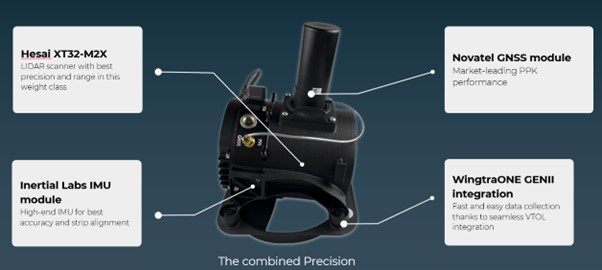
The Wingtra LIDAR sensor has 3 components: a Hesai LIDAR scanner, an inertial Labs IMU and a NovAtel GNSS.
HESAI Technology, a renowned global provider of LIDAR sensor solutions, supplies sensors utilised in various fields including ADAS, autonomous mobility, trucking robotics, AI, and numerous industrial applications. The knowledge that the WingtraOne GEN II is powered by a Hesai sensor instills a certain level of confidence and trust, customers know they are investing in reliable and high-quality product.
Navigating the workflow was straightforward for me. I initiated my flight plan using Wingtrahub, executed the data capture with Wingtra Pilot within a 4-minute flight, processed the raw data in the Wingtra LIDAR app (taking approximately 10 minutes), and finally conducted further data processing in Trimble Business Center. Within 40mins I had usable deliverables from the flight data.
The most common questions I get asked about Wingtra LIDAR and the answers!
The common inquiries I receive revolve around the flight duration, the extent of necessary editing, the processing timeframe, and the quality of data captured beneath tree cover.
The responses are 3%-5% decline in flight duration due to the weight of the camera, minimal editing is required, and the data beneath tree cover results are better than average for a 3 return LIDAR sensor.
One of the standout features of this LIDAR solution is its self-calibration capability. Unlike other units that require calibration during flight, resulting in lost flight time due to back-and-forth adjustments, the Wingtra ensures that you maximize your entire flight duration, allowing for a full flight.
You do lose some flight time because of the weight but because of the angle of coverage and overlap you can cover a wider area along the flight lines. So, transitioning between the RGB and LIDAR sensor does not impact coverage as it relates to flight time.
With a wide angle of 90 degrees, coupled with extended flight times, it can cover more ground with each pass. For instance, during a 90-meter flight, the LIDAR can cover 360 hectares while maintaining accuracies of 3cm. This represents up to a 50% increase in coverage compared to sensors of similar range.
There is no misalignment after processing with the Wingtra LIDAR so there is very little to do when processing the raw outputs.
It took me a few minutes after flight to export the raw LIDAR trajectory data, clean the runs and export the Las file for processing in our Trimble Business Centre software. The Wingtra LIDAR app enabled me to select the end and start of runs processed and export to the required coordinate system.
I do not think this is out to replace your LIDAR rotary solution as there are solutions where you will need to fly slower and require more returns to achieve that level of detail, but you lose the coverage and spend days in the field, all impacting cost, The Wingtra LIDAR solution has a strong place in the market and I was impressed by its performance.
In conclusion – my top five WingtraOne GEN II rated features
- The Wingtra’s VTOL functionality allows you to work at confined sites
- The speed and precision allow flight to cover larger areas than Rotary
- There is a wide selection of payloads for the WingtraOne GEN ll
- Wingtra LIDAR substantially reduces the need for labour-intensive post-processing strip alignment, providing precise terrain data immediately following each efficient flight.
- One of the notable advantages of Wingtra LIDAR is its ability to minimize field time, requiring no calibration and initializing in just one minute.
- The user-friendly Wingtra LIDAR app and automated experience empower users
And in a perfect world….
In all honesty the WingtraOne delivers high-quality data in demanding conditions and I’ve been extremely impressed, especially with its wind handling. Does it deliver on its promise of ‘Map Faster, Map Larger, Map Anywhere’, absolutely yes it does.
Is anything missing from the package? Not at all, the Wingtra is a premium drone and its performance, build and ease of use reflect that at every turn. However, if you really pushed me, for a wish list for future upgrades it would include live link flight mission updates or real-time viewing of data imagery, but that’s about it. Watch this space for future updates and in the meantime, for further information, please view my recent WingtraOne webinar here. or contact us for a demonstration at info@korecgroup.com

KOREC’s ‘Scanning and Point Clouds’ Sector Specialist, Melvin Penwill, field tests the new Trimble X12.
At the end of July, Trimble announced the new X12 3D Laser Scanner, its first release since the groundbreaking X7 of which you’ve no doubt heard plenty of talk over the last couple of years! A new instrument is always an exciting moment and as KOREC’s ‘Scanning and Point Clouds’ product specialist, I was delighted to get my hands on one of the units that landed at our Huntingdon Offices for our consultant training day.
The Trimble press release describes the X12 as ‘…..integrating intuitive Trimble software for precise data capture and in-field registration with state-of-the-art 3D laser scanning and imaging hardware technology from Zoller+Fröhlich (Z+F), combining the expertise of two industry leaders into a single solution.” A nice description, that highlights that this really is a ‘best of both worlds’ combination of Z+F technology and a tried and tested Trimble workflow, but let’s take a look at how that works in practice.
Out of the box
So, first impressions, it’s small! For a scanner of this range (0.3 m–365 m) and precision (≤ 1 mm + 10 ppm/m), it’s way more compact than its closest rivals measuring just 150 mm (W) x 258 mm (D) x 328 mm (H)) and weighs in at 7.7kg and that includes the batteries. It also has a handle, a significant detail that’s been much appreciated on the X7. The box looks great too, but doesn’t accommodate the Trimble T10x Tablet, but then again, that makes sense since the tablet is often going to be separate from the instrument for charging etc.

However, this is an all-in-one package and includes everything you need to start scanning immediately including the Trimble Perspective software.
Here’s what I rate – my six top highlights:
- All the KOREC consultants found the Trimble Perspective workflow incredibly easy to use. Those that were familiar with the X7 were up and running immediately, those that were unfamiliar found Perspective intuitive and with just a couple of questions here and there required little further assistance. This is vital for survey companies that need an instrument that’s suitable for use by everyone on the team for an early ROI with little down time for training.

- Window scanning – this is a great feature! Do a quick 360° scan (23 or 46 seconds) to position yourself and then use the window option to select areas for more detail. Expect 0.6mm at 10m….unbelievable!
- Great imagery – you can add excellent imagery to your scan in just 2 minutes, again it’s super quick and the quality is excellent. The Perspective software also means that it’s really easy to retake images. A lot of thought has gone into making this a really simple procedure.
- Clean, sharp data and noise, or more accurately, lack of noise! One KOREC customer scanned a black car. Normally with a reflective surface of this sort, you can expect noise. In this case, the customer thought that that the data had been filtered in Trimble RealWorks because it looked so unbelievably clean. Not so, this was all the work of the X12. It’s worth noting that noise is at 0.2mm at 10m for the X12 compared to maybe 2-3mm with the X7.
- Scanning in the dark – don’t be put off anymore, even for inspection work. The X12 has four LED lights which are so strong that from the results, you wouldn’t even know you were in a dark room.
- Fast – this scanner is also speedy, one of the fleetest on the market and with Trimble Perspective, users can check their data, take measurements, and add annotations before leaving their site which makes for faster turnaround time in the office.
The proof of the pudding…

I spotted this on the drive back from Huntingdon and couldn’t resist! The obelisk was in a really tricky environment with trees all around but I wanted detail, not trees. I did a 360° scan for registration and then a window scan with images. The end result was clean and crisp.

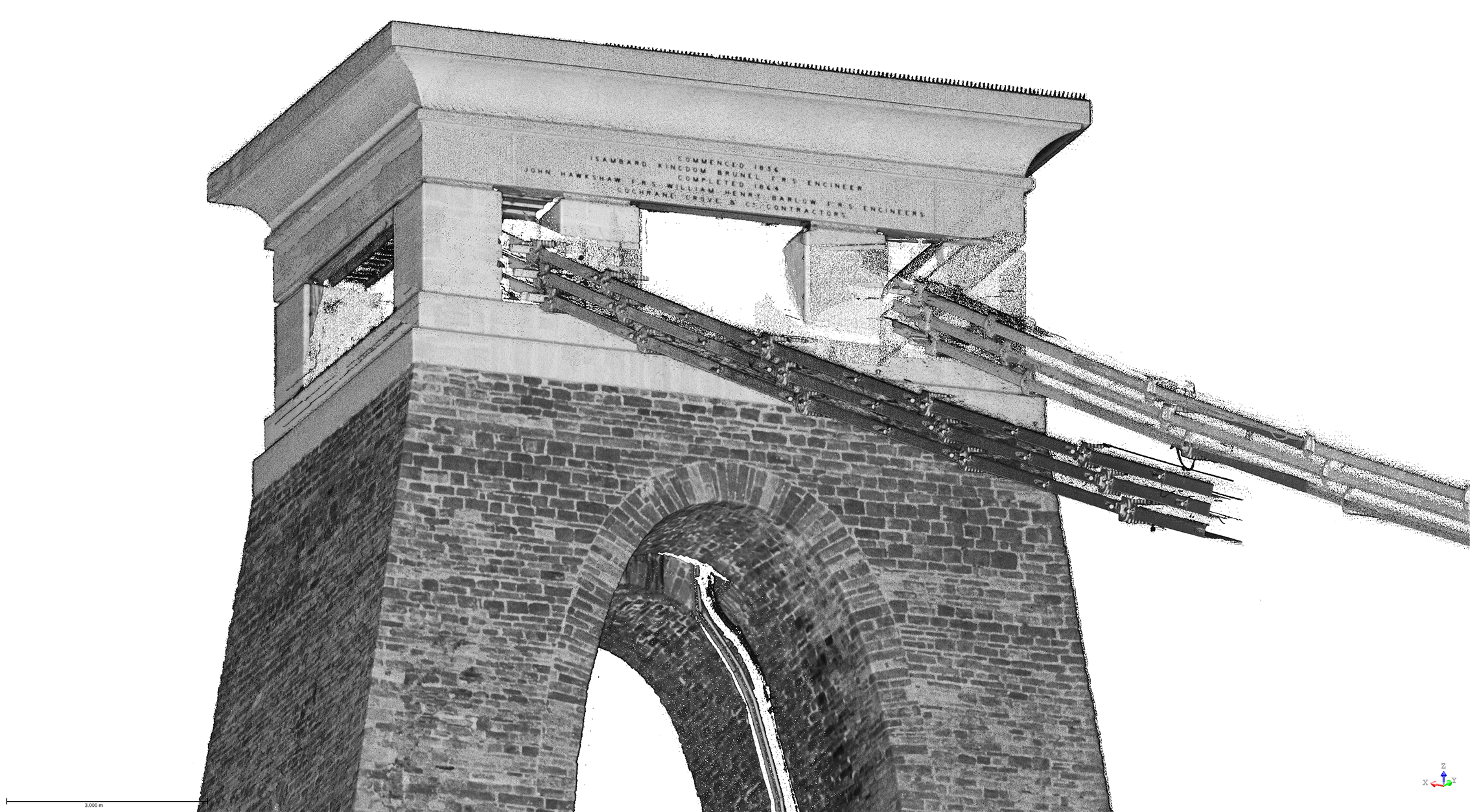
I chose this bridge because I’ve visited it regularly with the X7 so I knew it would be a really useful comparison to undertake the same scan with the X12. The result with the X12 is a totally different level. This is an instrument with an understandably higher price tag than the X7, but this scan reminded me exactly why. I scanned at an 80-90m range and again, the results were impeccable with the detail on the brickwork crisp and clear.

Conclusion
In all honesty, when I first heard about the X12, I was asking myself how it would fit into the fleet of one of our typical KOREC survey customers and as ever, the answer comes not from a press release or a data sheet but those who are out in the field or running a survey business, all of whom have productivity, profit and great deliverables in mind. The customers I’ve shown the X12 to have been wowed by its performance as a single instrument suitable for any job. So, I’m signing off with a quote from a recent demonstration that sums it up perfectly:
“It’s totally fit for purpose, every purpose, in fact it’s a bloody great scanner!”
If you’d like to know more about the X12, please contact me at Melvin.penwill@korecgroup.com and please do sign up for our X12 webinar at https://korec.group/x12-webinar-1 on Tuesday 11th October.

Over the coming weeks, we’re going to be asking prominent people in the survey industry to outline their three most rated geospatial industry innovations/changes in around 100 words or so…and anything goes!
We’ll be sharing these thoughts on LinkedIn and have some great names lined up!
We’ll be adding each addition to our ‘Insider Series’ to the KOREC blog to build up a picture of what those in the know really rate.
Polly Hopkins, Company Secretary of Storm Geomatics, specialists in surveying in water
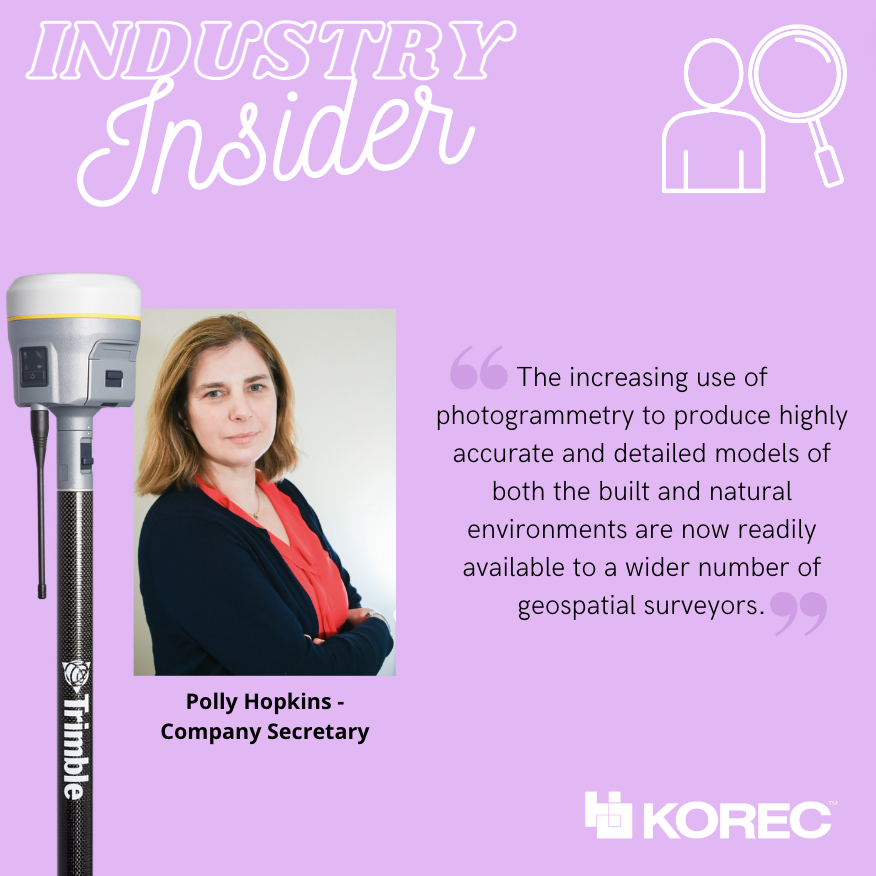
Polly has been with Storm Geomatics since day 1! Her expertise lies in understanding and researching Storm Geomatic’s clients’ pain points, then ensuring that her colleagues address these by providing solutions through the best methods of data capture.
Polly’s three most rated innovations/changes:
The increasing use of photogrammetry to produce highly accurate and detailed models of both the built and natural environments are now readily available to a wider number of geospatial surveyors. The increased use of photogrammetry is possible because of:
Increasing power and memory storage of computers too process large volumes of data and media that compliments data capture capabilities and processing. Such as photogrammetry.
Software innovation focusing on being specific to client needs to accelerate the process of problem solving. For example, GeoRiver® River Channel processing software that is a result of collaboration between Storm Geomatics and engineer clients to produce an understanding of specific requirements to solve flood solutions.
To conclude; photogrammetry, the power of the computer and functionality of software are all innovations that will greatly enhance geospatial data capture and ensure processing of data is accelerating the process of problem solving.
Ron Bisio, Senior Vice President at Trimble, with responsibility for the Geospatial and Transportation sectors

Ron joined the company in 1996 and has held several marketing, sales and general management positions prior to taking over worldwide responsibility for Trimble Geospatial in 2015. He earned a master’s degree in business administration from the University of Denver, a master’s in regional planning from the University of Massachusetts and an undergraduate degree in geographic information systems & cartography from Salem State University in Salem, Mass.
Ron’s three most rated geospatial industry innovations/changes
• Digital twins will be central to addressing infrastructure needs across the world. The collaborative, connected environment of the digital twin also applies to BIM, where mixed reality solutions support a new way of working with architecture, engineering and construction models throughout the building lifecycle, from design and demolition.
• The cloud enables changes in data collection and processing and is broadening the surveyor’s role in bringing all elements into a connected workflow for customers to get their work done.
• Mobile mapping and laser scanning are transforming engineering and construction by capturing highly accurate data about bridges and roadway infrastructure, while improving safety and productivity.
Gavin Schrock, Licensed land surveyor and consulting editor of GoGeomatics
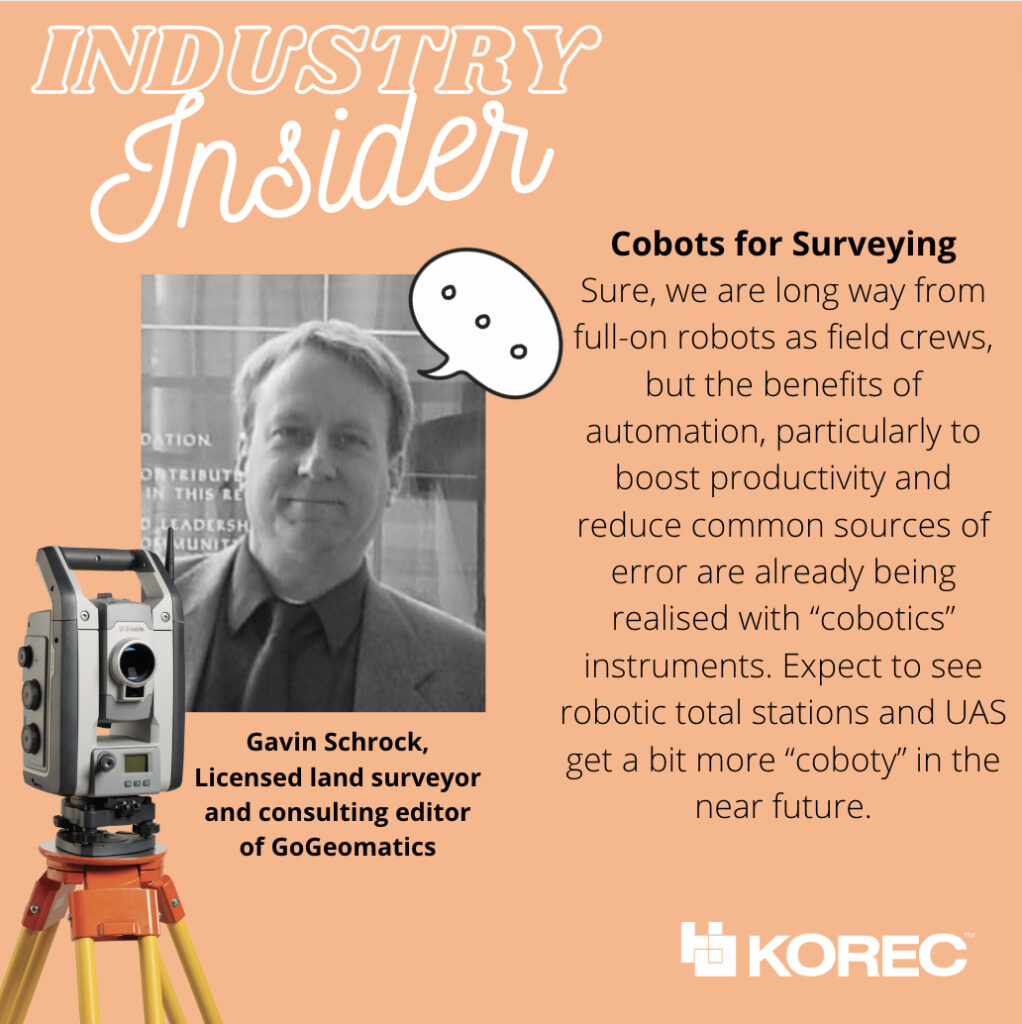
Gavin Schrock is also a practicing, licensed land surveyor, technology writer, administrator of a cooperative real-time GNSS network (RTN) and consulting editor of GoGeomatics. He has worked in surveying, mapping, geodesy, monitoring, data management, satellite navigation, and GIS in public works, commercial development, defense, and utilities. @schrockg
Gavin’s four most rated geospatial industry innovations/changes
• Practical Augmented Reality for Construction and Surveying
The face-box AR systems, like we see promoted in consumer markets, were never going to be practical—or safe—for field or worksite environments. The realisation of true “mixed reality” was long overdue for AEC applications; I’d been waiting for this for decades, ever since I saw those heads-up displays in fighter aircraft and thought “why can’t we have this in the field?” Then along came the Trimble XR10 in 2019, based on the HoloLens 2, later productized as for construction layout earlier this year, powered by the FieldLink MR application. The future just got quite bit closer. Ok Trimble, now give us a tilt-prims-pole to go with it!
• Cobots for Surveying
Sure, we are long way from full-on robots as field crews, but the benefits or automation, particularly to boost productivity and reduce common sources of error are already being realised with “cobotics” instruments. A “cobot” is often defined as “a computer-controlled robotic device designed to assist a person”. A prime example in surveying is advanced scanners like the X7 that self-calibrate, perform automated fine levelling, and progressively self-register multiple scans. Another is the robotic platforms, like the surveying robo-dogs (and follow-along equipment pods) that take their cues from their human party chief/coach. Expect to see robotic total stations and UAS get a bit more “coboty” in the near future.
• The Time to Upgrade Your Survey GNSS is Now
It’s good move to help firms keep up with the present more-work-than-they-can-handle situation. But also, in this tight job market, the latest kit can help attract and retain staff. GNSS rovers have undergone a dramatic leap forward just in the past few years with the Galileo and Beidou constellations reaching full complement in 2020. Rover manufacturers had to boost processing power and completely revamp RTK engines, like in the R12, to fully leverage an expanded slate of modernized signals. There have been noticeable gains in speed, multipath mitigation, ability to work in sky-view-challenged environments—not to mention sensor integration like no-calibration tilt.
• Pay-as-you-go High Precision GNSS
A unique combination of GNSS hardware and software-as-a-service (SaaS) provides very affordable high-precision—on an as-needed basis. Late last year, I got to test-drive the Trimble DA2/Catalyst system, and found that under most conditions, it performed just as well as a high-end surveying rover. With a small investment in an antenna, you use credits to essentially “rent” the high precision receiver/RTK engine. Perfect for those with occasional or seasonal needs or seeking to outfit a large team for a term project. In 2017, the first generation of Catalyst demonstrated that software-defined-GNSS-receivers were practical; this latest gen system improves the user experience, better leverages multiple constellations.
A recent report by Deloitte on the development of the construction and engineering industry until 2050 identified the key trends set to shape the industry, the priorities and challenges that construction professionals should be aware of, and the technologies and solutions that are on hand to help us meet these challenges.
The report defines Connected Construction as an ecosystem – a connected network of capabilities such as collaboration, real-time project visibility, worker safety and data that promotes the most effective, efficient, productive and safe delivery of projects.
As a key equipment supplier to the sector, in both Ireland and the UK, KOREC believe that it is vital for our customers to be aware of these findings, and to present solutions for how we can tackle the challenges, head-on.
We’ve reviewed the report and pulled out what we believe to be the key findings, which we’ll present over 3 sections – the challenges, the key technologies involved, and finally, the opportunities.
The Opportunities
We’ve identified four broad areas of opportunity that focus around; processes, data, people and future-proofing. We believe there are huge gains to be made by forward-thinking firms that take the time now to investigate the technologies that are available to them.
Streamline your Processes
A digital record of project plans (literal 2D & 3D plans, as well as scheduling) brings a wealth of information to your fingertips. Construction software such as Trimble FieldLink create a fully-connected flow of information both from and to the office allows you to avoid guesswork, make informed decisions on site, and cut down on the risk of costly errors. Other tools such as Bluetooth beacons, managed WiFi and on-ground sensors can track equipment performance and maintenance – equipping you with the latest information you need in order to make informed decisions.
Leverage your data’s full potential
Office-designed BIM models contain a huge amount of valuable information and data about a project – why lose a huge chunk of that value when bringing the design onto site? With connected, digital and paperless solutions, you are ensuring that the data you are working to on site, is identical to the data prepared in the office. What’s more, with tools such as the XR10 it’s simple to mark-up changes on site – which can then immediately be updated on the BIM. A virtuous cycle of powerful information, between the office and the build site.
Upskill your Staff
Autonomous or semi-autonomous technologies, such as robotic total stations, drones, and even robots, can take the slack when it comes to hazardous, repetitive or unskilled tasks. For example, a robotic total station requires only one semi-skilled operator, not two – immediately reducing personnel on site – or freeing them up for other tasks. Looking further afield, robots (or co-bots as they’ve been termed) such as Spot the Dog can be programmed by their human colleague to undertake manual tasks – even working throughout the night and at weekends to drastically cut programme schedules.
Future-proof your Business
The construction and engineering sector is at somewhat of a crossroads – huge global demand, a wealth of interconnected technologies available, stubbornly-low profit margins, growing concerns around environmental sustainability, and a well-publicised skills shortage.
In order to attract a new generation of educated, informed and skilled workers to the profession, the sector must engage with currently-available connected technologies, which will in turn drive down costs, and drive demand for new solutions.
At a business level, those organisations (such as Nugent Manufacturing) that take a long-term, joined-up and open-minded approach are more likely to experience the gains in productivity, efficiency, safety and profit margins that those who operate in a business-as-usual manner. And it is those digital-ready organisations that are best placed to attract the top talent to ensure their future growth.
Key Technologies
The report identified 6 key technologies, some of which are already beginning to make major inroads into the efficiency and productivity of our industry;
1.Robotics
Dull, laborious and repetitive tasks are better performed by a robotic assistant (see Spot the dog from Trimble & Boston Dynamics!), freeing up their human colleagues for safer, higher-skilled tasks
2. Automation
The growth of AI could lead to the rise of intelligent buildings – structures that learn how to run and operate themselves – saving energy, money and resources
3. 3D-printing
Having accurate, digital design information (as provided by the Trimble X7 3D scanner) allows for complete 3D-printed assets (including the world’s first inhabited 3D printed house)
4. Autonomous Vehicles
High-accuracy data of construction sites paves the way for robotic ‘workers’ to work around the clock – leading to huge reductions in project delivery timescales
5. Unmanned Aerial Vehicles
Rapidly becoming a fixture of construction sites across the country, UAVs enable the rapid and contact-free survey of large and difficult to access areas – ideal for regular project progression updates and site inspection.
6. Virtual, Augmented and Mixed Reality
Visualise completed projects before ground has even been broken – augmented reality solutions such as SiteVision allow for unbuilt, underground or unseen features to be viewed in-situ, whilst wearable mixed-reality such as the XR10 allow contractors (as well as clients) to undertake walkthroughs of complex sites.

There is a link to download the full 16-page report at the bottom of the page.
The Challenges facing our industry
- Only ¼ of the global infrastructure we’ll need by 2050 exists today. Every single day, over 200,000 people move into the world’s urban centres.
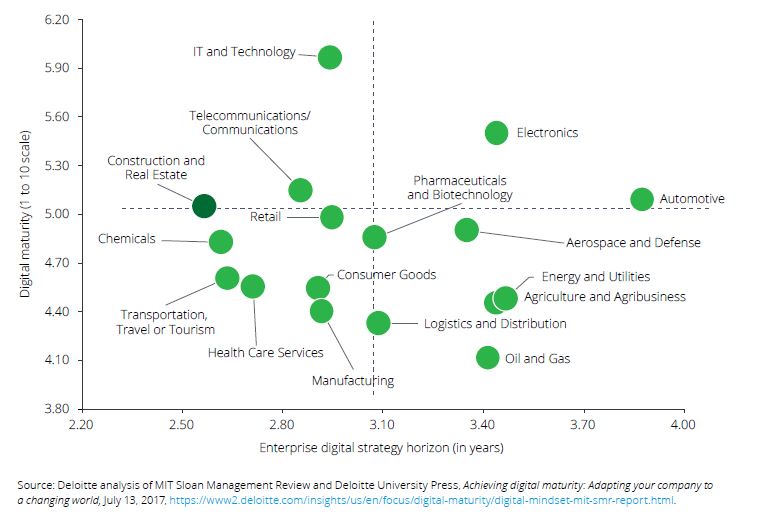
- The Construction industry is only looking 2.5 years ahead when it comes to digital strategy – ranking bottom out of 17 industries for forward-thinking and planning.

- Profitability and margins are stubbornly low – earnings averaging just 5% of sales. Not only does this affect the bottom line, it also deters higher-skilled graduates from entering the profession
- Engineering and construction firms experience an average of 82-days outstanding sales (i.e. unpaid invoices) – longer than all other industries. Again, this affects cash-flow and stunts the ability of the business to invest.
Find Out More…
Case Study – how one KOREC customer are punching well above their weight by investing in a complete field-to-finish digital construction workflow
- Download the complete Deloitte report
- Check out our complete range of laser scanners, robotic total stations, mixed reality and office-to-site software
- Speak to us about our range of digital construction tools
“KOREC is firmly behind all the success I’ve achieved in the last 20 years at the Northern Ireland Forest Service. The right hardware, smart data capture software development and a great working relationship enabled us to revolutionise our data collection and management capabilities.”
At the end of 2020, former Information Systems Manager with the Northern Ireland Forest Service, Jim McEwan, joined the KOREC Mapping team as Customer Success Manager. In short, he liked the product so much, he joined the company!
Over the years, Jim has clocked up extensive experience in the forestry sector spending many of them working closely with KOREC and in particular, with our KOREC Mapping Lead, Paul Brodin. Jim tells us that an old dog can certainly bring some new tricks and here at KOREC we’re delighted to have him and his extensive experience as a high calibre resource for KOREC customers.
Experience counts
As Information Systems Manager with the Northern Ireland Forest Service (an Agency of the Department of Agriculture) Jim certainly has a wealth of experience to draw on, managing and implementing many projects from the development of his own real time data reporting systems using Trimble hardware and KOREC mapping software to introducing the first senseFly drones in the UK. Working in a sector as challenging as forestry, Jim has a clear idea of what really worked for him, as a customer, from the KOREC portfolio:
- Trimble data collectors – rugged and with a strong history of achieving a good signal even under tree canopies. Having the right hardware, that works first time, every time, in challenging forestry conditions was the initial step in building web-based reporting systems that put real time data, captured with KOREC software, directly into the hands of the forest manager.
- KOREC Capture software (that became Canopy) – the seamless integration of data from the field to the database and then to the GIS, allowed me to develop my own customised applications and for the first time, managers didn’t have to spend days pouring over data collected on paper forms.
- A good working relationship with KOREC that enabled me to talk directly to developers and turn my ideas into workable solutions that revolutionised the way we collected and managed our data.
…but it’s all about the end result
During his time at the Northern Ireland Forest Service, Jim developed a suite of bespoke forestry management systems, with the KOREC Capture portal at the centre. He looked at areas such as forest inventory, asset inspection, tree safety and a wide range of other forestry management issues and produced apps that gave users the data they needed with all calculations performed and maps added as required.
But it’s all about the end result and Jim was rightly pleased with what was achieved. “The results were amazing. In one example, pre-harvesting assessment plots, the data from forest plots was collected on paper and brought into the local office at the end of the week. Previously, the forester would spend two days a week inputting this data into excel to produce the stocking, volume and timber availability reports required. Now, the data is collected in the forest using Trimble’s Geo 7X ruggedised handheld and KOREC Canopy software. Once the data is sent back, the forester has the full pre-sales breakdown available immediately on a phone, tablet or laptop. The Forest Service has gone from 6 data loggers in 2009 to 120 today revolutionising surveying and data collection across the Agency.”
Jim’s success took him further afield within the Department. He worked with the Plant Health Inspection Branch and the Veterinary Service to produce real time reporting systems for Horticulture Marketing and Plant Health Inspections and developed the reporting system for a five-year project to monitor TB in badgers.
Talking Canopy
Now, Jim brings this experience to the latest KOREC Canopy software. “In terms of British Standard Tree Inspections and Tree Safety Management, we now have the solutions to allow you to collect, record and manage data quickly and easily. Combine that, with a full suite of reporting facilities and KOREC Canopy becomes the leading solution to the collection, management and reporting of tree data.”
Make no mistake, Jim understands the job from both sides of the fence!
If you’d like to learn more about KOREC Canopy from someone who knows the industry and the software inside out, please contact Jim at: jim.mcewan@korecgroup.com or call him on 07435 986865.

Jim McEwan at the Trimble Dimensions event in Las Vegas where he presented with KOREC’s Paul Brodin
“Trimble VRS Now can be summed up in a single word – reliability.”
Neil Jefferies, Greenhatch Group Director
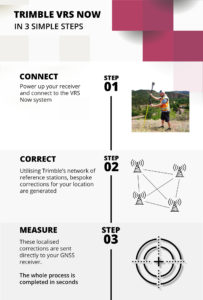
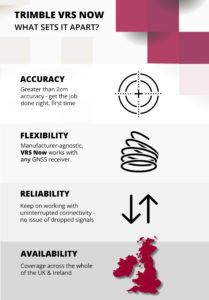
There are many reasons why KOREC customers rate Trimble’s VRS Now Service but in all the years since it’s release, the top four haven’t changed at all – accuracy, flexibility, reliability and availability – all without the need for a base station set up.
All surveyors want to maximise their time on site and need confidence in the data they are collecting and if these basic requirements are compromised, we understand that they will take fast and efficient measures to rectify any issues that could affect hard won and carefully nurtured customer relationships. That’s why many customers of VRS Now have come to us having trialled other services previously.
Trimble VRS Now subscribers range from the UK’s Police to large Civil Engineering companies, one of the UK’s busiest Ports and of course Survey Practices. We’ve rounded up four of our case studies that look at how each of these varied users have benefitted from Trimble VRS Now and just to be sure, in three cases we interviewed them when they first elected to use the service and again one year later. Each story confirms why this is a favoured solution.
Greenhatch Group
In 2015 Greenhatch Group’s 14 GNSS/GPS systems were linked to the Leica Geosystems SmartNet RTK Network via supplier approved ‘roaming’ SIMs cards. However, Greenhatch Group Director, Neil Jefferies, felt that although this combination delivered on many of the sites his surveyors worked on, he required a more reliable solution.
Highways England
On arriving at an incident, a police collision unit’s main goal is to survey the area and collect evidence as quickly and completely as possible with a view to reopening roads at the earliest opportunity. Trimble VRS Now delivers the reliability demanded in these pressurised situations.
Skanska
Under the guidance of Chief Engineering Surveyor, Mark Lawton, Skanska has been using Trimble VRS Now for over seven years and was one of our earliest users. Throughout that period, Mark reports that it has proved it’s reliability on all the road schemes it’s been used on.
Associated British Ports
Trimble VRS Now has been used to replace a base station bringing even greater coverage and improved efficiency to the Hydrographic Survey Team at ABP Southampton.
For further information visit our KOREC VRS Now page here
Or watch this excellent Explainer video
Call UK Sales: 0345 603 1214
Call Ireland Sales: 01 456 4702
For anything else, view our contact page.