
When Trimble launched its newest 3D Laser Scanner, the X7, the company clearly stated that its aim was to create a laser scanner that truly addressed the pain points of every user who wished to capture a high-quality point cloud quickly and efficiently.
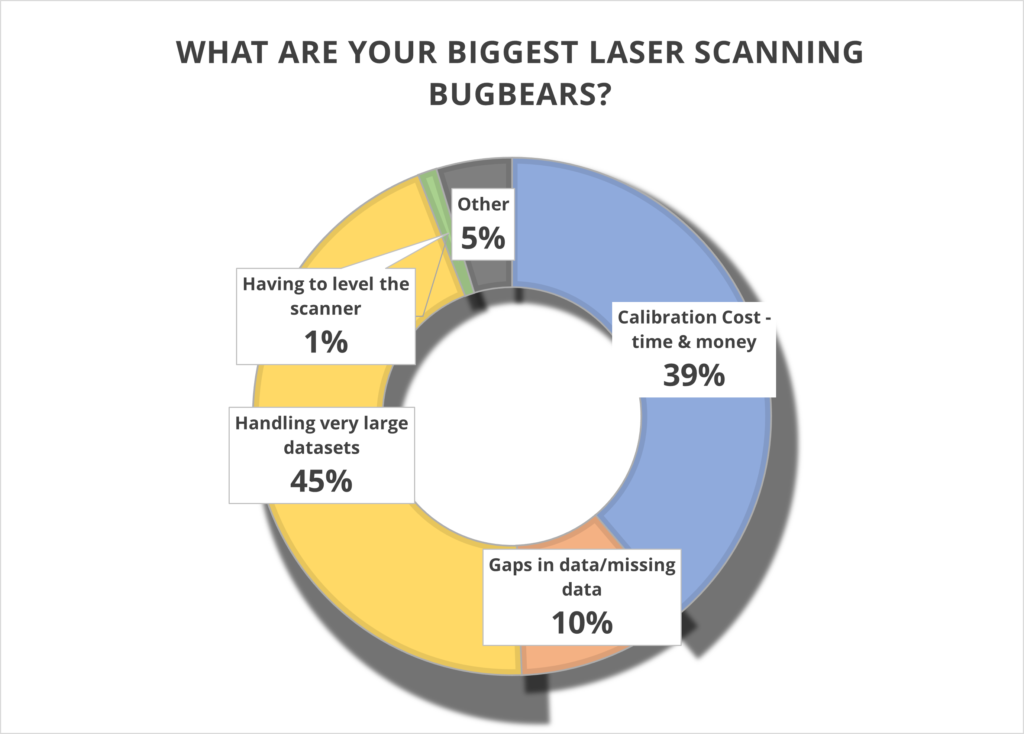
What better way to find out if they succeeded than with some simple market research? We shared our poll with thousands of you via LinkedIn and the Laser Scanning Forum in our efforts to discover the biggest bugbears with your current scanning set up, asking you to select from four options or add your own in the comments section. And the results are in…….
Has Trimble addressed these pain points? Let’s take a closer look.
1. Handling very large data sets (45%)
With surveyors often undertaking up to 100 scans a day, it remains vital that these large data sets can be handled quickly and efficiently. The X7 is perfectly equipped to do this because the scan is fully captured and registered in the field and then can be quickly reviewed and quality controlled in the office via Trimble Realworks. It’s you, the client, who is in the control of the workflow, not the manufacturer.
Additionally, the Trimble X7 captures four times less data (500,000 points per second compared to the 2 million or 1 million of other manufacturer scanners) which of course means less data to store and handle.
You can also avoid unnecessary expenses with storage devices by saving your data directly onto Trimble’s own developed and supported field tablet, the T10. Trimble is unique in that it develops its own scanner, software and tablet for a fully developed and supported Trimble solution.
We can also go directly to a CAD compatible format such as RCP from either the field with Trimble Perspective, or the office with Trimble Realworks, without additional licenses or import\export procedures. Less time in processing in the office, means the client can maximize production time heavily. Remember, having more data isn’t always better!
For more information, Trimble has a handy white paper on scanning and handling large data sets here.
Top KOREC tip – When handling large projects use ‘Labels’ to help organise the data in your project by adding a label like “kitchen or lounge” to each scan. You could also have different registration groups so you can split the scan data into Reg. Set 1 which could be Ground floor scans then Reg. Set 2 could be First floor scans.
2. Calibration cost – time and money (39%)
It’s your number two bugbear and we can completely appreciate why. Centara Ltd is just one of our customers who switched from its existing manufacturer’s laser scanner to a Trimble X7 because the business case made perfect sense. They calculated that the auto-calibration feature alone would save them in excess of £3k-4k a year because unlike their other scanner, the X7 would not need to be sent abroad for this process, nor would a replacement hire be needed for the duration which was usually around to 2-3 months. These savings enabled Centara to invest in additional kit that they were not expecting to purchase until the next financial year.
Other customers have cited the ability to ensure that data is always correct and validated with a calibration certificate as another plus. Evidence required? We’ve done a little video on how to calibrate your X7 in under 2 minutes.
Or why not take a Trimble ‘deep dive’ into auto calibration here
3. Gaps in data/missing data (39%)
Noticing that some of your data is missing only when you’re back at the office registering your scans clearly cuts deep with a large percentage of you. Not only is it frustrating, it’s also time consuming to revisit a site, particularly if entry is restricted.
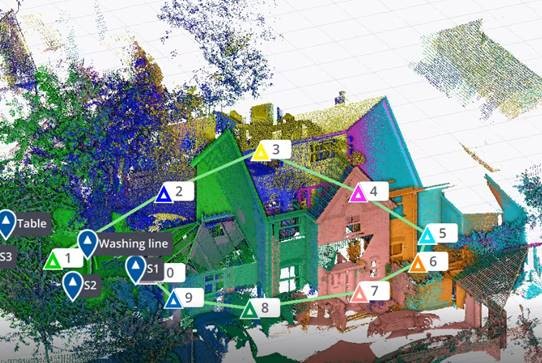
Trimble has combatted this problem with one of the X7’s strongest features – infield registration. This feature enables users to stitch together different station positions automatically, in the field and directly on the tablet. It works indoors with walls, outdoors with vegetation and relies on a completely innovative alogrithim. You immediately see what you have and if there is a problem, or missing data, you can change settings or take more scans right away there and then in the field. Many Trimble customers have described this feature in just one word ‘Amazing’!
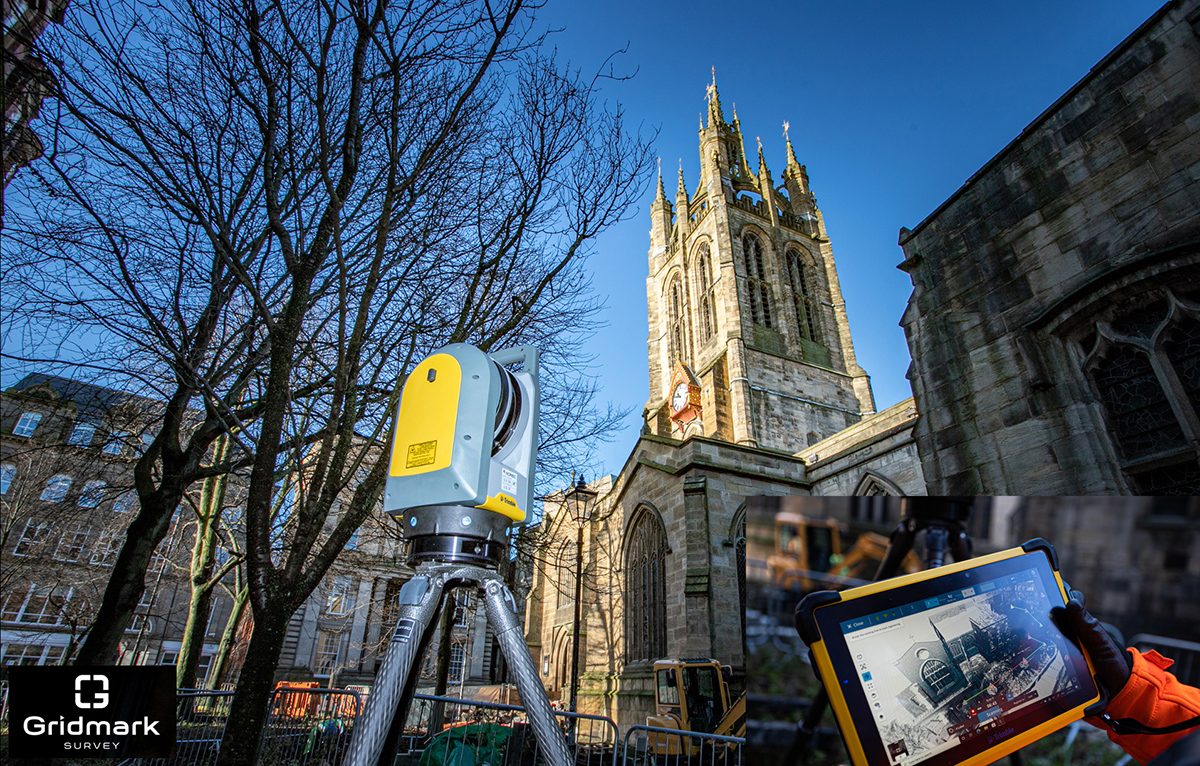
Gridmark Survey particularly appreciated the ability to automatically register each scan when they carried out a survey of the 900-year-old Newcastle Cathedral Church of St Nicholas. This allowed them to review everything in 3D before moving on. Overall, the Gridmark surveyors carried out 104 laser scans and collected 3.7 billion measurable points over a three day period.
4. Having to level the scanner (1%)
We’re amazed that only 1% of the vote went to this tiresome bugbear. However, for those under strict time pressures, it’s definitely a bonus X7 feature. In particular, Police Collision Investigators rate the ability to get the X7 up and running in minutes thanks to the quick release mechanism and automated survey grade self-levelling – they just put the scanner down and it’s ready to go. In each case, the instrument re-adjusts down to millimetre accuracy. There is no compromise with the Trimble X7 which has the IMU and Trimble X-Drive on all models, meaning data is always level and does not require post-processing.
5. Other (4%)
We appreciated all your comments including the addition of a couple more bugbears to our list:
a) Mirrors/Reflection/Refraction
Trimble is a leading hardware and software manufacturer and it is always pushing boundaries and leading development. Trimble appreciates that this remains a challenge and continues to work on a solution.
b) Portability
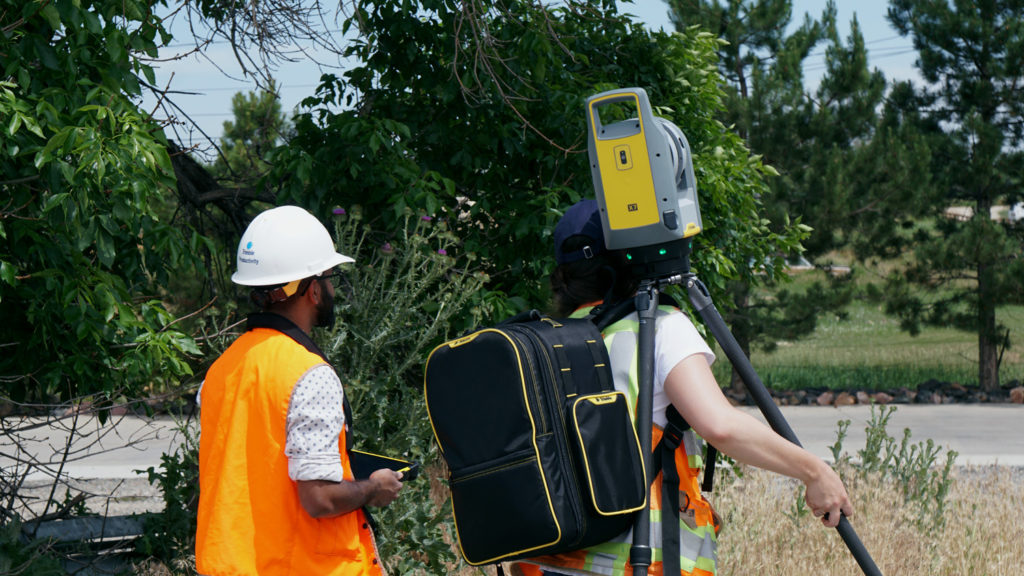
The good news is that the X7 comes in a handy backpack and weights just 5.8kg. It’s also got a handle!
Got a question? Want to find out more about the X7? Why not submit an inquiry with our friendly team?
KOREC Group have cemented their dedication to the construction industry, by becoming a signed-up member of COMIT.
Short for Construction Operation & Maintenance through Innovative Technology, the organisation’s mission is to foster greater ties between the construction and technology industries, in order to speed up the adoption of innovative technologies in the sector.
As a leading supplier of cutting-edge construction solutions (such as the X7 laser scanner, RTS total stations and XR10 mixed reality headset) KOREC has the solutions, the experience and the expertise to drive forward productivity, safety & collaboration in the sector.

KOREC is a leading supplier of digital construction solutions to both the UK & Irish construction markets
KOREC join major industry players such as Balfour Beatty, BAM Nuttall, Costain & Morgan Sindall in the group, and hope to play a strong role in communicating the effectiveness of digital construction workflows to industry partners – both small and large.
KOREC make their COMIT debut this Friday at the ‘Happy Hour’ event, joining a panel discussion on the theme of ‘How to leverage data from the field to drive greater Quality, Safety & Productivity on your sites’.
KOREC’s UK Sales Director Mark Reid will represent the company at the session, and join the panel discussion following a presentation by fellow member Novade.
This will be followed by KOREC’s own presentation to the COMIT members at a session in May.
Find out More
- To find out more about the work of COMIT, take a look at their website
- Take a look at KOREC’s digital construction solutions
- Follow KOREC Construction on LinkedIn
Here’s a question. How do you continue to motivate, inspire, inform, or even just get your teams together during a national lockdown?
Whilst 2020 has been unusual (to say the least), for KOREC, we were already quite used to remote working & collaboration. Serving two nations, and with staff the width and breadth of the country, regular communication via phone, email, virtual chat or even Whatsapp was already the norm for many.
But for those used to office working or field working, now confined to the kitchen table at home, we realised that it was more important than ever to ensure everyone felt connected & informed.
That’s why we launched our virtual lunch ‘n’ learn series in October. The objective was simple – every 2 weeks, we invite everyone in the organisation to a brief overview of a product, solution or application. The vibe is informal – questions and interruptions are very much welcomed, prizes are awarded, and of course, lunch is munched.
It’s the perfect opportunity for a refresher on a particular product, an introduction to the latest piece of kit on the market, all presented by one of our in-house experts. For our people, it’s a reminder of the sheer variety & versatility of the solutions that KOREC offers, be it land survey, drone, rail, highways, mobile mapping…the list goes on.
It’s an excellent way for many of us to take 30 minutes out of our day, to get together, have a chat, and even learn something new.
So far, we’ve held 3 sessions;
An overview of our in-house, K-Matic software suite, presented by Darrell Theobalds
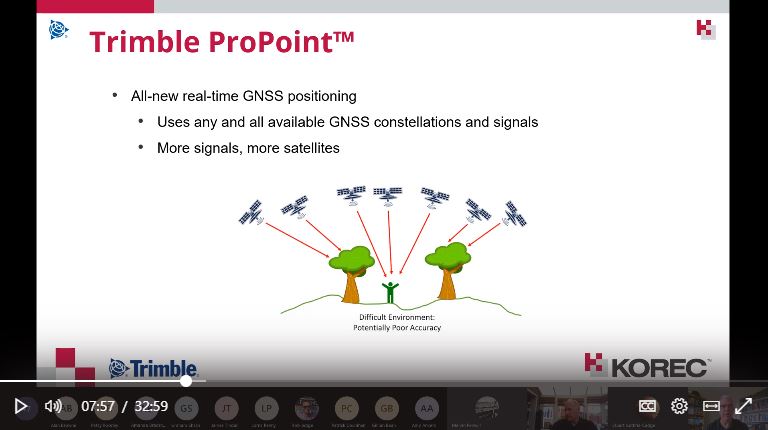
Introduction to the R12 & R12i GNSS systems & ProPoint, hosted by Leigh Rowell
Laser scanning made simple, with the X7, presented by Melvin Penwill
And we have many more up our sleeves going into 2021.