Real-Time Building Movement Alerts: How Remote Monitoring Keeps Sites Safe
Find out how automated building movement alert systems work, what triggers an alert, and how KOREC’s remote monitoring solutions deliver real-time safety data without anyone needing to be on site.
With over 15 years in survey, Adam now specialises in Trimble's monitoring solutions, helping customers deploy real-time systems like Trimble 4D Control to track movement and deformation with confidence.
When a structure moves beyond an agreed threshold, the people responsible for its safety need to know immediately. Not at the end of a working day, not when the next site visit is scheduled, but within seconds of the event. Modern remote monitoring systems make this possible, running continuously without staff on site and delivering alerts the moment movement is detected.
Buildings and structures that are subject to ground movement, adjacent excavation, or long-term settlement do not always show visible signs of distress before significant damage occurs. A wall that has displaced by five millimetres may look unchanged to the naked eye. A crack that has widened by a millimetre in a week may not be immediately apparent during a routine inspection. Without a measurement system in place, the first indication of a serious problem can be the problem itself.
The consequences of undetected movement range from structural damage and project delay to injury, prosecution, and significant financial liability. A monitoring system that catches the early signals turns a potential emergency into a managed situation.
When Monitoring Becomes a Safety and Legal Requirement
On many construction and infrastructure projects, monitoring adjacent structures is not optional. Network Rail and National Highways require monitoring programmes for works that could affect their assets. Major planning consents frequently include conditions requiring building movement monitoring throughout the construction phase. Construction project managers and engineers have a duty of care to protect nearby structures from the effects of their works, and a documented monitoring programme is the primary means of demonstrating that duty has been discharged.
For asset owners managing bridges, tunnels, and retaining structures, periodic and continuous monitoring supports compliance with inspection regimes and provides the data needed to make informed maintenance decisions.
How a Real-Time Building Movement Alert System Works
Continuous Measurement and Data Collection
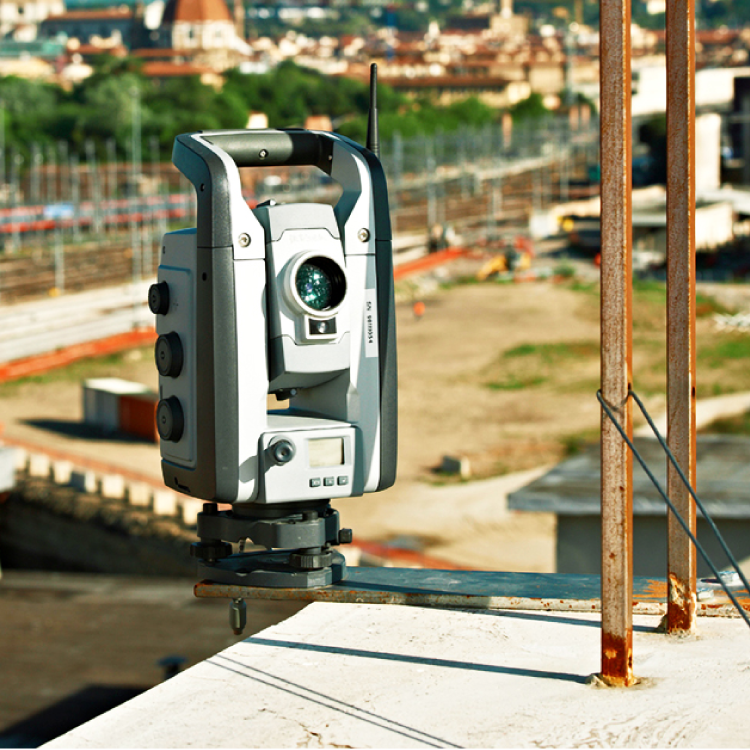
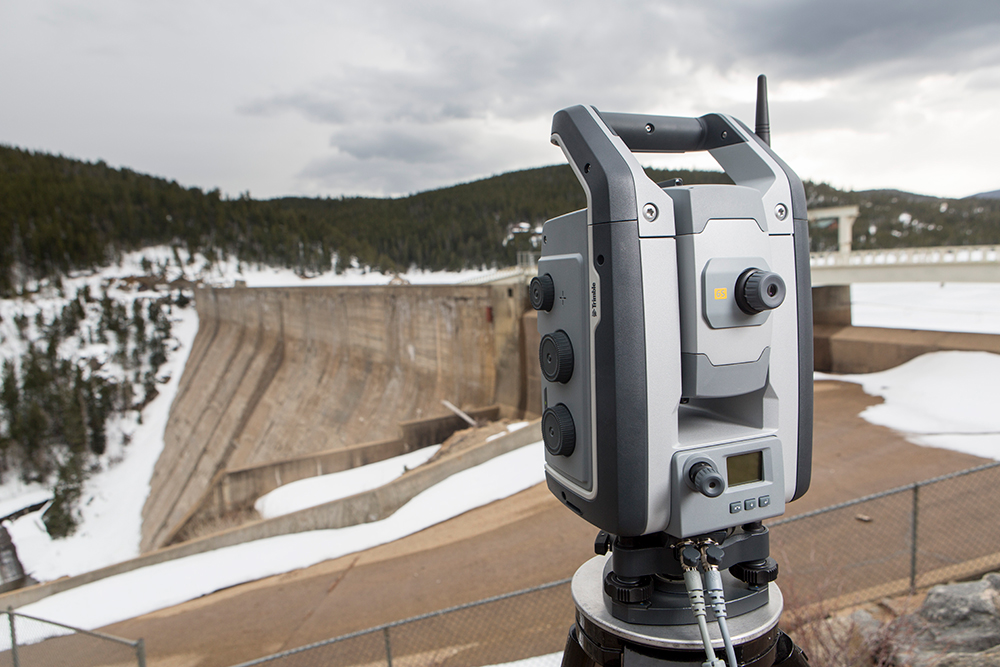
An automated building movement alert system is built around a robotic total station, a monitoring controller, and software. The total station measures fixed prisms or reflective targets attached to the structure at defined intervals, recording the precise three-dimensional position of each target on every measurement cycle. These measurements are passed to Trimble 4D Control software, which stores the data, tracks change over time, and compares each new measurement against the defined thresholds for that target.
Measurement cycles can be configured to run as frequently as the project requires. For high-risk or fast-moving situations, cycles of a few minutes provide near-continuous coverage. For lower-risk or longer-term programmes, less frequent cycles are more appropriate and reduce data volumes without compromising the monitoring record.
Threshold Setting and Alert Configuration
Before a monitoring programme begins, engineers define the trigger levels for each monitored target in Trimble 4D Control. These are typically expressed as displacement in millimetres in the horizontal or vertical plane, or as a rate of movement over time. Multiple thresholds can be set for the same target, such as a warning level and an action level, allowing the response to be proportionate to the severity of the movement detected.
Thresholds are agreed with the project team, the client, and in some cases the regulator before works begin. They provide the objective basis on which alerts are issued and decisions are made, removing the ambiguity that comes with relying on visual inspection alone.
How Quickly Can an Alert Be Issued?
When a measurement exceeds a defined threshold, Trimble 4D Control issues an alert within seconds. The alert can be delivered by email or SMS to whoever is configured to receive it, whether that is the project engineer, the site manager, the client, or all three simultaneously. The speed of response is not dependent on anyone being present on site or actively monitoring a screen. The system detects the exceedance and issues the notification automatically.
This speed of response is one of the most significant practical advantages of an automated monitoring system over manual or periodic approaches. When a structure is moving faster than expected, seconds matter.
Remote Access Without Staff On Site
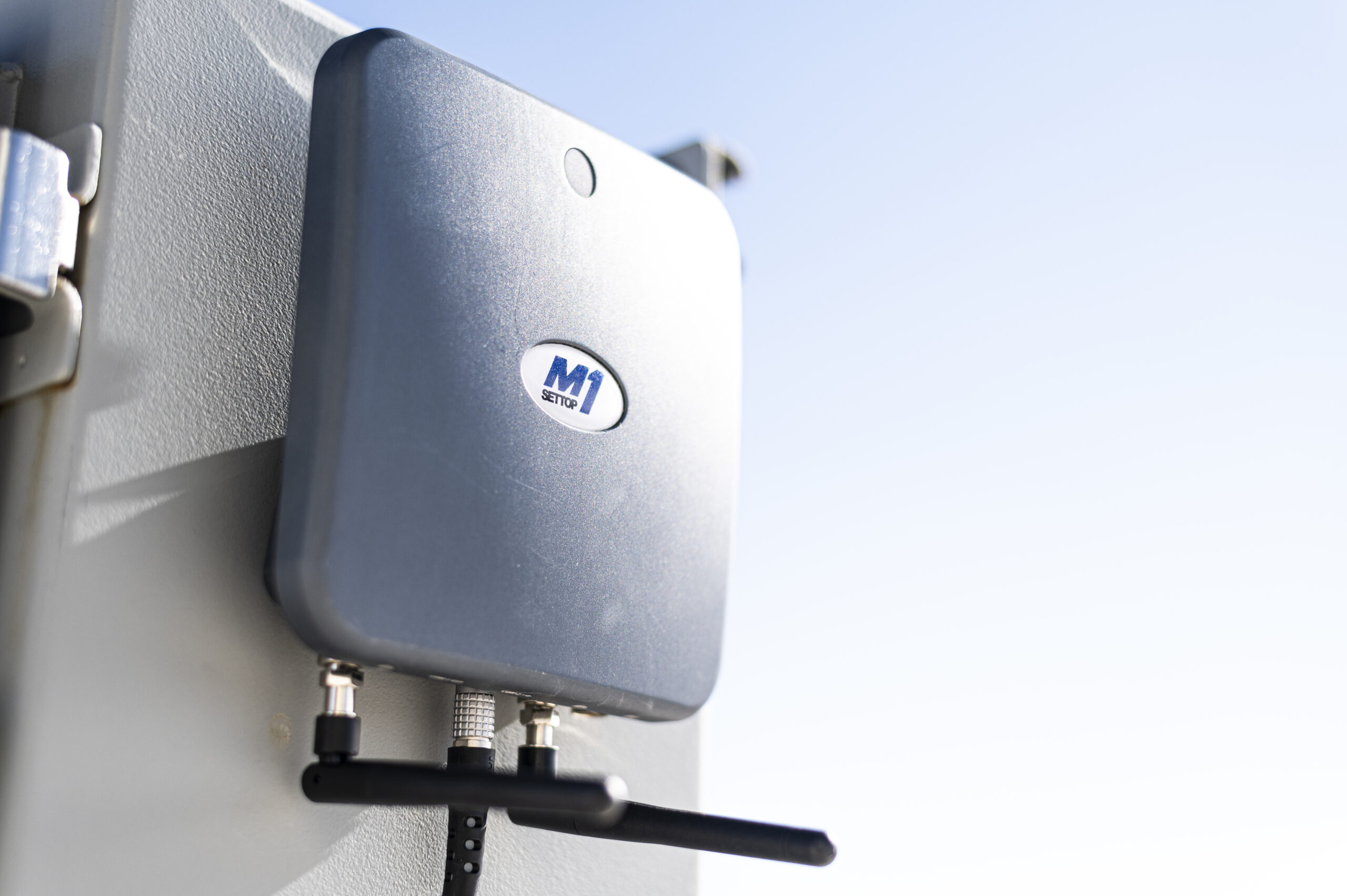
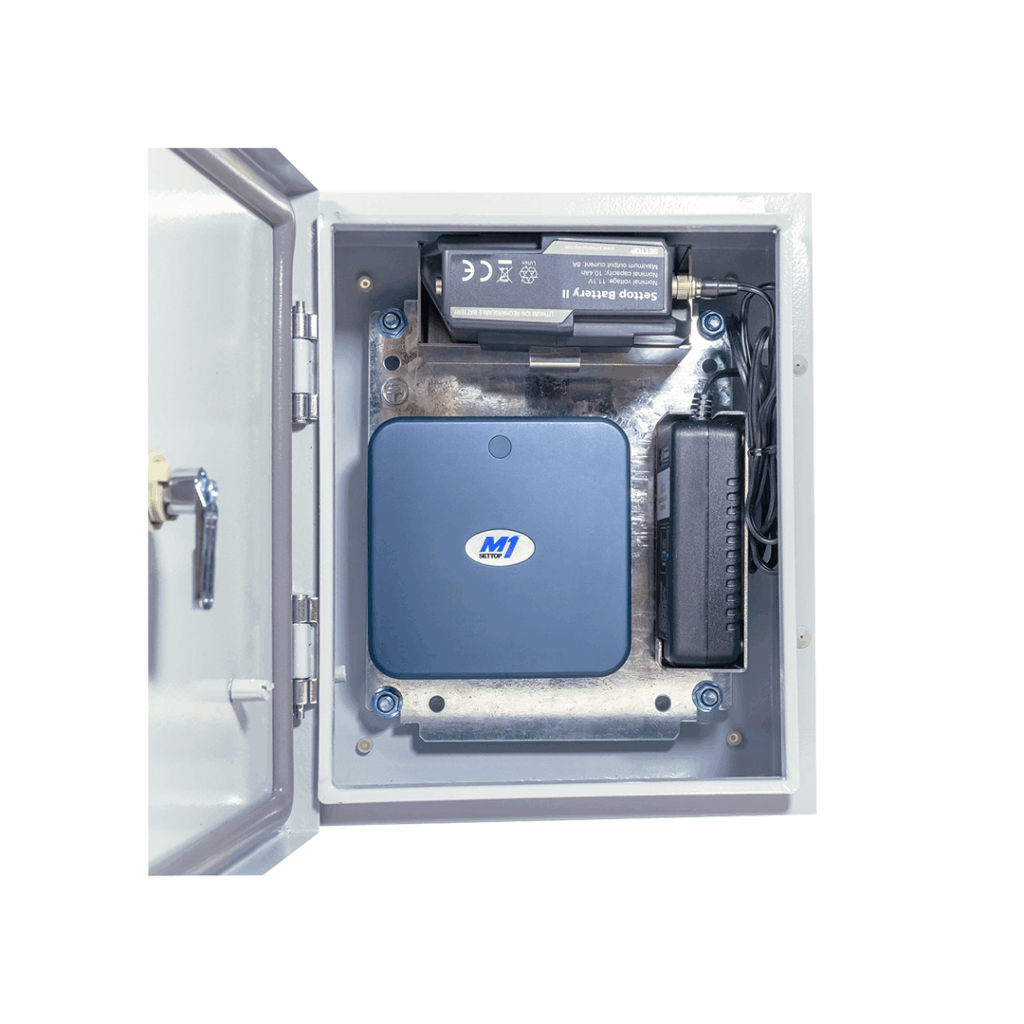
The Settop M1 monitoring controller combines a field computer, device server, router, 4G cellular modem, and remote switch in a single unit, removing the need for multiple separate hardware components in the field. Once installed, it manages the total station’s measurement cycles autonomously and maintains the connection to Trimble 4D Control in the office. Targets can be added or edited, and instrument status can be checked remotely from anywhere, without requiring a static IP address or complex IT setup.
There is no need for a site visit to check that the system is running. The monitoring team can manage the programme, review data, and respond to alerts entirely from the office or from wherever they happen to be.
The Equipment Behind a Remote Monitoring System
Settop M1: Automated Total Station Controller
The Settop M1 is the field controller that makes autonomous total station monitoring possible. It manages automated measurement rounds, handles all communication between the total station and Trimble 4D Control, and consolidates all the field hardware that would otherwise require multiple separate devices into one. Its integrated 4G cellular modem handles data transmission without additional networking equipment on site.
The Settop M1 also manages power intelligently, which is important for sites where mains power is not available. Communication options include cellular, LAN, and external comms, giving flexibility for sites where coverage or infrastructure varies.
Trimble 4D Control: Alert and Reporting Software
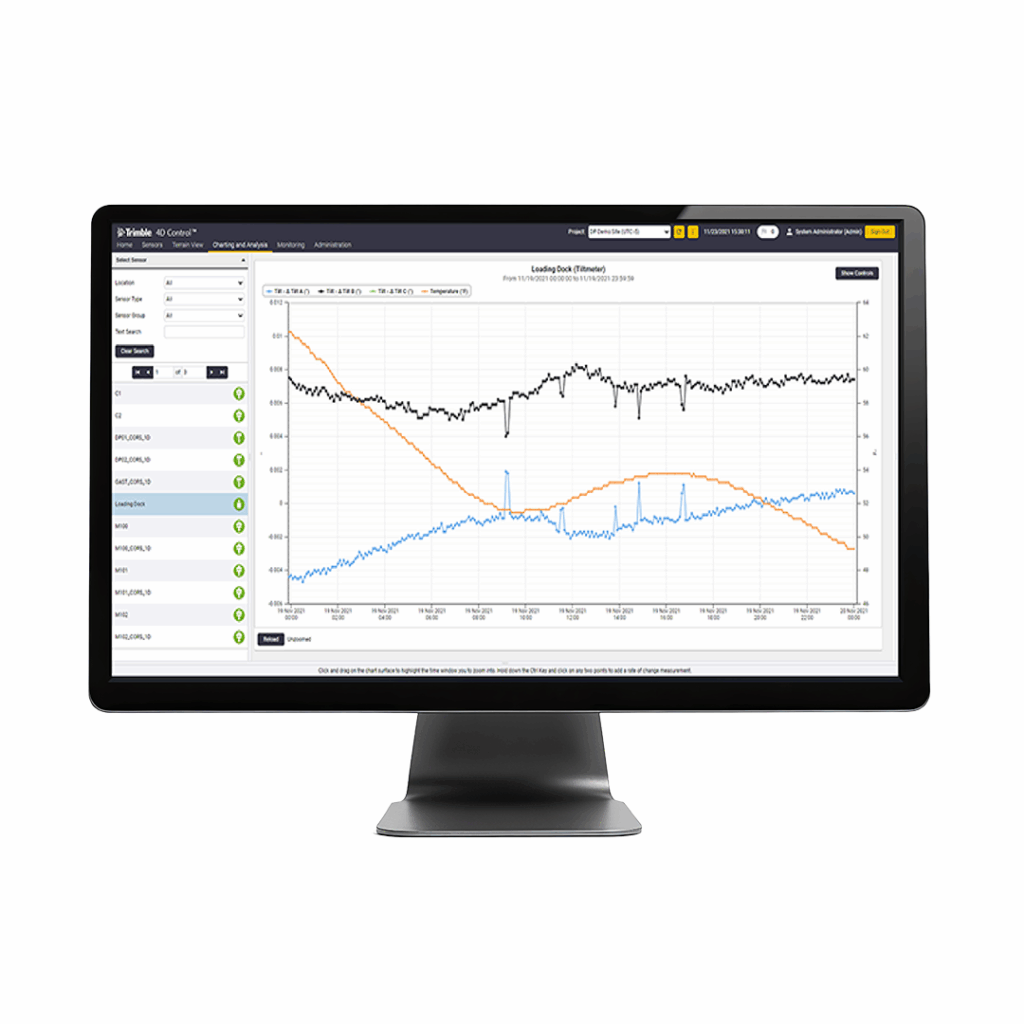
All data from the monitoring system flows into Trimble 4D Control, the central software platform for analysis, visualisation, alerting, and reporting. Trimble 4D Control manages the full picture of structural behaviour: storing every measurement, applying trend analysis, comparing against thresholds, and delivering alerts when movement is detected.
Reports can be generated automatically and shared with clients, project teams, and regulators. The reporting function in Trimble 4D Control supports both day-to-day monitoring management and the formal compliance documentation that many projects require.
Trimble S9 HP and Trimble S7: High-Precision Monitoring Instruments
The total station at the centre of the monitoring system determines the precision of every measurement. The Trimble S9 HP achieves angular accuracy of 0.5 arc seconds and EDM accuracy of 0.8 mm + 1 ppm to prism, making it the appropriate choice for applications where the tightest tolerances are required, including bridges, tunnels, and structures subject to regulatory scrutiny. FineLock target detection allows the Trimble S9 HP to measure a specific prism without interference from adjacent reflectors, which is critical in monitoring arrays with multiple targets.
The Trimble S7 combines robotic total station capability with Trimble SureScan scanning functionality, making it a practical choice for monitoring programmes that also require periodic 3D capture of the structure’s surface. Both instruments connect to the Settop M1 and are fully compatible with Trimble 4D Control.
Geotechnical Sensors and Data Loggers
Total station monitoring captures the position of discrete targets. Geotechnical sensors, including tiltmeters, piezometers, crack gauges, and inclinometers, provide complementary data on structural behaviour and ground conditions. Trimble Wireless Data Loggers automate the collection of data from these sensors and feed it directly into Trimble 4D Control, so the full picture of what is happening to a structure, from surface movement to ground pressure to crack width, is visible in one place.
Key Applications for Building Movement Alert Systems
Adjacent Structure Monitoring During Construction
Construction activities involving excavation, piling, dewatering, and tunnelling create ground movement that can affect nearby buildings, utilities, and infrastructure. Monitoring prisms fixed to adjacent structures, with thresholds agreed before works begin, provides the objective data needed to demonstrate compliance with the trigger levels in the monitoring specification. If movement approaches the agreed limits, the alert is issued in time for the site team to review and respond before the threshold is breached.
Case Study: Tri-Tech Surveys, York city walls
To protect a 100 m section of York’s Grade I listed medieval walls during bridge removal and piling for the York Station Gateway Project, Tri-Tech Surveys went beyond the specified manual monitoring with a fully automated system. Three Trimble S7 total stations, controlled through Settop M1 units and Trimble 4D Control, measure more than 150 targets fixed to the mortar between the stones, with rounds up to every five minutes. The team only needs to return to site to add new targets. Read the full Tri-Tech Surveys case study
Bridge and Infrastructure Monitoring
Bridges experience load-induced deflection, thermal movement, and long-term settlement. A monitoring system that runs continuously provides the data needed to understand how a bridge is behaving under real-world conditions, to identify developing trends, and to schedule maintenance before problems become structural. Alerts configured at warning and action levels allow the asset owner to respond proportionately without unnecessary closures.
Tunnelling and Underground Works
Tunnelling beneath existing structures requires precise monitoring of ground surface movement and the behaviour of affected buildings. The confined measurement environment typical of tunnel monitoring arrays, with multiple prisms installed in close proximity, is well suited to the FineLock capability of the Trimble S9 HP, which discriminates between adjacent targets reliably. Alerts can be configured to reflect the tighter tolerances that tunnelling projects typically require.
Long-Term Asset Monitoring
Not all monitoring is construction-related. Bridges, retaining walls, and heritage structures can be subject to long-term monitoring programmes that run for years. An automated system with the Settop M1 and Trimble 4D Control can maintain a continuous data record over the full duration, with measurement frequency adjusted as risk profiles change and reports generated automatically for asset management purposes.
What Happens When an Alert Is Triggered?
Alert Delivery: How and to Whom
When a measurement in Trimble 4D Control exceeds a defined threshold, an alert is issued within seconds by email or SMS to the configured recipients. Multiple contacts can be set up to receive alerts, and different alert levels can be directed to different people. A warning-level alert might go to the site engineer; an action-level alert might go to the project manager, the client, and the structural engineer simultaneously.
The alert includes the information needed to act: which target moved, by how much, and when. The recipient can log into Trimble 4D Control from any device to review the full data record, assess the trend, and decide on the appropriate response.
Video: Monitoring Never Sleeps – How to Automate Your Total Station Monitoring
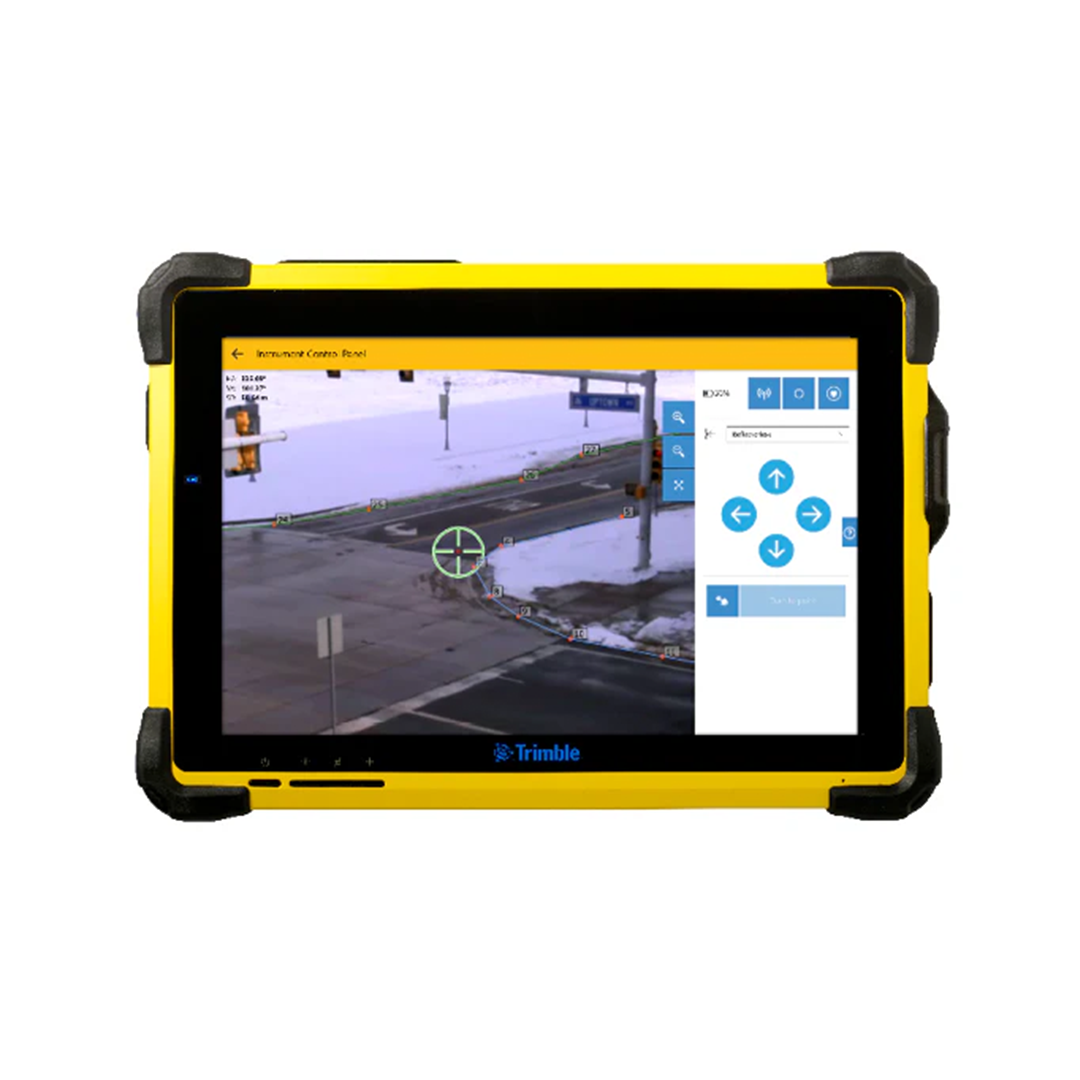
In this webinar, the guide’s author Adam Wright, KOREC’s senior monitoring applications engineer, explains how to set up a total station to monitor a structure around the clock. A Trimble Settop M1 lets the instrument measure unattended, Trimble 4D Control sends alerts when movement exceeds trigger levels, and when an alarm is raised, the instrument’s camera lets the team check what’s happening on site remotely before deciding whether to stop work.
Data Continuity During Connectivity Loss
One of the most practical features of the Settop M1 is its behaviour during a network outage. If the 4G connection is lost, the Settop M1 continues running measurement cycles and storing data in its internal memory. When the connection is restored, all data collected during the outage is transmitted to Trimble 4D Control without any gaps in the record.
This means a temporary loss of connectivity does not create a gap in the monitoring data or an unmonitored period. The system continues to protect the site regardless of network reliability.
Frequently Asked Questions
How quickly does the system issue an alert when movement is detected?
Alerts are issued within seconds of a measurement exceeding the defined threshold in Trimble 4D Control. The speed of response does not depend on anyone being present on site or monitoring a screen. The system detects the exceedance and delivers the notification automatically, by email or SMS, to whoever is configured to receive it.
Does someone need to be on site for the system to work?
No. The Settop M1 manages the total station autonomously, running measurement cycles, storing data, and maintaining the connection to Trimble 4D Control without any manual intervention. The monitoring team can manage the programme, add or edit targets, and review data entirely remotely. A site visit is only required for initial installation and for any maintenance that requires physical access to the instrument.
Can the system continue monitoring during a network outage?
Yes. The Settop M1 continues running measurement cycles and storing data locally during a network outage. When connectivity is restored, all data is transmitted to Trimble 4D Control and the record is complete. There are no gaps in the monitoring data as a result of connectivity loss.
How does KOREC support the setup and ongoing management of a monitoring system?
KOREC’s monitoring specialists support clients from initial project specification through to ongoing programme management, including advising on system configuration, supplying and installing equipment, and providing training on Trimble 4D Control.
Learn more about real-time building movement alerts
KOREC can advise you on how you can benefit from real-time building movement alerts. Speak to our friendly experts today to get the right technology to solve your project challenges.
Trimble Forensics Reveal: How Investigators Analyse and Reconstruct Scenes
Find out how Trimble Forensics Reveal is used to process scan data, analyse evidence, reconstruct sequences of events, and produce court-ready reports and animations.
Forensic Mapping Software: From Scene Capture to Court-Ready Deliverables
Find out how forensic mapping software processes scene data into diagrams, 3D reconstructions, and courtroom visualisations, and which tools KOREC supplies for the full workflow from field to presentation.
How Geospatial Technology Is Changing Collision Investigation
Find out how modern geospatial tools are transforming road traffic collision investigation, reducing scene clearance time, improving evidence quality, and producing more accurate reconstructions for court.