GNSS Receiver Setup: Getting Started with Precision Positioning
Find out how to get the most from your GNSS receiver, from hardware and software setup through to selecting the right correction service for precise, reliable positioning.




Find out how to get the most from your GNSS receiver, from hardware and software setup through to selecting the right correction service for precise, reliable positioning.
The difference between a GNSS receiver that performs to its published specification and one that consistently disappoints often comes down to setup. This guide takes you from unboxing to your first precise position, covering the key decisions around hardware, software, and correction services that determine the quality of your results. It is written for professionals who are new to GNSS or stepping up to a more capable system, using equipment from the KOREC GNSS range as the practical reference throughout.
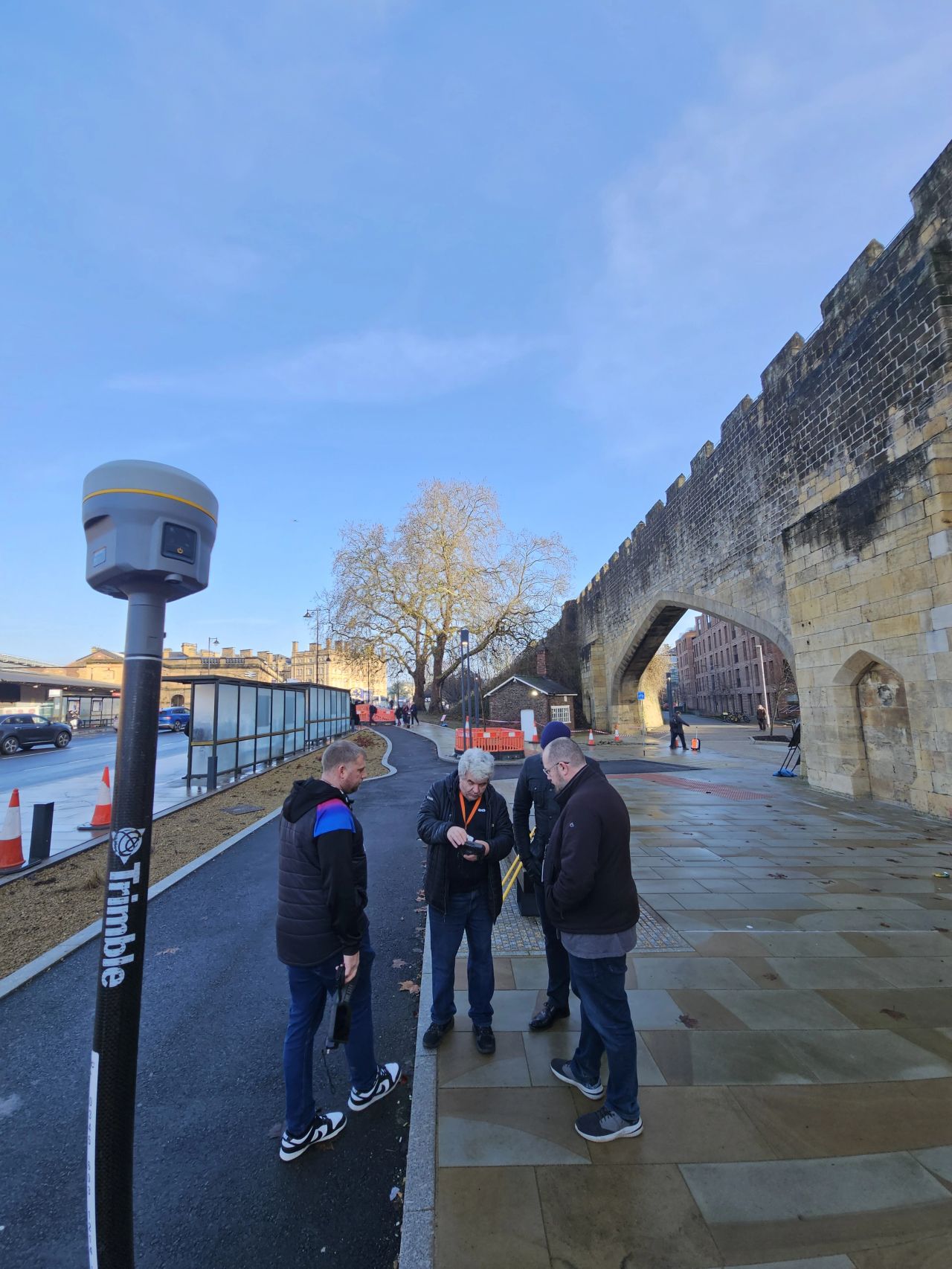
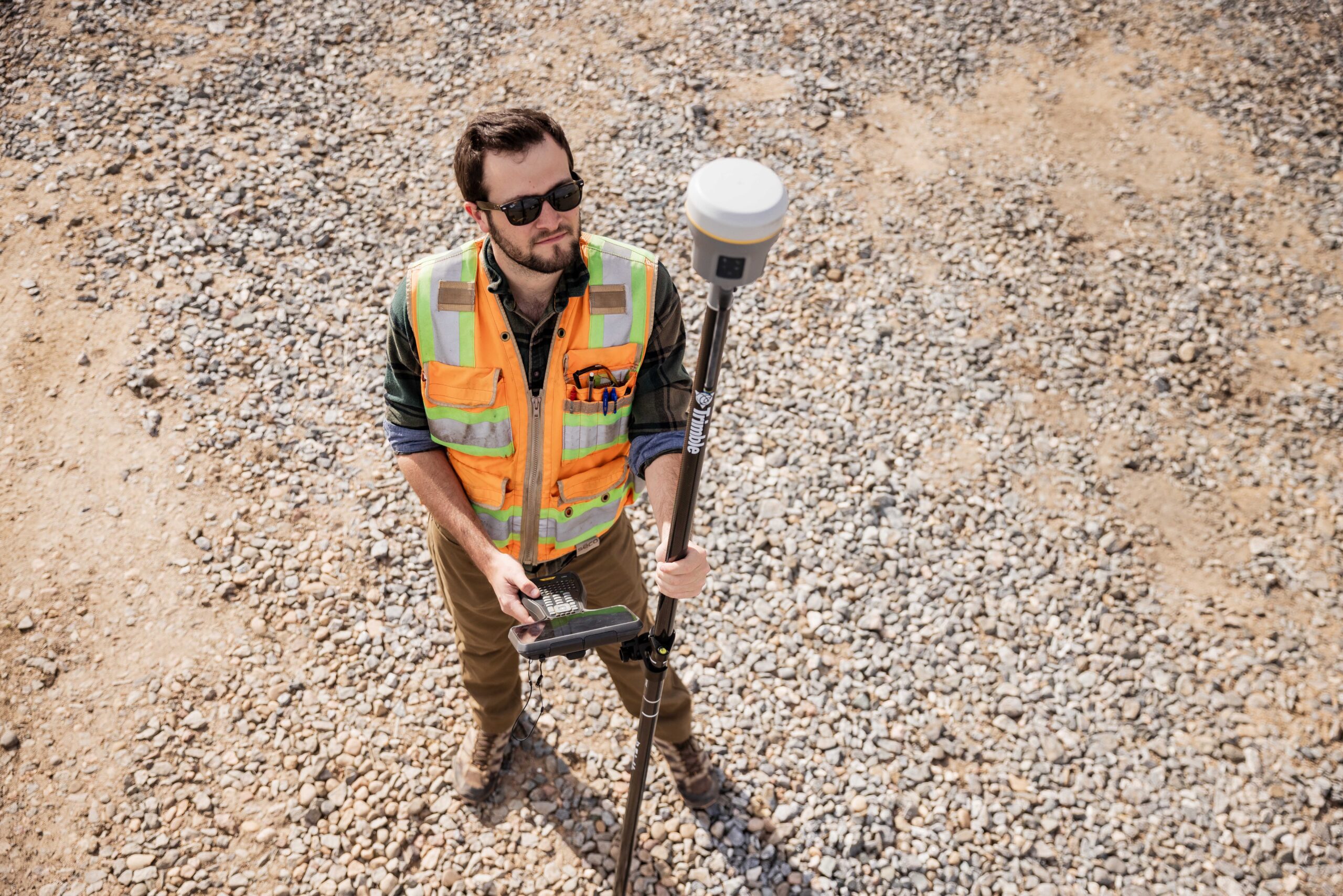
A modern integrated GNSS receiver combines the antenna, receiver engine, data storage, and communications hardware in a single sealed unit that mounts directly to a survey pole. This design eliminates the inter-component cables that older separated systems required and keeps setup fast. The Trimble R980, R780, R580, and Spectra SP100 all follow this integrated format and connect to a data collector wirelessly via Bluetooth. For base station use, the Trimble R750 is an easy-to-use separated receiver solution designed for stable, long-duration deployment over a known control point.
GNSS is the umbrella term for all global satellite positioning systems, including GPS, GLONASS, Galileo, and BeiDou, and modern professional receivers track all of them simultaneously for a stronger positioning solution. For a full breakdown, see GNSS vs GPS: What Is the Difference?
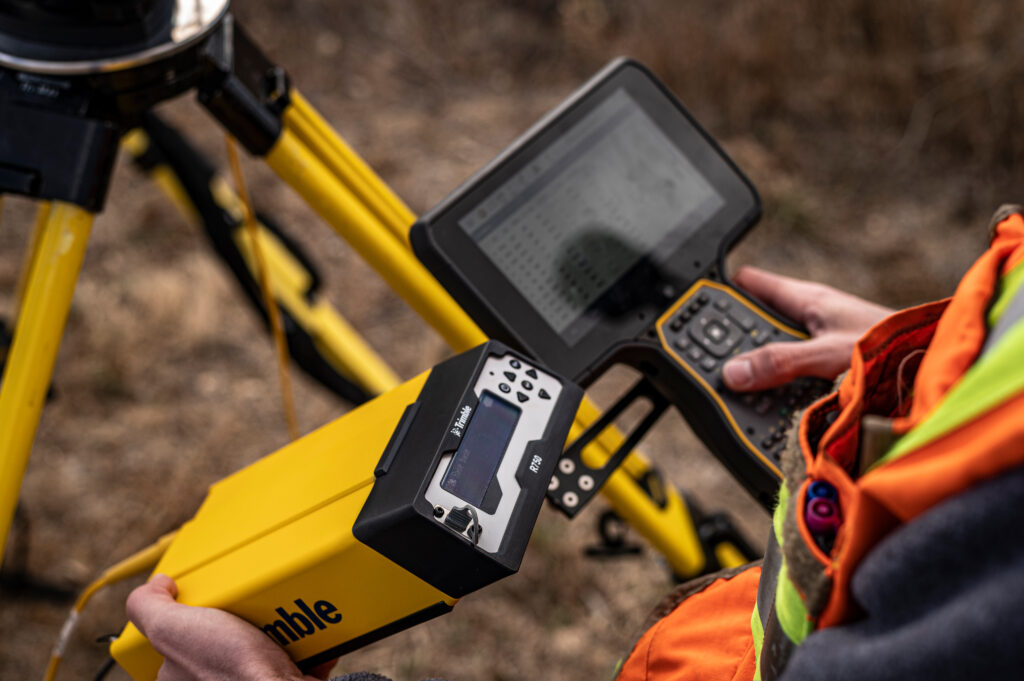
GNSS receivers can operate in several modes. Autonomous mode uses raw satellite signals alone, producing accuracy in the range of 2 to 5 metres, which is suitable for navigation but not professional positioning. RTK (Real-Time Kinematic) uses correction data from a reference station or network service to deliver centimetre-level accuracy in real time, and is the standard mode for survey-grade work. PPK (Post-Processed Kinematic) applies equivalent corrections after the field session using logged raw data, which is useful when real-time corrections are unavailable. Trimble CenterPoint RTX, available on Trimble receivers in the KOREC range, delivers approximately 2 cm global accuracy via satellite without any phone coverage, making it particularly useful in remote locations.
The correction service you use has a direct bearing on achievable accuracy and operational simplicity. In the UK, network RTK services such as Trimble VRS Now deliver centimetre-level corrections via mobile internet to your rover anywhere within the network, removing the need for a physical base station. Trimble CenterPoint RTX, available on the Trimble R980, R780, and R580, extends this capability to areas without mobile coverage by delivering corrections via satellite. Trimble xFill is supported on compatible receivers including the Trimble R12i, R780, R580, and R980, and maintains centimetre-level corrections for up to five to ten minutes during an internet outage, allowing fieldwork to continue uninterrupted during brief connectivity gaps.
GNSS performance is directly linked to how many satellites are visible from your setup location. Tall buildings, dense woodland, steep cuttings, and overhanging structures all reduce satellite count and introduce multipath errors from reflected signals. Before committing to a setup position, consider the sky view available: an unobstructed horizon in as many directions as possible will produce the best geometry. PDOP (Positional Dilution of Precision) is the numerical summary of geometry quality displayed by the field software. A value below 2 is excellent; below 4 is generally acceptable for survey-grade work. Configure a PDOP mask in your survey style to prevent observations being recorded when geometry falls below your required standard.
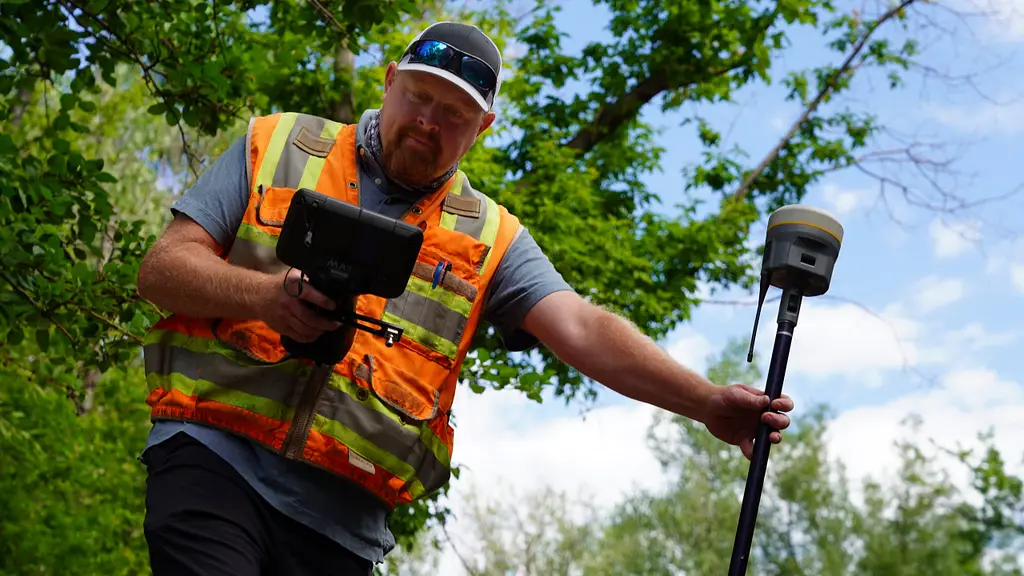
For an integrated rover, where the prism and GNSS receiver are combined in a single unit, mounting the receiver to the pole via the quick-release adapter is the primary assembly step. Before recording any observations, confirm that the connection is firm with no lateral play, and measure the pole height carefully with a tape to the nearest millimetre. While survey poles have measurements marked on them, it is good practice to check periodically with a tape measure, as the ground spike can wear down over time and introduce a small but consistent height error. The antenna height is one of the most critical values you will enter into the field software: any error here produces an equal error in the height of every observation recorded in that session. For a base station setup, the same principle applies with even greater consequence, as an incorrect base antenna height biases all rover heights that reference it.
Power on the receiver, open Trimble Access on the data collector, and navigate to the Bluetooth connection settings. Search for available devices, select your receiver, and confirm the pairing. A successful connection will display the receiver status including battery level, satellite count, and current positioning mode. If the connection fails, check that Bluetooth is enabled on the controller and that no other device is currently paired to the receiver, as most receivers accept only one active connection at a time. Once paired the data logger will remember the setting.
In Trimble Access, a survey style is a saved configuration profile that defines the positioning mode, correction service, satellite settings, and measurement parameters for a field session. Creating well-configured survey styles before going to site, rather than adjusting settings in the field, is one of the most effective ways of reducing errors. Create a separate style for each workflow you use regularly: network RTK rover, base and rover radio, and Trimble CenterPoint RTX, for example, so that switching between them is a simple selection rather than a reconfiguration. Within each style, confirm the coordinate system and datum for your project. For work in Great Britain this typically means British National Grid for horizontal coordinates and Ordnance Datum Newlyn for heights, using the OSTN15/OSGM15 transformation. Incorrect coordinate system settings are one of the most common sources of systematic error in GNSS survey work, and far easier to catch before data collection than after.
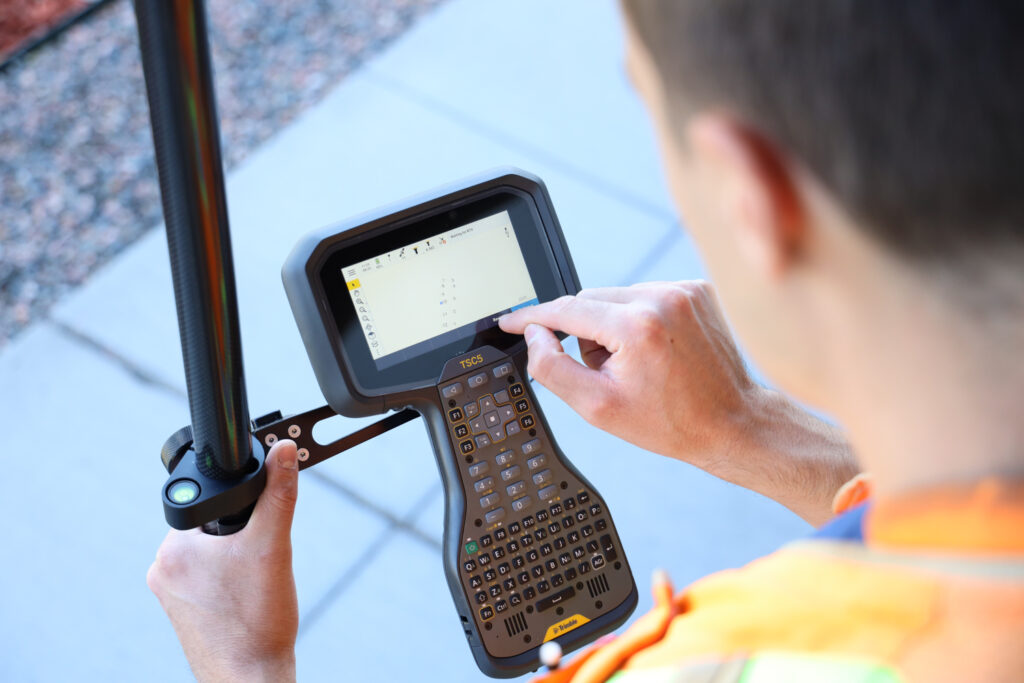
To configure an NTRIP network RTK connection, enter the server address, port number, mount point, and login credentials provided by your correction service into the survey style. Once saved, the receiver connects to the service automatically each time that style is activated, provided mobile internet is available. VRS uses CMR (Trimble CMR (Compact Measurement Record) is a proprietary, highly efficient message format developed by Trimble to broadcast GNSS corrections from a base station to a rover. It is used for RTK (Real-Time Kinematic) surveys, offering superior performance with Trimble equipment compared to standard RTCM, facilitating faster convergence and higher accuracy with multi-constellation support. It can use RTCM as well. For further information please read, SG 7.0 How to setup for VRS in Trimble Access 2023.10.
After activating a survey session, the receiver acquires satellite signals and initialises the RTK solution. During this period the position is in autonomous or float mode. A float solution means the receiver has not yet resolved the carrier phase integer ambiguities that underpin centimetre RTK accuracy: positions in float can look similar to fixed in the software if you are not watching the status indicator, but may be off by 10 to 30 cm. Always confirm the solution status shows Fixed before recording observations for any application requiring centimetre accuracy. Network RTK with good satellite geometry typically achieves a fixed solution in under a minute. On receivers with Trimble ProPoint technology, available on the Trimble R780 and R980, the positioning engine maintains fixes more reliably near buildings and under partial canopy, reducing re-initialisation events during fieldwork.
Once a fixed solution is confirmed, place the pole tip on the point to be measured, check the pole is vertical, and trigger the measurement. For hard-to-reach points where levelling the pole is difficult, IMU-based tilt compensation removes the need to level entirely.

The most common causes are a lost correction service connection, poor satellite geometry, or excessive multipath at the current location. Check the age of corrections displayed in the field software: a large value indicates corrections are not being received. Verify mobile data connectivity if using a network RTK service. If the connection appears healthy, moving to a slightly more open position or waiting for a more favourable satellite geometry window will usually resolve the issue.
Systematic positional offsets almost always point to a configuration issue rather than a hardware fault. The most productive areas to investigate are the coordinate system and datum transformation, the antenna height entry, and whether the base station (if using one) has been set up correctly over the intended point. Cross-checking a known control point at the start of every field session before recording production data is the most reliable way to catch these issues early.
If the data collector cannot connect to the receiver, remove it from the paired devices list and re-pair from scratch. Ensure receiver firmware and field software versions are compatible: significant mismatches can cause connectivity problems and may limit access to correction services. KOREC’s support team can advise on current recommended versions for your hardware and assist with the update process.
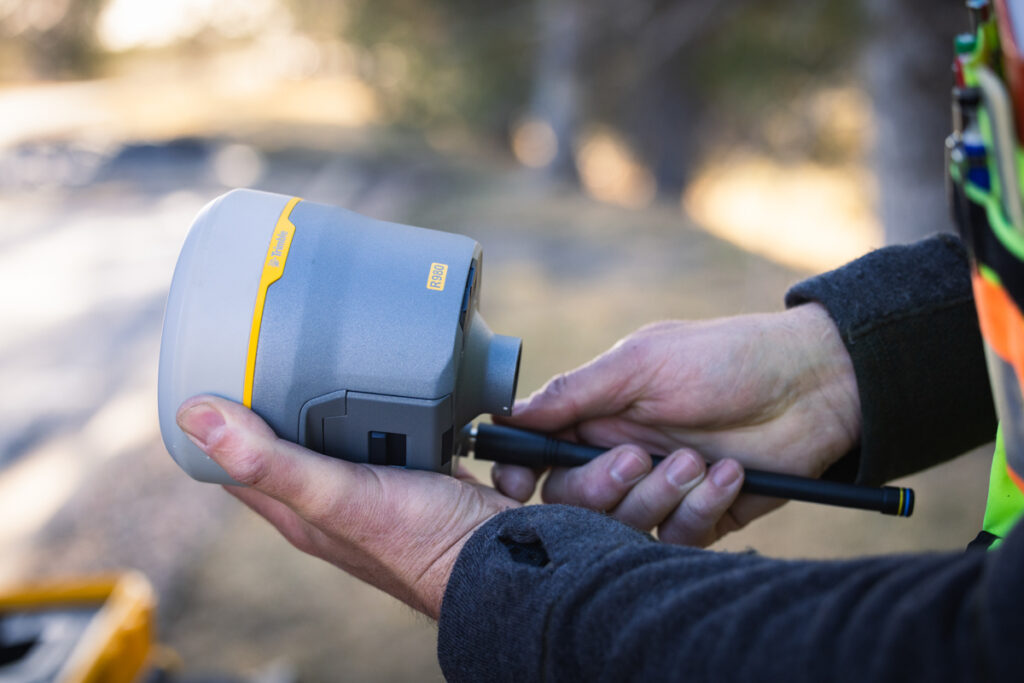
A few consistent habits make a significant difference to output quality over time. Always verify your setup against a known control point at the start of a session. Enable internal raw data logging on the receiver so that PPK post-processing is available as a fallback if RTK corrections were lost or degraded during the day. Keep firmware and field software current: Trimble and Spectra Geospatial release regular updates that improve performance and extend support to new correction services. And when switching poles or quick-release adapters, re-measure the antenna height carefully rather than assuming it is unchanged.
A float solution means the receiver hasn’t yet resolved the carrier phase integer ambiguities needed for centimetre accuracy, and positions can be off by 10 to 30 cm even though they may look similar to a fixed solution on screen. A fixed solution confirms the ambiguities have been resolved, and this status should always be checked before recording any observation requiring centimetre accuracy.
PDOP, or Positional Dilution of Precision, is a numerical measure of satellite geometry quality shown in the field software. A value below 2 is considered excellent, while below 4 is generally acceptable for survey-grade work. Poor geometry, often caused by obstructions like buildings or trees, increases PDOP and reduces positioning accuracy.
Autonomous mode uses raw satellite signals alone and typically achieves 2 to 5 metre accuracy, suitable for navigation rather than professional work. RTK uses real-time correction data from a reference station or network to achieve centimetre-level accuracy. PPK applies equivalent corrections after the field session using logged data, making it a useful fallback when real-time corrections aren’t available.
Options include network RTK services such as Trimble VRS Now, which deliver corrections via mobile internet, and Trimble CenterPoint RTX, which delivers corrections via satellite for use in areas without mobile coverage. Trimble xFill is also available on compatible receivers to maintain corrections for five to ten minutes during a brief internet outage.
Antenna height is one of the most critical values entered into the field software, as any error here produces an equal error in the height of every observation recorded during that session. This applies to both rover and base station setups, with base station errors having an even greater impact since they bias all rover heights referencing that base.
Common causes include a lost correction service connection, poor satellite geometry, or excessive multipath at the current location. Checking the age of corrections in the field software, verifying mobile data connectivity, or moving to a more open position will usually resolve the issue.
A survey style is a saved configuration profile that defines the positioning mode, correction service, satellite settings, and measurement parameters for a field session. Setting up separate styles in advance for different workflows, such as network RTK rover or base and rover radio, makes switching between them straightforward and reduces the risk of configuration errors.
The investment that pays the highest return in GNSS work is not in the most expensive hardware but in understanding what you have and why each setting matters. An operator who knows what a float solution means, how satellite geometry affects accuracy, and how to verify results against known points will consistently produce better data than one working from a checklist alone. KOREC supplies the full range of Trimble and Spectra Geospatial GNSS systems, alongside the software, correction services, training, and support needed to use them effectively. Our team is on hand to help with equipment selection, configuration, and ongoing support for surveying, mapping and GIS, and construction applications.
KOREC can advise you on the right GNSS system for your project. Speak to our friendly experts today to get the right technology to solve your business challenges.