


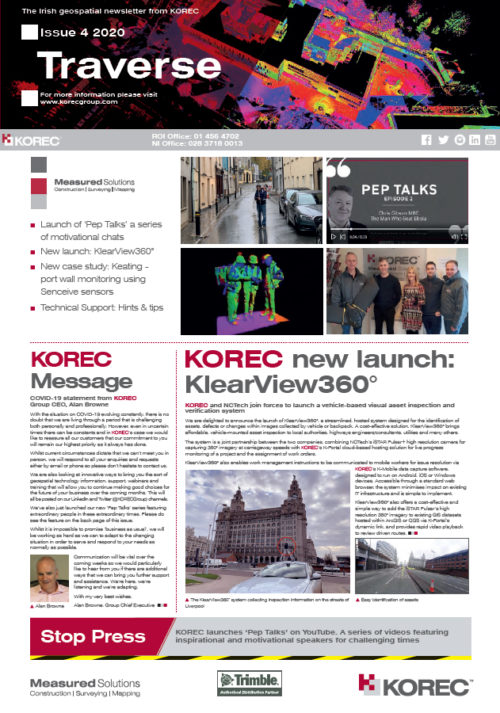
The latest issue of our KOREC Ireland newsletter, Traverse, is now available as a PDF and will be coming soon as a Flip Book.
This issue includes:
Launch of ‘Pep Talks’ a series of motivational chats
New launch: KlearView360°
New case study: Keating – port wall monitoring using Senceive sensors
Technical Support: Hints & tips
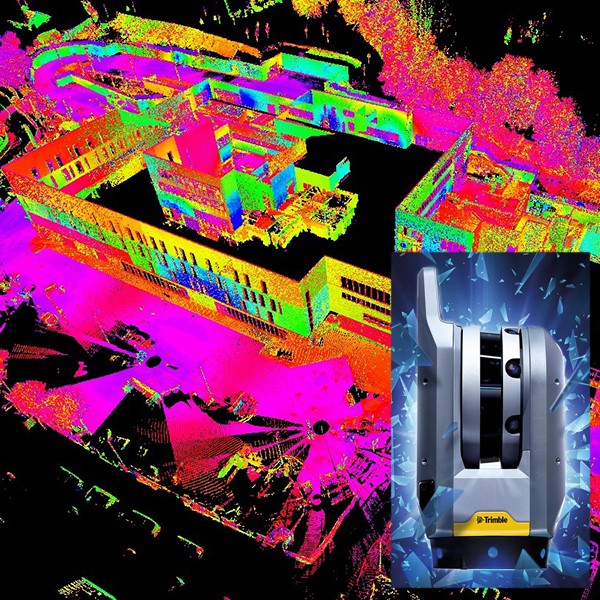
Our next issue of our KOREC Ireland newsletter, Traverse, is coming soon and the front cover features data from a recent trial of the Trimble X7 at the Southern Regional College, Armagh. The college was constructed by Felix O’Hare, which we recently covered in a KOREC case study ‘Taking BIM to the construction site’. SRC has a Queen’s University student embedded with Felix O’Hare under the Knowledge Transfer Partnership scheme (KTP) who was also part of the trial day along with Wayne Nolan, Senior Site Engineer at Felix O’Hare John Meneely, 3D Scanning Specialist at Queen’s University, Belfast (@1manscan) and of course KOREC’s Enda Fox and Kevin Colwell. Over the course of the morning, the X7 was used to scan the entire external envelope of the new campus with 35 set ups. Our thanks to Wayne and John for sharing their thoughts on the X7.
John Meneely: “In recent years, laser scanners have followed a fairly standard development curve as seen in many technologies – faster and lighter with some minor additions to functionality. However, what I like about the X7 is that it brings something new to the mix, namely, the ability to tie into and even place additional control on site, all thanks to the X7’s internal laser pointer. Combining this with the X7’s user-friendly tablet based software, intuitive workflow, on site registration and automatic calibration on power up gives you the reassurance that once a survey is complete, you leave with a fully registered, geo referenced point cloud – confident in the quality, coverage and accuracy of your scan data. Not only does this save a huge amount of time in post processing but engineers can verify on site that nothing has been missed, making the X7 an ideal instrument for the construction industry.
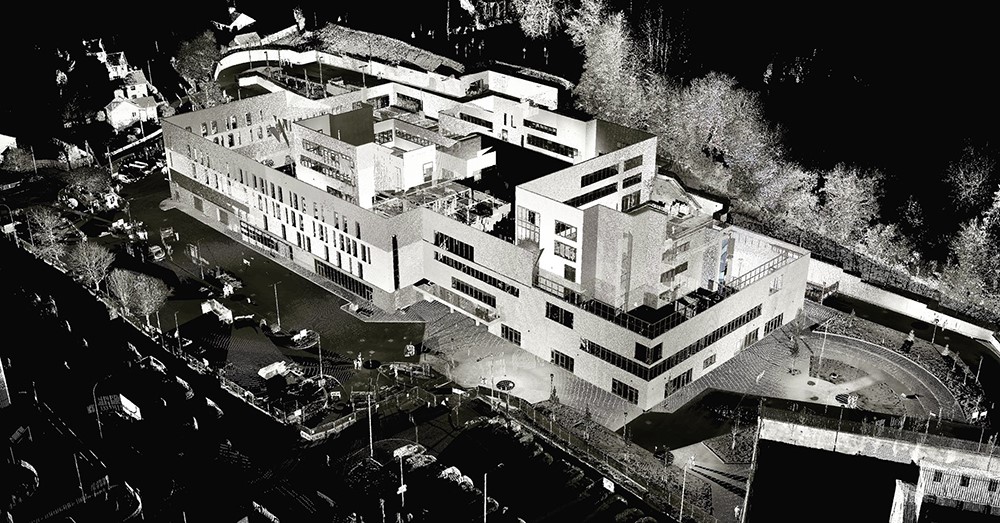
Wayne Nolan: Felix O’Hare & Co. Ltd. Throughout the Armagh SRC project we have embraced many forms of technologies throughout the construction process over our 2 year period on site, from the Trimble R10 GPS equipment to Trimble Robotic Total Stations through to Aerial Drones. As a main contractor, laser scanning is something we are readily looking at to help improve our QA/ QC procedures across all of our projects. The new Trimble X7 laser scanner definitely fits the bill from our point of view – firstly, it’s user friendly and intuitive interface is ideal for construction professionals.
New self-levelling and automatic calibration features not only give you piece of mind regarding the quality of your data but also saves you money year on year! In field registration is a huge benefit for construction professionals alike, as each and every scan is colourised and visible in the field without having to go back to the office – this leaves no stone unturned regarding data capture and eradicates the need to revisit scan areas.
One of the top features for us has to be the X7’s efficient workflows within the field using the Trimble Field Link software. The new integrated laser pointer tool has the ability to geo-reference scans to the site grid and carry out basic setting out procedures without the need to use the Total Station. This is most definitely a game changer for the industry which saves valuable time in any busy site environment. We are currently using this software with our RTS733 total station, so the transition to 3D scanning capabilities is seamless yet effective and productive!
With validation and field verification becoming ever more demanding on our BIM projects, we feel the X7’s capabilities are second to none. Using the T10 Tablet and being able to overlay the scan data onto the live 3D design models in the field ensures quality control and quality assurance are at the forefront whilst maintaining a true and accurate model of the construction project.
In conclusion, the Trimble X7 will provide an excellent tool for many Contractor’s across the industry to provide a first class service to their clients using the latest scanning technology!

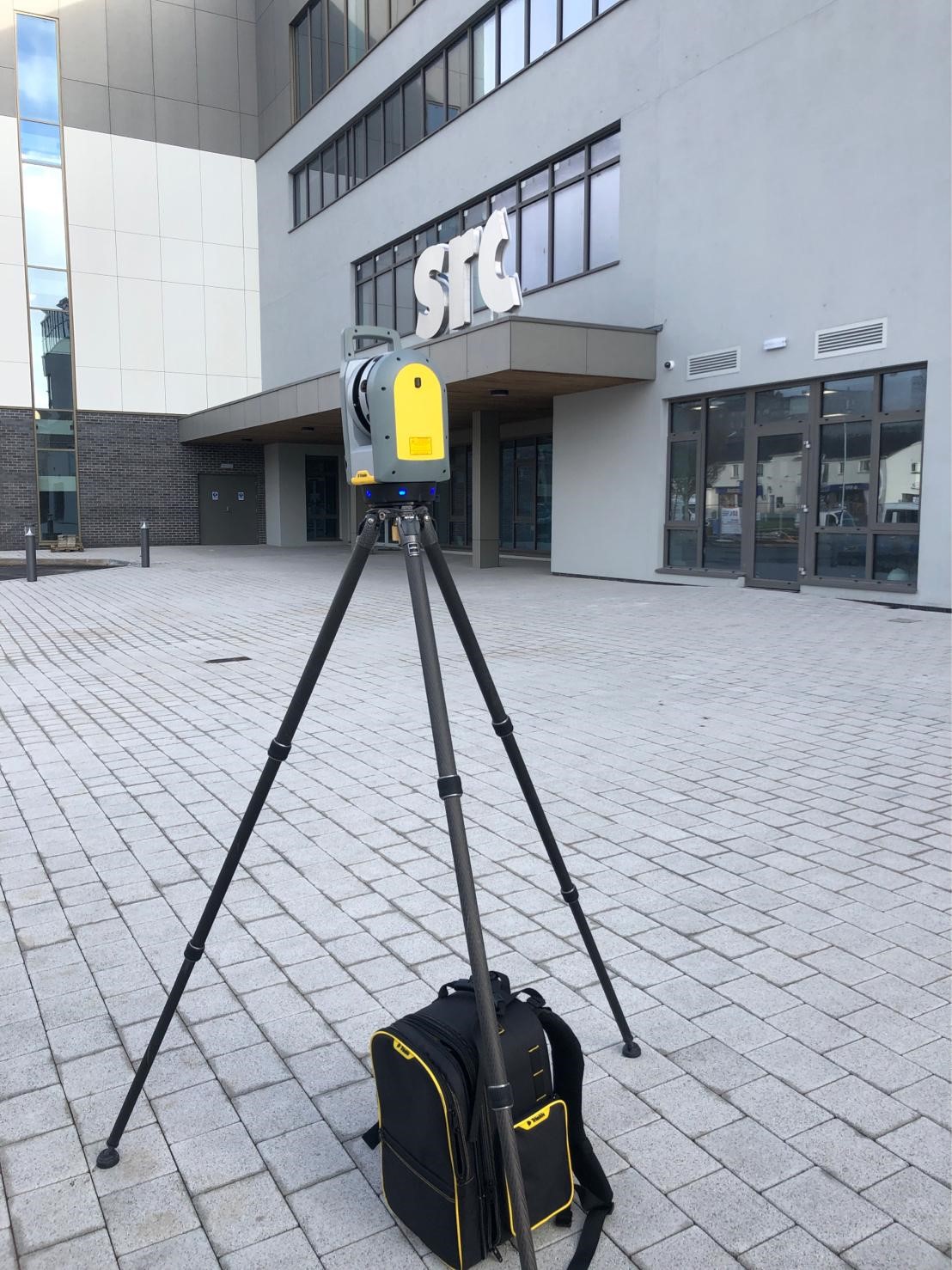
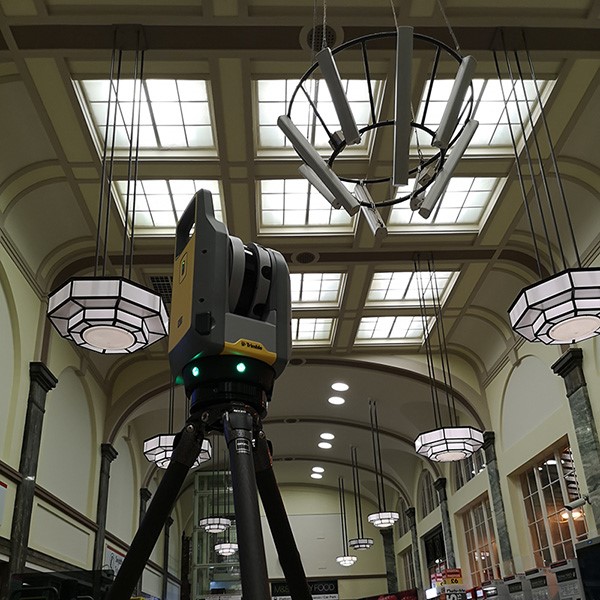
When Trimble set out to create a new 3D Laser Scanner, they asked themselves some basic questions. Where is laser scanning going, how does the customer use laser scanning and what is most important to that customer? They interviewed over 550 people from pre-development through to field use. The end result is the X7.
But have they delivered the customer experience that they sought?
We caught up with Lee Husk, Director of Caerphilly based PDS Surveys, who recently trialled the X7 over two nights at Cardiff’s Central Station. He carried out all the work within tight four-hour time frames when the station was closed to the public. Following an induction to run over the scanner’s features with a KOREC consultant, Lee was able to carry out over 150 colourised, full dome scans to 2.5mm accuracy over a two-night period. After the work, he shared four key observations with us:
- More awareness at the moment of capture – Lee was able to not just save time but also to remove the unknown by ensuring that data could be gathered, seen and analysed in the field. With automatic registration he could verify that nothing had been missed and have complete confidence in the quantity and quality of the data collected. The ability to complete over one hundred separate scans and not have to worry about tying them all together afterwards greatly reduced office time afterwards.
- Intuitive software and hardware – Lee was able to achieve excellent results during the two nights and was impressed by the ‘slickness’ of the workflow.
- Time saved – working within a tight time frame, Lee reports that he was able to undertake 150 colourised full dome scans over the two evening, stressing that he could have achieved double that without the colourisation. The auto-level feature assisted with this by greatly speeding up operation.
- Reduced office time – after a quick clean up of the data was all that was required.
To find out more, please contact your local KOREC Sales Consultant – we are hosting X7 days throughout the country during March/April.

The X7 was used for both internal and external scans
 Our thanks to Andrew Plumb of Amey Consulting for the information in our latest case study, “Tackling a ‘Perfect Storm’ of monitoring challenges.
This story looks at how Andrew undertook the remote monitoring of a tunnel under restoration and construction activity just outside of Kings Cross.
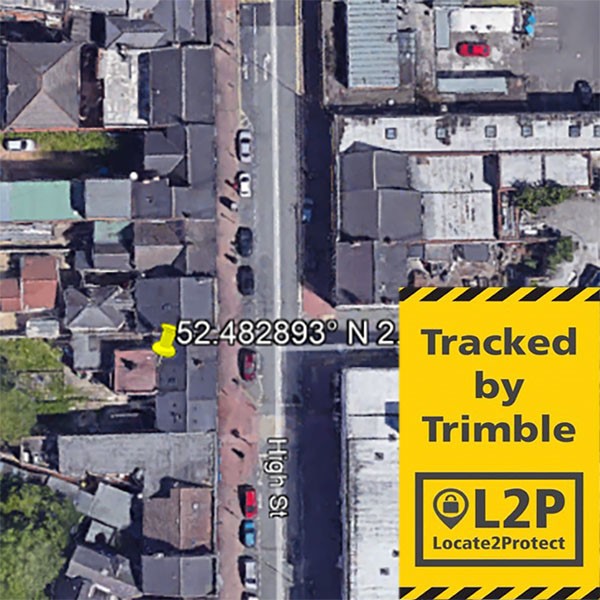
There’s nothing we like more than hearing about technology delivering exactly what it’s designed for, so it’s particularly rewarding to hear that Trimble’s L2P (Locate to Protect) tracking and AllTrak software has again assisted a KOREC customer in the recovery of a stolen Trimble instrument.
Haygate Construction is a small, family owned setting out company run by Yuk Yen Li and his son Peter. They are therefore reliant on staying productive in the field, often visiting several sites in the Midlands in single day to give the builders the next day’s work.
On a recent Monday, Peter was working on a site directly next to Aldi in Wolverhampton. At around 10.00am, he finished his setting out duties, packed the instrument away in his pick-up, locked up and went to wash his hands. He returned 5 minutes later to find the window smashed and the boxed S7 total station gone.
He immediately reported the theft to the police and contacted KOREC to see if we could assist. By 11.15, KOREC was tracking the stolen unit with regular updates in the form of screen grabs from Google Earth being sent to Peter who followed the trail accompanied by three colleagues.
The unit was tracked around Wolverhampton via several industrial estates and a shopping centre before coming to rest in the town’s suburbs. Peter arrived at the scene at 12.40 and aware that stolen instruments are often left for up to 24 hours to check that they are not being tracked, felt it was safe to investigate further without confrontation.
The unit was found outside a commecial building and it was back on site within the hour. KOREC has arranged to get it fully checked although all reports are that it is working fine.
Downtime on site and loss of work was avoided as was a lengthy and potentially expensive insurance claim.
KOREC was delighted to help and we urge all those hit by instrument theft to inform both the police and the TSA at www.tsa-uk.org.uk/equipment-theft

Regular screen grabs of the S7’s ‘live’ position were sent to Peter
The latest issue of CES magazine features our very first case study on Trimble SiteVision. Gareth Price and Matt Blevins, both of O’Brien Contractors, explained to us how they’ve been putting their new SiteVision unit to good use on an enabling contract next to Dudley zoo.
Read the piece in CES here or download the KOREC casestudy here.
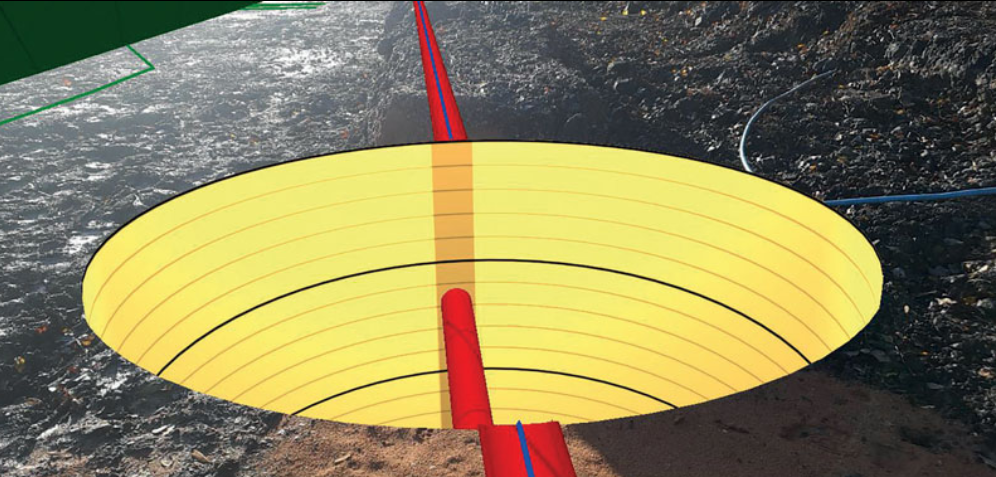
…and of course don’t forget, You can buy Trimble SiteVision online from KOREC here
 The Parrot ANAFI is ten times quieter than the average drone which is just one of the reasons why it proved the pefect choice for a recent survey in a residential area with limited access. PDS Surveys Director, Lee Husk, worked hard to ensure that householders were not inconvenienced during this job and was kind enough to share the details with KOREC for our latest case study.
Read the full story here
 Congratulations to Martin Riley, Managing Director of Landtech Surveys, who is one of the first KOREC customers to invest in Trimble’s R12 technology. As a sole proprietor, productivity on site is a key to the smooth running of his business and Martin has been putting his R12 to good use from day 1! Martin is also the winner of this month’s KOREC competition with his video of the R12 and has just received his KOREC goodie bag. He took a couple of minutes to tell us how he’s been getting on:
“My clients appreciate that technology is constantly improving and evolving and when they see that I am prepared to invest in a new instrument like the Trimble R12 and bring it to their sites, they know that they are getting the very best results achievable.
The R12’s already proved itself on a recent gas pipe survey on a site in Yorkshire covered with mature trees. Having visited the site a couple of months earlier, I’d had to use a total station as well as my R10. When I revisited the site to finish the work, the R12 had no trouble tracking satellites in the same environment. In built up areas I know that I’m going to be more productive, work faster and be less inclined to have to get the total station out. On another recent project in London where I was surveying in the street, I was pleasantly surprised by the accuracy the R12 was getting, even in heavily built up areas.
I also undertake a lot of survey work on behalf of environmental engineers which often sees me working under or amongst tree canopies. At times, I’ve struggled to gain lock with my Trimble R10, but not so with the R12, there is a noticeable improvement in accuracy and convergence times.
With the R12, I know I’ve always got a fighting chance!”
Learn about SketchUp components, and how to use them to apply attributes and materials for visualisation in Trimble SiteVision.
…and of course don’t forget, You can buy Trimble SiteVision online from KOREC here
or read our first SiteVision case study here.
We’ll be regularly posting all the useful stuff that you need to know about Trimble SiteVision including Trimble tips and advice, KOREC opinion, video examples, training, customer feedback and some good honest FAQ’s!
Click on any of the links below and of course, don’t forget that You can buy Trimble SiteVision online from KOREC here
Trimble SiteVision Essentials (1) – Hardware set up (1) and getting your phone ready (video)
Trimble SiteVision Essentials (2) – What phone should you use with Trimble SiteVision
Trimble SiteVision Essentials (3) – Installing the SiteVision app on your Android phone
Trimble SiteVision Essentials (4) – Hardware setup (2) connecting to a mobile device and offset measurements (video)
Trimble SiteVision Essentials (5) – Preparing your data (1) Prepare thematic maps using Trimble Business Center
Trimble SiteVision Essentials (6) – Visualise a PDF Plan or Image
Trimble SiteVision Essentials (7) – Learn how to prepare and export a VCL
Trimble SiteVision Essentials (8) – Download and install the SiteVision AR Exporter Extension via the SketchUp Extension Warehouse
Trimble SiteVision Essentials (9) – Learning to use SketchUp components