“Surveying isn’t just about surveyors, right?… it’s about the power of spatial understanding for everyone.”
That’s what Barry Bassnet published on LinkedIn recently – and let’s just say his post sparked more interest than a KOREC consultant arriving on site with a bag of warm doughnuts! And why did he make this comment? Because he’d just seen a demonstration of Soarvo, a new cloud-based platform that reimagines how 3D spatial data should look, feel and function for a much broader audience, one that’s well beyond the usual circle of geospatial professionals.
Barry suggested that we’ve become so laser-focused on CAD deliverables that we risk reducing rich, multi-dimensional data into flat lines on a page. Accurate lines, for sure -but certainly less accessible to the many people who could actually benefit from the data; a list that includes project managers, planners, environmental consultants, utility specialists and even the general public. These are the typical stakeholders who need to understand space and context so why not give them a format that makes sense, and why not ensure that the software that provides this information is truly visual with a user interface so intuitive that nobody needs expensive training on how to use it?
…and the solution is Soarvo
Here at KOREC we have the means for our customers to do exactly that thanks to Soarvo. Humans are visual creatures (we process visuals 60,000 times faster than text) and Soarvo taps into that by presenting survey data from any number of different sensors in an intuitive, interactive 3D environment that even the non-technical can navigate with ease. Remember how Google Earth revolutionised map navigation…that’s what Soarvo can do for survey data.
We’ve already talked about Soarvo functionality in an earlier blog ‘Born of Frustration’, and how it can unlock the full value of geospatial data but today we’re not here to talk about some hypothetical use case, it’s time to show the results from real world projects and where better to start than with a Soarvo highlight – the drone workflow.
We therefore despatched our KOREC drone specialist to undertake two drone focused projects that would not only showcase Soarvo’s data handling and processing but also the Wingtra Gen II drone with VTOL:
Drone project 1: Into the woods
Our first mission? A dense forest survey to assess tree density and map the terrain for flood risk analysis. For this, the Wingtra Gen II, fitted with a LiDAR sensor, was the obvious choice thanks to its ability to penetrate through thick canopy and deliver multiple returns.
Once complete, the LiDAR was swiftly swapped out for Wingtra’s premium RGB61 camera and the site was re-flown at 100 metres (up from 80m). Same flight plan, fresh perspective.
Processing the Data
Data was processed in the Wingtra LiDAR app, then seamlessly uploaded into Soarvo – a simple drag and drop – and instantly ready to be explored, analysed, and shared with a far wider audience, all with zero fuss.
Soarvo standouts on this project
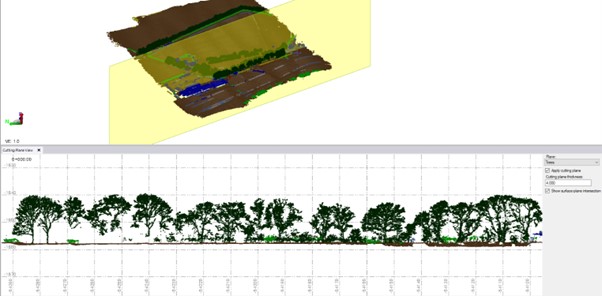
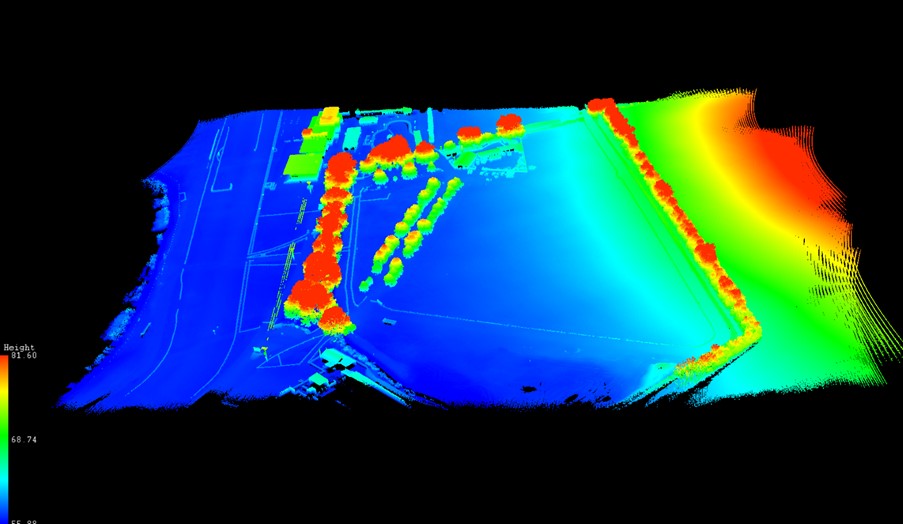
- See the forest and the ground: The Wingtra Gen II with LiDAR cuts through the forest’s canopy to ground level. Once in Soarvo, the point cloud can be colourised by height and then a clipping plane used to show data just at ground level for better assessing flood risk.

Point cloud colourised by height
- Focus only on what you need: Soarvo has the ability to read point cloud classifications and remove the ones not relevant to your application from view. In this case we created a purely ground level view to analyse the natural drainage within the forest and to examine where the ditches converge and assess what is happening in these vulnerable areas.
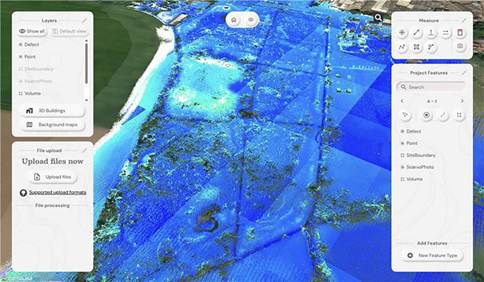
Showing the natural drainage within the forest
- RGB data rendered in seconds: With the RGB61 sensor data, we produced an ultra-accurate 3D model of the forest that loads and renders impressively fast. Bonus: Soarvo allows you to drape the orthomosaic over the terrain, offering a rich, contextualised visual that’s miles ahead of a flat 2D map.
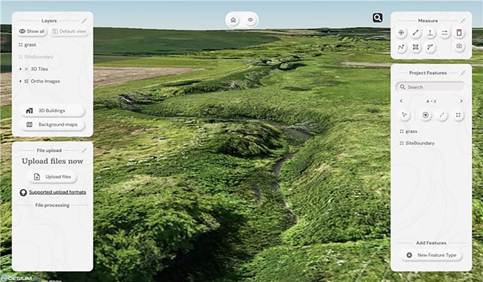
Orthomosaic draped over the terrain
- Snapshots with measurements: The ‘Snapshot’ tool came in handy for exporting JPEGs with embedded measurements. This function is ideal for briefing teams and stakeholders – no confusion, just clear visuals with context.
- Buit in GIS – done properly: Unlike most platforms, Soarvo includes full GIS functionality. Create features, draw polygons, and record detailed attribute data – not just vague notes. A great time saver, everything in one place, exactly where you need it.
Permission to fly the forest kindly granted by Phillip Wilcox-Moore, Managing Director, Axter Ltd. We’ll be covering this community story in an upcoming case study.
Drone Project 2: No stone unmeasured
Next up, a quarry stockpile survey. This time, it was all about volume calculations with a single flight using the RGB61 sensor. Just 7 minutes and 152 images later, the job was done.
Processing the drone data:
This data was processed in Soarvo by simply uploading the raw images in a zip file. Once loaded, Soarvo takes care of the rest generating an orthomosaic, 3D mesh and point cloud. No third-party software required, no CAD skills required and all processed and ready for sharing in typically, under an hour.
Soarvo standouts on this project
- Calculate volumes, fast! Let’s start with the main aim of this project, volume calculations – a regular need in quarry operations because that’s where the value lies. With Soarvo, it’s refreshingly easy, simply draw a polygon around the stockpile base, hit ‘calculate volume’, and you’re done. As accurate as traditional GPS-based surveys only faster, easier, safer and with the option for putting down more points for even higher accuracy, all completed from the desk.
- Context matters: Unlike many platforms, Soarvo shows your drone generated point cloud in full context – no black voids, just clean, continuous terrain on a choice of background mapping that adds the sort of extra context you need for a true real-world view, ideal for planning access, security etc.
- More ways for easy visualisation: Simply use the ‘snapshot’ function with added notes or measurements for easy insights without any technical expertise required.

Quarry point cloud shown in context to surroundings – no black void!
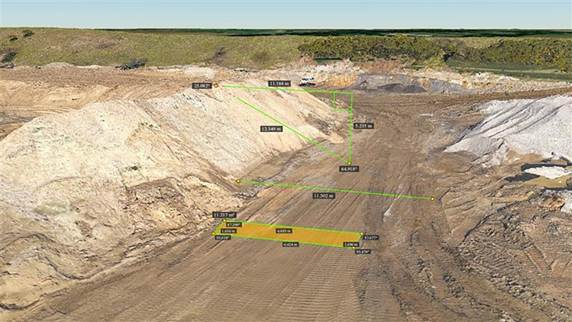
‘Snapshot’ with measurements
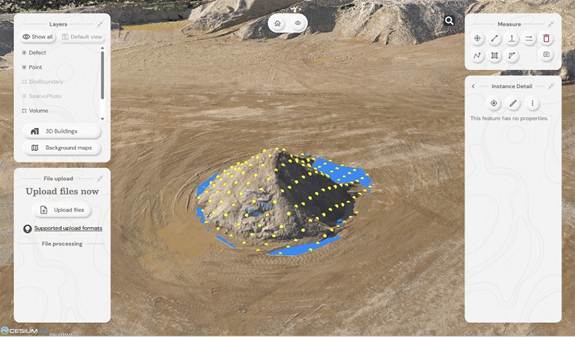
Calculating stockpile volumes – add as many points as you wish

Volume calculation report
And general to both projects – four more Soarvo benefits
No limits on the number of people who have access to the data
It’s all about making spatial data more accessible to more stakeholders – securely and without limits. Anyone you grant access can view the data straight from a web browser, no installs, no restrictions.
Security is vital, so it’s named user access only
Importantly, by avoiding use of a hyperlink, security is increased and Soarvo users can share this data only through named user access. Data security has been a key building block in the development of Soarvo since its conception.
Unique to Soarvo – merge and view ALL your data in one place
With Soarvo, you can bring together all your datasets – regardless of sensor type – into a single, cohesive view. But it doesn’t stop there. You can create layers of other key information too, like CAD-based topo surveys, GIS data with feature and attribute details (eg, boreholes), or even supporting documents like drainage reports. Just click to open with no digging around. It’s a genuinely useful feature, and a unique one that sets Soarvo apart.
Add context to your data – no black voids here
Soarvo provides context around your dataset and positions it in the real world rather than a giant black void. For example, your laser scan point cloud doesn’t sit in a black space, it’s positioned on to the background map of your choice from OS to Google to Bing. This opens up new doors with your clients who may need great data to check access to site etc.
And to sum up….
Undoubtedly CAD remains vital to our industry and is understandably widely popular, but as technology evolves, it becomes only part of a far richer story. The real value lies in how we make our geospatial data accessible, visual, and useful to everyone, not just specialists. And simply, that’s what makes Soarvo so exciting and relevant to an industry that needs its data to work harder and smarter – for us all.
Find out more about Soarvo by contacting KOREC for a chat or demonstration and visit Soarvo Stand G361 at GeoBusiness 2025.
Europe’s largest maize maze is back and it’s even better than last year, all set out with some special assistance from a KOREC supplied Trimble TDC650 handheld GNSS.
If there’s one thing that we can rely on from Tom Pearcy, Maze Master at York Maze, it’s a fantastic theme for this annual attraction. Over the years, we’ve been delighted to help him out with the loan of various high-accuracy Trimble GPS systems for setting out the intricated designs. Our favourite? Well, it’s a toss-up between ‘40 years of Star Wars’ and ‘90 years of Lego play’.
So, what have we got for this year? Here’s a clue:
I’m the scariest creature in the deep dark wood, with my terrible tusks and my terrible claws!
Yes, the theme for 2024 is 25 years of The Gruffalo, and as ever it covers over 5km of pathways cut into the 15-acre field. Tom chose the theme because “…I used to love reading The Gruffalo to my children, it is something that appeals to grown-ups too. My design celebrating 25 Years of The Gruffalo has been cut out using Trimble GPS technology supplied by KOREC to plot the pathways. It is nerve-wracking because I can’t tell if I’ve made a mistake and put a path in the wrong place until July when the maize plants are fully grown and the final image is revealed.”

A couple of years ago, Tom revealed exactly how the maize magic happens and why the Trimble TDC650 is helpful.
“We’ve come a long way since our first creation in 2002. Back then our mazes were based on just lines and circles drawn onto graph paper and in the field, we used sticks and strings to set out the design, a time-consuming exercise which could take two weeks or more.
Today the process is much more straightforward. Our theme is designed in a basic drawing package and then uploaded onto our Trimble handheld GNSS. We then go out into the maize field and effectively create the biggest dot to dot in the world!
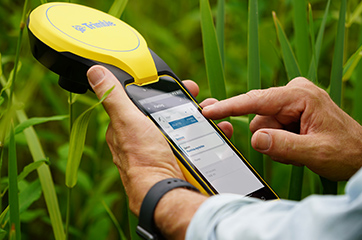
Using the map on the handheld, I plot out the design amongst the 6” high maize plants, marking the points as I go, whilst a cultivator follows on behind.
The TDC650 has been great for mapping out the maze, it holds its accuracy all day long, and it didn’t lose its connection for the whole time we used it, something the previous models could be prone to. The accuracy allows us to create ever more complex mazes, that look truly amazing from the sky!”
York Maze is open for visitors to explore from Saturday 15 July to Monday 2 September 2024 when the crop will be harvested. Book tickets here.
If you’d like to learn more about the Trimble mapping systems, call our KOREC Mapping Team on UK: +44 (0) 345 603 1214 or Ireland +353 (0) 1456 4702
Following a number of recent test flights, KOREC’s Darrell Theobalds reports back on where the WingtraOne Gen II scores high, what’s on his wish list and what he truly rates.
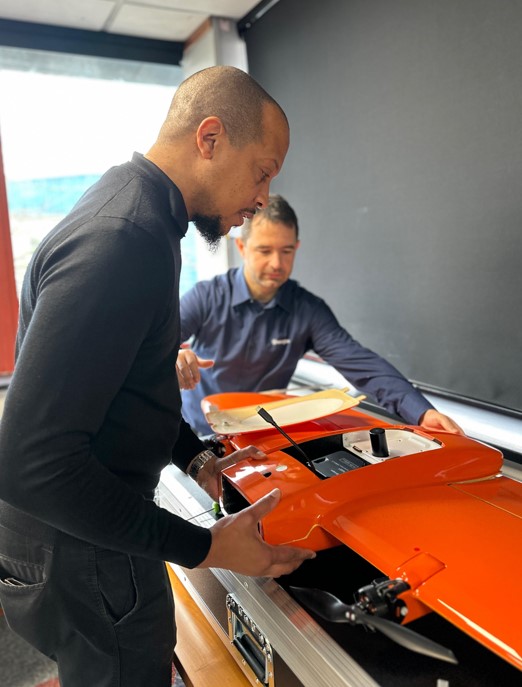
Does the WingtraOne deliver?
For KOREC’s sector specialists, the good news is that they always get their hands on a new addition to the KOREC portfolio before anyone else! This time it’s the turn of our drone specialist, Darrell Theobalds, who has been putting the WingtraOne GEN II through its paces.
KOREC has recently become a Wingtra partner to further strengthen the existing KOREC fixed wing portfolio and Darrell, with his extensive experience supporting and training our drone users, understands better than anyone the challenges drone operators face in the field as well as what’s required to overcome them.
Developed in Switzerland, the WingtraOne GEN II is a premium surveying drone aimed at those who seek consistent high-quality drone data and comes with the tag line ‘Map Faster, Map Larger, Map Anywhere’.
Does it deliver? Darrell reports back on his testing:
How I tested the WingtraOne GEN II
I’ve completed six flights in two separate locations so far with the WingtraOne; three with the new LIDAR payload and three with the RGB61 high-resolution mapping camera. Two of the flights with the LIDAR were in wet conditions and the other was on a very windy day. With the RGB camera, we undertook two flights on sunny, calm days and again, one in very wet weather.
A flight with the WingtraOne and LIDAR payload lasted 4mins 40 sec producing a 183 pt/m2 point density cloud and coving an area of 13ha. The point cloud size was 470mb whilst processing time in the Wingtra LIDAR app took 10 minutes.
First Impressions
Before we get into what’s included with the WingtraOne, it’s worth mentioning the case itself – this is professional packaging! The drone comes in a robust, thoughtfully designed container guaranteeing the safety of both the drone and its sensors during transport. The inclusion of a hardcase for shipping and soft backpack carrier for easy transportation means you’re equipped to take it on a plane, or venture across remote countryside.
With the case open, the first thing to note is that the Wingtra is bright orange for easy spotting and has a sleek and modern design reflecting its professional-grade capabilities. It’s also extremely compact. This is good to see because power lift drones can be complicated instruments, so this sleek design definitely showcases the ingenuity that’s been put into its development.
What’s in the box?
Once you open the box it’s a comprehensive set up. The standard WingtraOne GEN II package comprises not only the drone itself but also a complete set of essential accessories. This includes four batteries, a smart charger, a ground control station Samsung tablet, communication modules, an anemometer, and various accessories for data transfer. Altogether, it’s a carefully curated selection of accessories that are essential for the field data collection.
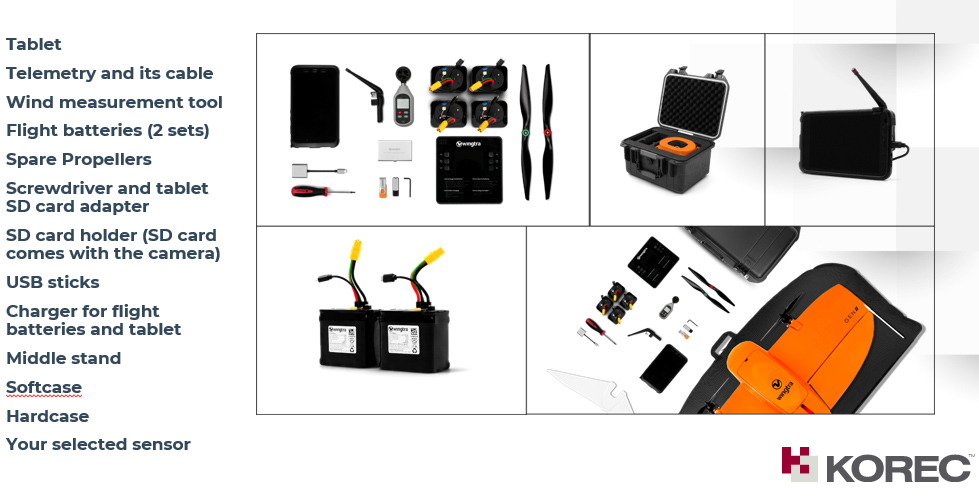
Getting set up
Setting up the WingtraOne for flight is typically straightforward, thanks to user-friendly instructions, an online knowledge base resource repository of eLearning tools and intuitive design. To start up flights with the Wingtra, you need to set down on a level surface parallel to the wind, insert the middle stand, insert the payload and connect the battery. Then plan your flight, go through the Wingtrahub check list and off you go.
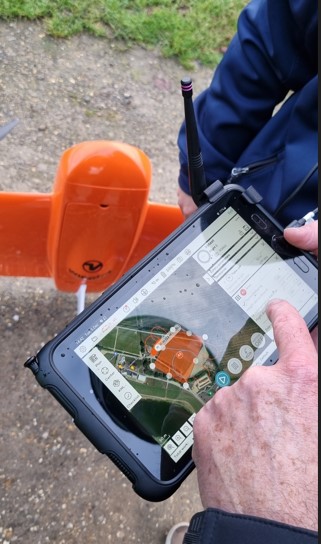
Preparing to fly – intuitive software
WingtraHub is the Windows software for PPK image geotagging and desktop flight planning and has a simple flight check wizard. This means there is limited chance of error as you would not be able to take off if the initializing process was compromised or if you missed a step.
The Wingtrahub allows the user to plan area and corridor flight import mission parameters from KML and view this mission plan against the terrain. Again, a well-engineered thought-out application.
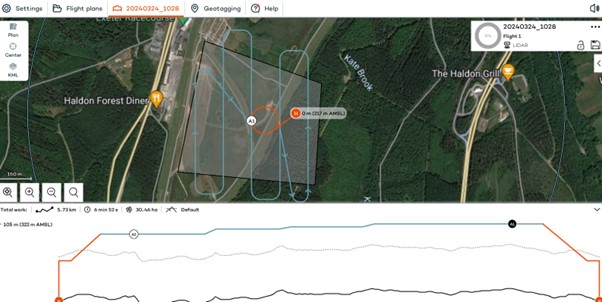
VTOL! Abolutely one of my Top 5 features
The benefits of fixed-wing and multirotor drones with VTOL (Vertical Take-Off and Landing) capability always appeal to me as I have had a fair number of challenges with sites that are extensive but have limited take-off and landing location.
Powerlift drones like the Wingtra enable vertical take-off and landing like a multirotor drone while also having the efficiency of a fixed-wing aircraft during flight. I have flown fixed wings for the past 12 years and the challenge has always been landing and taking off at confined sites, especially when the landing location has obstacles and you are restricted because you need to land into the wind.
The time spent trying to find the safest location to take off and land can now be spent flying. With the additional functionality of pausing and manually landing like a rotary, it’s really the best of both worlds. Only last week, at a Yorkshire racecourse, I had a flight planned with winds gusting at 30mph and averaging 17mph. I was able to take off and land with no issues. The updated Wingtrahub software and manual override for land, made landing in these type of winds very controlled and safe.
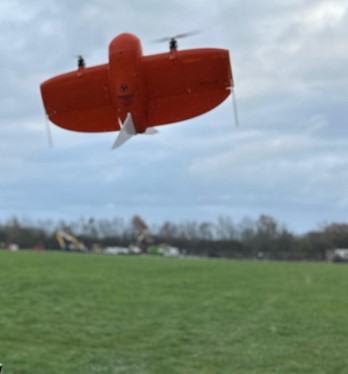
High precision mapping – sensor choices
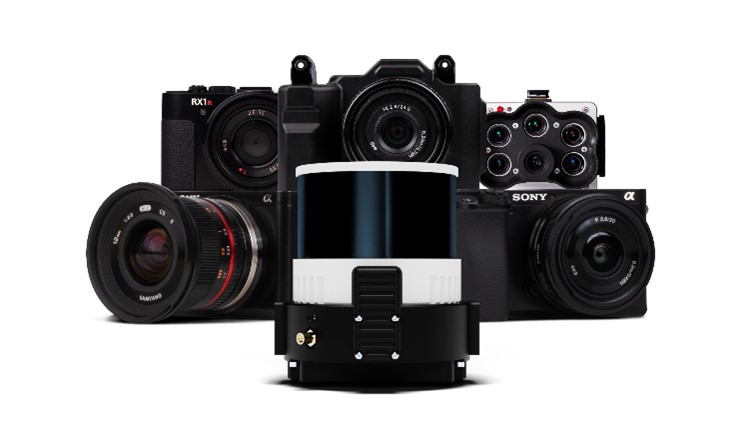
WingtraOne is equipped with high-resolution cameras like the RGB61 and advanced sensors like the multispectral mica sense and Wingtra LIDAR to capture detailed imagery and data for real-world mapping and surveying purposes. This combined with the PPK base data can provide users with deliverables up to 1cm accuracy. I used both the RGB61 and the new LIDAR and was impressed with the results, they both performed remarkably well in windy conditions with no downwash or blurry images. Their solid performance also gave me total confidence that I was achieving one of the things that can save the most time on a job, ‘getting it right first time’.
In the air – what I liked
Long Range and Endurance:
With its fixed-wing design coupled with vertical take-off, WingtraOne can cover large or small areas efficiently in a single flight.
Thanks to its impressive flight range and endurance, the Wingtra can efficiently map vast areas without the necessity for frequent battery swaps or recharges. Moreover, it’s not limited to large expanses; it’s versatile enough to capture smaller sites as well.
Post-Processing Software Integration:
The exports from Wingthra Hub can be processed using various photogrammetry and GIS software packages, outputting the standard point clouds in LAS or Laz, the mesh file in OBJ, your Orthomosaic in Geo tiff or jpeg. Typically, all I need is a combination of Pix4D and Trimble Business Center to accomplish my tasks.
Impressive Performance:
I was impressed by WingtraOne’s performance in the field, including its long flight endurance, high-quality imaging capabilities, and reliable autonomous flight missions. I flew in high gusts of up to 30mph and landed in winds over the max of 17mph which meant the unit can be pushed to its limits while still providing good data. As I mentioned, the lidar sensors and RGB61 sensors performed remarkably well in windy conditions with no downwash or blurry images.
LIDAR camera impressions
February of this year saw the introduction of Wingtra LIDAR. Integration of LIDAR systems typically involves mounting the LIDAR payload onto the drone’s payload bay and ensuring proper integration with the drone’s flight control system and data capture workflow. This will involve some calibration to prevent distortion and incomplete point clouds.
Contrary to belief, LIDAR does not penetrate the leaf. Instead, the light passes through gaps in the foliage, reaching the ground through multiple scans.
The Wingtra LIDAR sensor has 3 components: a Hesai LIDAR scanner, an inertial Labs IMU and a NovAtel GNSS.
HESAI Technology, a renowned global provider of LIDAR sensor solutions, supplies sensors utilised in various fields including ADAS, autonomous mobility, trucking robotics, AI, and numerous industrial applications. The knowledge that the WingtraOne GEN II is powered by a Hesai sensor instills a certain level of confidence and trust, customers know they are investing in reliable and high-quality product.
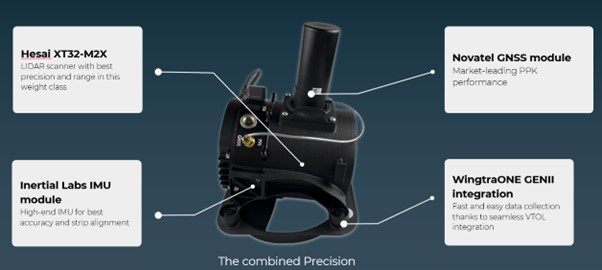
Navigating the workflow was straightforward for me. I initiated my flight plan using Wingtrahub, executed the data capture with Wingtra Pilot within a 4-minute flight, processed the raw data in the Wingtra LIDAR app (taking approximately 10 minutes), and finally conducted further data processing in Trimble Business Center. Within 40mins I had usable deliverables from the flight data.
The most common questions I get asked about Wingtra LIDAR and the answers!
The common inquiries I receive revolve around the flight duration, the extent of necessary editing, the processing timeframe, and the quality of data captured beneath tree cover.
The responses are 3%-5% decline in flight duration due to the weight of the camera, minimal editing is required, and the data beneath tree cover results are better than average for a 3 return LIDAR sensor.
One of the standout features of this LIDAR solution is its self-calibration capability. Unlike other units that require calibration during flight, resulting in lost flight time due to back-and-forth adjustments, the Wingtra ensures that you maximize your entire flight duration, allowing for a full flight.
You do lose some flight time because of the weight but because of the angle of coverage and overlap you can cover a wider area along the flight lines. So, transitioning between the RGB and LIDAR sensor does not impact coverage as it relates to flight time.
With a wide angle of 90 degrees, coupled with extended flight times, it can cover more ground with each pass. For instance, during a 90-meter flight, the LIDAR can cover 360 hectares while maintaining accuracies of 3cm. This represents up to a 50% increase in coverage compared to sensors of similar range.
There is no misalignment after processing with the Wingtra LIDAR so there is very little to do when processing the raw outputs.
It took me a few minutes after flight to export the raw LIDAR trajectory data, clean the runs and export the Las file for processing in our Trimble Business Centre software. The Wingtra LIDAR app enabled me to select the end and start of runs processed and export to the required coordinate system.
I do not think this is out to replace your LIDAR rotary solution as there are solutions where you will need to fly slower and require more returns to achieve that level of detail, but you lose the coverage and spend days in the field, all impacting cost, The Wingtra LIDAR solution has a strong place in the market and I was impressed by its performance.
In conclusion – my top five WingtraOne GEN II rated features
- The Wingtra’s VTOL functionality allows you to work at confined sites
- The speed and precision allow flight to cover larger areas than Rotary
- There is a wide selection of payloads for the WingtraOne GEN ll
- Wingtra LIDAR substantially reduces the need for labour-intensive post-processing strip alignment, providing precise terrain data immediately following each efficient flight.
- One of the notable advantages of Wingtra LIDAR is its ability to minimize field time, requiring no calibration and initializing in just one minute.
- The user-friendly Wingtra LIDAR app and automated experience empower users
And in a perfect world….
In all honesty the WingtraOne delivers high-quality data in demanding conditions and I’ve been extremely impressed, especially with its wind handling. Does it deliver on its promise of ‘Map Faster, Map Larger, Map Anywhere’, absolutely yes it does.
Is anything missing from the package? Not at all, the Wingtra is a premium drone and its performance, build and ease of use reflect that at every turn. However, if you really pushed me, for a wish list for future upgrades it would include live link flight mission updates or real-time viewing of data imagery, but that’s about it. Watch this space for future updates and in the meantime, for further information, please view my recent WingtraOne webinar here. or contact us for a demonstration at info@korecgroup.com
How to reliably capture accurate survey data and transform it into intelligence for increased productivity and improved decision making.
KOREC works with a number of utility and fibre companies who have adopted a digital approach to their field data collection and data handling workflows. These companies are now reporting significant benefits from accurately capturing survey data across four main areas; plan, design, build and operate & maintain.
KOREC specialises in tackling the challenges that can impede productivity in all of these stages:
PLAN & DESIGN: Using mobile mapping to enhance productivity for survey, planning and design services
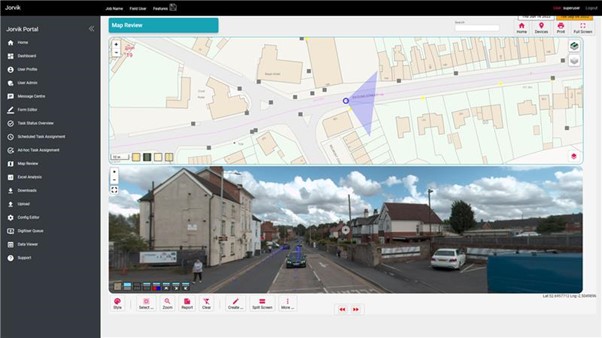
Jorvik Design Group has revolutionised its data capture operations through its investment in a KOREC supplied, vehicle mounted mobile mapping system. Their Trimble MX50 system delivers a very accurate point cloud of the environment along with complimentary immersive imagery and enables Jorvik to create extremely accurate designs without time consuming and labour-intensive site walkovers.
KOREC worked closely with Jorvik to create an enhanced workflow so that clients can now provide a boundary map and all relevant UPRNs (Unique Property Reference Numbers) along with a request that Jorvik plans a design for that network. An initial survey is then driven with the MX50 system mounted on Jorvik’s Land Rover Defender.
Having access to a current, high-accuracy, 3D point cloud means that the Jorvik Design Group can now provide an even better service for its clients through the provision of an accurate 3D point cloud data set for measurements related to costing; a faster design service based on correct asset location and a fully up to date, accurate map of all their assets at the job’s conclusion.
CONSTRUCT: Utility construction company working on new build site
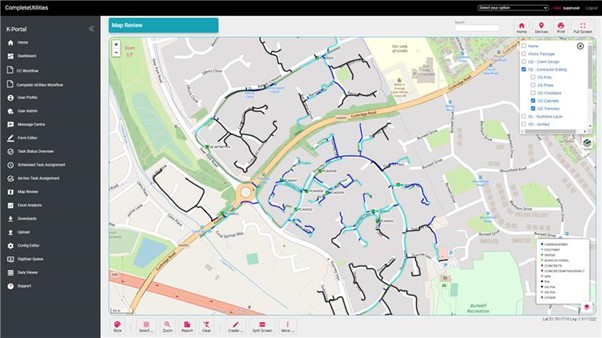
Working on new build sites, the installation of utilities is based on designers’ detailed line drawings rather than OS MasterMap data which has yet to be created for new developments. However, digitising these line drawings to take into the field, sometimes up to 6,000 in a single project, is extremely problematic due to the density of the information contained.
In order to create a new digital workflow, KOREC’s software division, K-MATIC, worked with the client to create an easy drag and drop solution which allows for the easy transfer of these large files from the office on to field devices.
CONSTRUCT: Utility installation company seeking a digitised workflow for greater efficiency and faster payment
KOREC was approached by a company that wished to become more efficient in the field, collecting as-built information. The company required better than 10cm positional accuracy on each connection (as per UK legislation) and also wished to document each connection with attribute information fed live to a secure cloud-based portal. This would enable them to provide proof of connection and bill weekly for work done.
KOREC supplied the company with Trimble Catalyst, a low cost GNSS option (with a choice of subscriptions for different accuracies) and KOREC Capture field data software designed to run on standard smartphones or loggers.

OPERATE & MAINTAIN: a network operator pre-empting potential problems and minimising risk
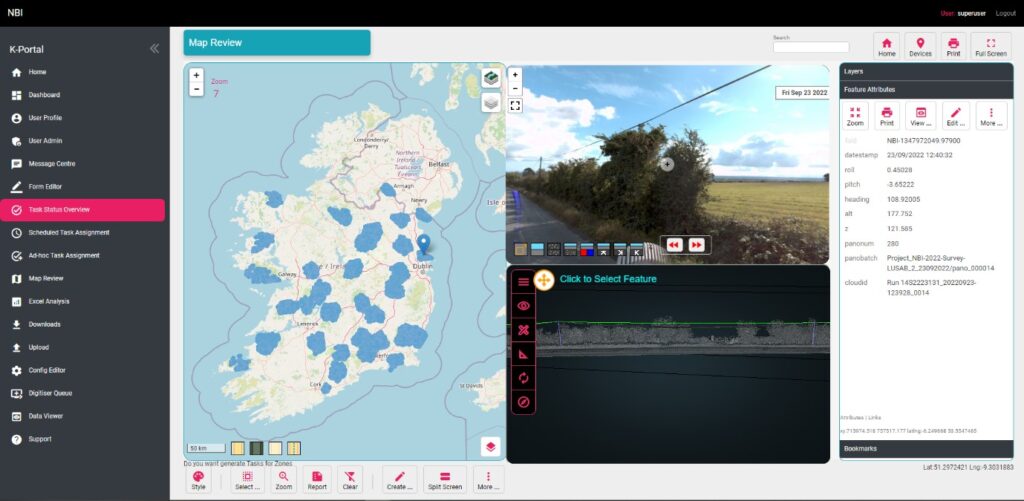
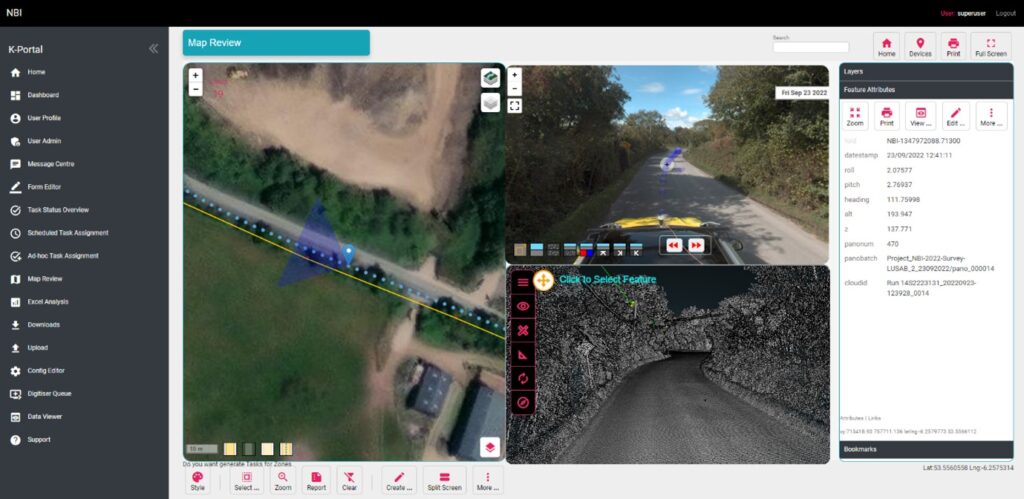
A utility company has to maintain an existing network including pole inspection and vegetation encroachment across the network. The company approached KOREC who undertook a mobile mapping survey through its Professional Services division. This data, once processed, was analysed with automated routines for poles that were not in the existing inventory and also locations where vegetation could encroach the network and impact connectivity. This allowed them to better manage their assets and foresee potential issues.
Visit KOREC on stand 33b at Connected Britain or look out for our exhibition presentation
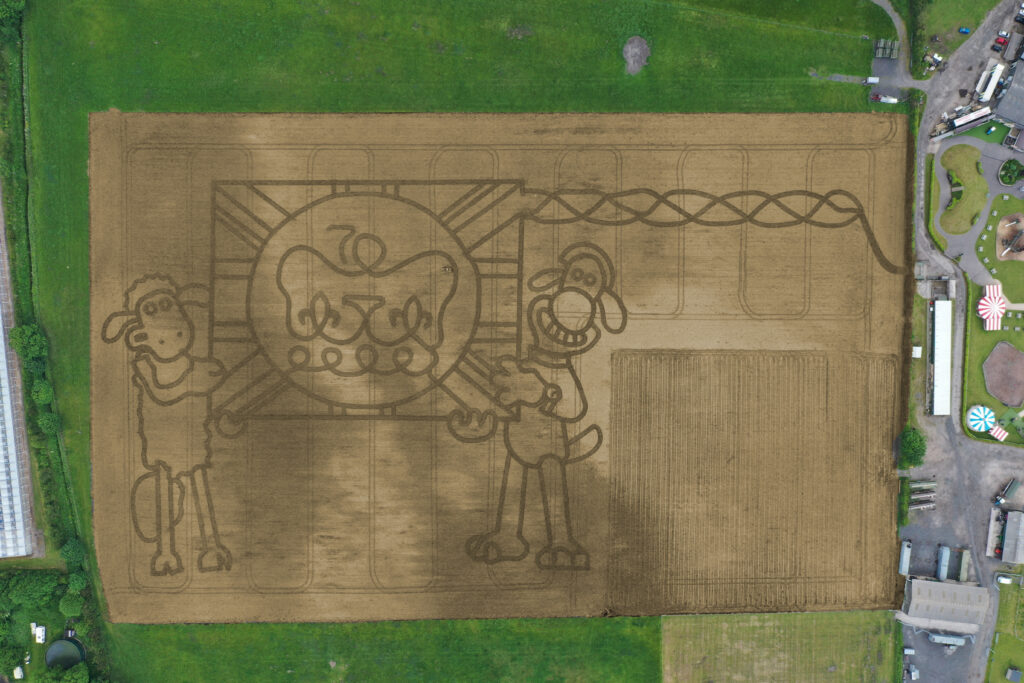
It’s taken permission from the Palace and the loan of one of the most advanced handheld GPS mapping systems available for Mark Edwards, Managing Director of Farmer Ted’s Adventure Farm, Ormskirk, Lancashire, to create this year’s jubilee themed maze attraction.
The maze was designed by Mark who enlisted the help of Liverpool based positioning and survey equipment specialists, KOREC Group. KOREC was delighted to loan him a handheld Trimble Catalyst GPS solution and also helped him turn the design into coordinates that could be loaded into the GPS to recreate the design in the maize field.
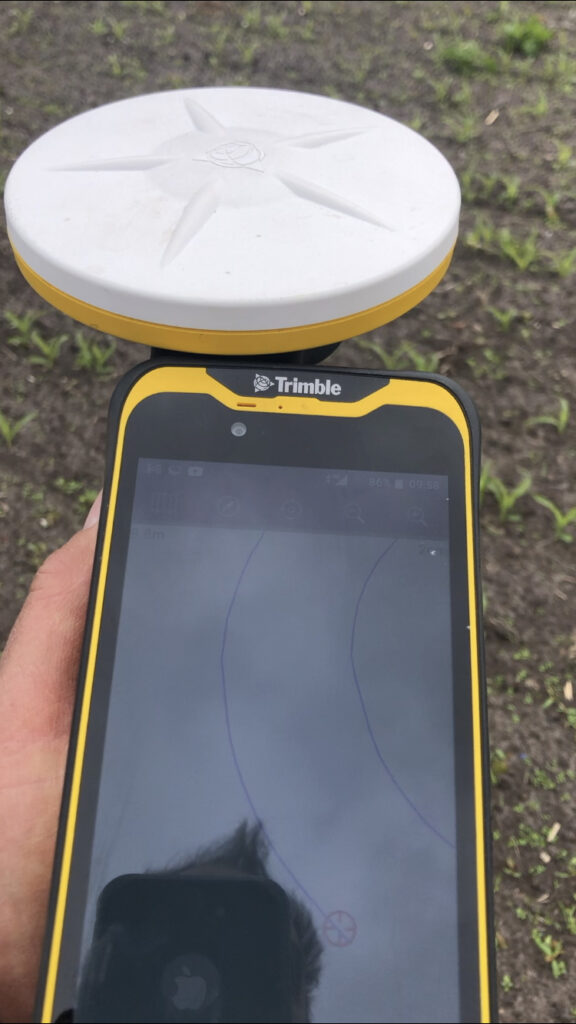
The Trimble Catalyst GPS connects to a smartphone that clearly shows the maze design. It is then taken onto the 14 acre maze site where Mark is able to navigate, using his position on the screen, to plot out the design amongst the tiny maize plants. A cultivator follows his trail cutting out the design.
Left:The KOREC supplied Trimble Catalyst GPS is capable of centimetre accuracy! This picture shows part of the design on a smartphone/logger
This year’s design comes with a royal seal of approval. Working closely with Aardman, the award winning animation studio and the creators of Shaun the Sheep, Mark contacted the Lord Chamberlain’s Office at Buckingham Palace and was granted permission to use the Queens official Platinum Jubilee logo to celebrate this great occasion!
Mark says, “the KOREC supplied Trimble GPS really is an ‘amaizing’ piece of equipment and so easy to use. We were able to create this exciting jubilee design in just 2 days!”
Farmer Ted’s is the UK’s largest Shaun the Sheep farm attraction. It opens daily until mid-September with the Maize Maze opening on 23rd July. Tickets can be purchased on-line at www.farmerteds.com
About Shaun the Sheep
Shaun the Sheep, Aardman’s family favourite TV series, is recognised the world over for its slapstick humour, distinctive look and strong, quirky characters and enjoyed across multiple media platforms. First appearing in Nick Park’s 1995 Academy Award® winning Wallace & Gromit ‘A Close Shave’, Shaun then went on to star in his own series, created by Richard Starzak which launched on BBC One in 2007. Shaun the Sheep is currently broadcast in 170 territories around the world and is an internationally celebrated icon with over 5.6 million fans on Facebook. In 2015 the first Shaun the Sheep Movie with feature film partner Studiocanal was released around the world to critical acclaim and the first half hour TV special aired as part of many broadcaster’s festive season., The feature film sequel Shaun the Sheep Movie: Farmageddon was released in October 2019 and nominated for an Academy Award® and was closely followed by a sixth season of the series in 2020. A new festive special Shaun the Sheep: The Flight Before Christmas was released in December 2021.
How does the new Trimble Catalyst DA2 receiver measure up against the DA1?
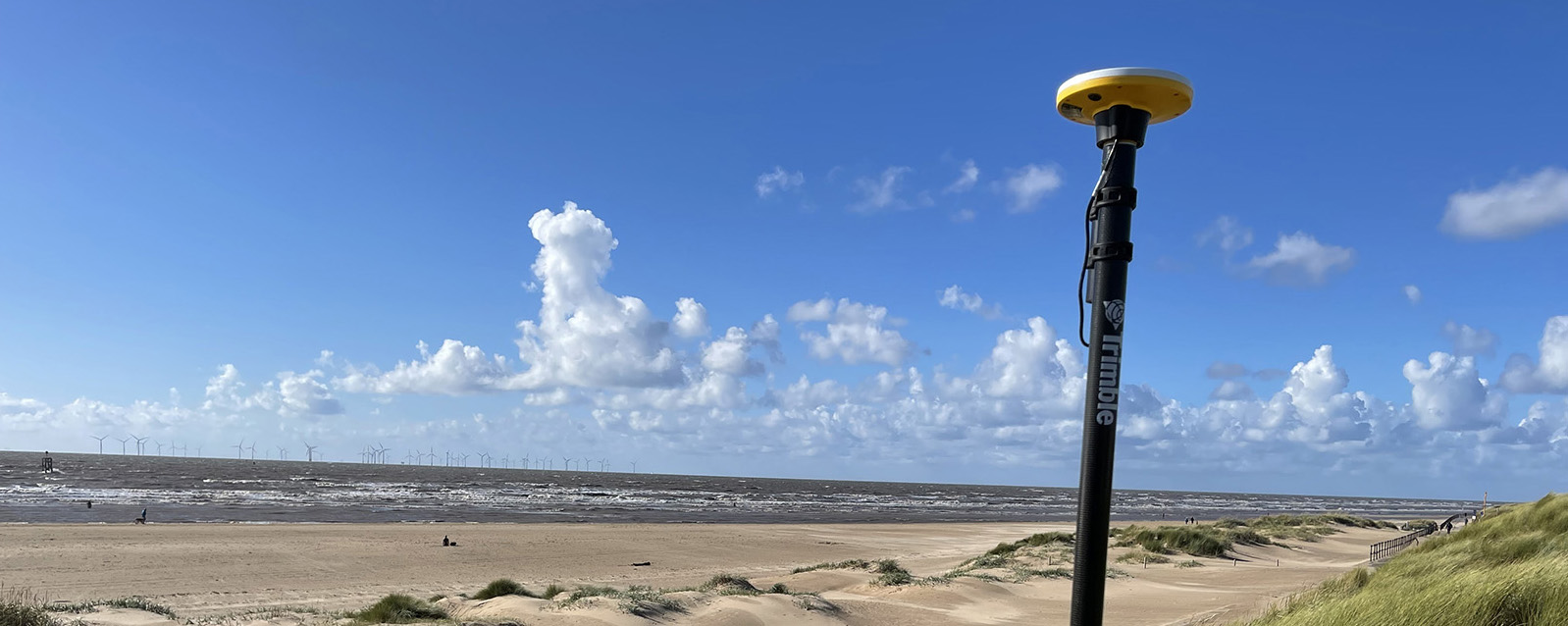
What better way to find out than by putting afforable cm accuracy in the form of the DA2 into the hands of experienced Catalyst user and advocate of the DA1 system, Andrew Stephenson Principal Designer on the Morrison Water Services Northern area Engineering Team.
Andrew was an early adopter of Trimble Catalyst and used the DA1 extensively saving £20k on a recent 1-2cm asset collection project which was nominated for a Water Industry 2021 award for its innovative approach to high accuracy data capture and management.
The set up
Andrew and Morrison Water Services Surveyor, Asa Blake, used the DA2 in conjunction with a 1cm accuracy Catalyst subscription and their existing KOREC Capture field software running on a rugged Trimble TDC600 Android device (although the DA2 is also now compatible with iOS devices). Drawing on previous experience of how the DA1 worked under different conditions, Andrew was keen to carry out some comparative tests with the new DA2 in the same situations to test its performance and ultimately, it’s productivity improvements.
Three challenging test sites
Andrew and Asa opted to test the DA2 in three demanding scenarios which any GNSS would find challenging, firstly, Leeds City centre, secondly under tree canopy and finally in a remote location with no mobile phone coverage.
Here’s Andrew’s report:
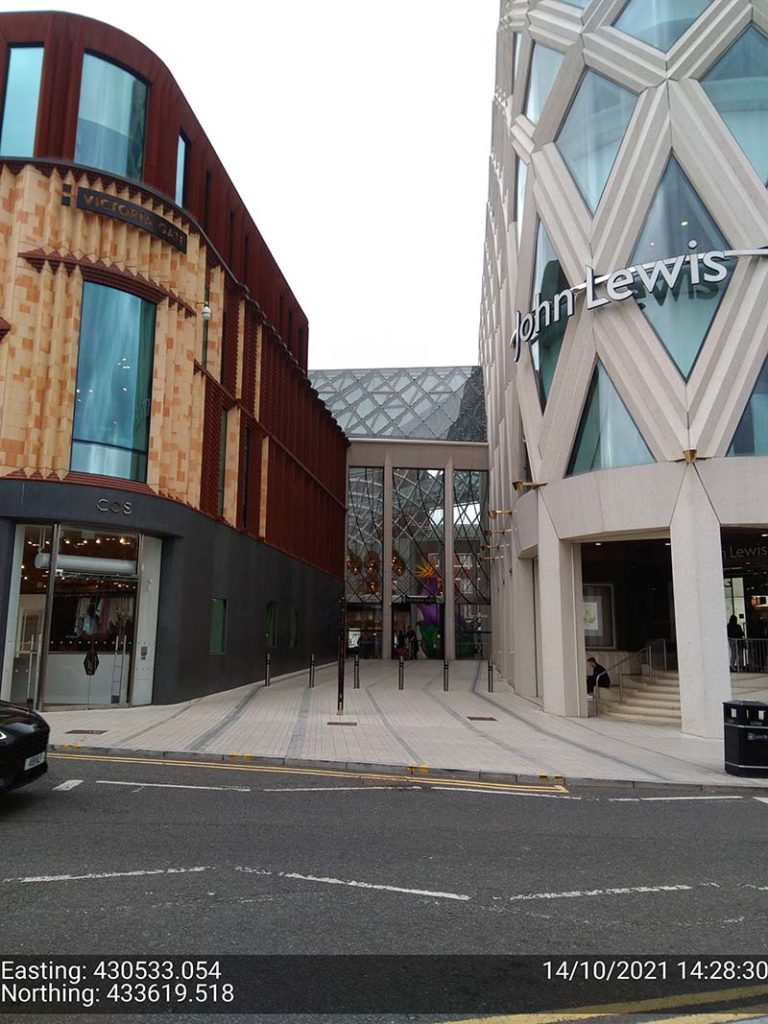
Leeds city centre – built up environment
“In Leeds City centre we were able to achieve 1cm positions. Even next to the John Lewis building where previously we’d been unable to receive a signal at all, the DA2, always delivered an accurate position.”
The technology behind the performance: Trimble ProPoint
Until the launch of the DA2, Trimble ProPoint was only available in top of the range Trimble GNSS receivers. ProPoint delivers better results in harsh GNSS conditions, for example, near tree canopy and in built-up areas.
Under tree canopy
“We tested this scenario under the trees in Cookridge, Leeds – centimetre positions were easily achievable. ”
The technology behind the performance: Trimble ProPoint (see above).
Expect cm positions under tree canopy within 40 seconds!

Remote location with no phone signal
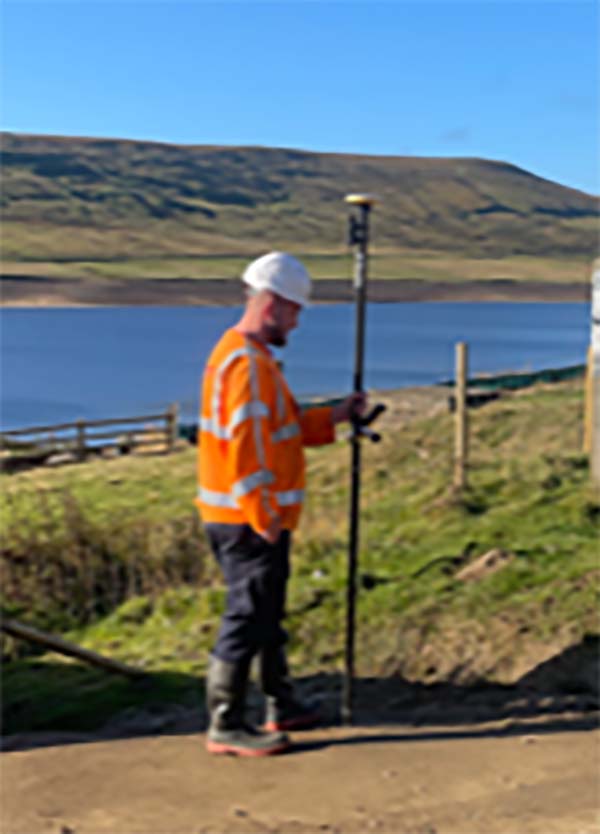
“This is a common problem for us so we knew exactly where to test out the DA2’s capabilities for this one. Scar House is situated in the Nidd Valley in North Yorkshire and it’s almost impossible to get a mobile phone signal there. The DA2 again delivered 2cm positions thanks to its ability to receive corrections via satellite rather than via an internet connection. This is a game changer for us.”
The technology behind the performance: Trimble RTX.
The DA2 means that you are no longer reliant on receiving your cm corrections over an internet connection. Thanks to Trimble’s RTX technology you can now get your corrections via satellite (GPS, Galileo, GLONASS, BeiDou, QZSS, IRNSS, MSS, SBAS) which is great for areas with limited mobile phone coverage and internet connectivity.
Conclusion
Andrew’s verdict: “Most of our projects have a specification for 10cm accuracies and in fairness to the DA1 we were often able to work within this spec, but not always. The afforable cm accuracy of the DA2 brings peace of mind and the knowledge that we can always overachieve on precision and in particular,in the three conditions above that previously challenged us.
We’ve also noted some additional benefits with the DA2 – the improved speed is excellent! By the time we’d logged on we were down to 1cm which is a remarkable improvement on the DA1. The DA2 is also Bluetooth enabled which saves battery drain for the phone because there is no need to bother with leads (or water!) into the connection of the phone.
The DA2 delivers outstanding results where we would have never thought possible with the Catalyst technology. We tested this at Scar House Reservoir, which is as remote as it gets in Yorkshire, but the DA2 delivered accuracy of 2cm using RTX which is remarkable!”
You can read about our Trimble Catalyst business case here.
A related case study on knotweed mapping with Catalyst is here and asset data collection here.
Visit our webinar section here for the full details on the new Catalyst system.
Congratulations to Atkins, the company that has been appointed by the government’s Geospatial Commission to help create a digital map of underground pipes and cables throughout the UK.
The map will be known as the National Underground Asset Register (NUAR) and is being developed by Atkins alongside mapping agency Ordnance Survey and geospatial data management leaders 1Spatial.
Designed to revolutionise construction and development across the country, the Geospatial Commission NUAR map release states that, “The economic cost of accidental strikes on underground pipes and cables is estimated to be £2.4 billion per year and one cause is inaccurate information on the location of buried assets. Once operational, NUAR is expected to deliver around £350 million per year in benefits by avoiding accidental asset strikes, improving the efficiency of works and better data sharing.”
The project is about to enter its build stage, a process estimated to run for three years. This is a large and ambitious undertaking, but the geospatial industry is highly progressive when it comes to the development and adoption of technology for field data capture and verification and the NUAR project will no doubt make excellent use of these developments.
Here at KOREC we can’t help but make three suggestions for technology that could be beneficial on a project of this nature:
Mobile Mapping + GPR Survey
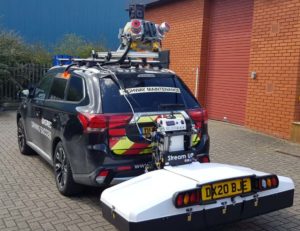
The KOREC Professional Services team has just completed a roads project that saw them carry out a Trimble MX9 vehicle mounted mobile mapping survey at the same time as an underground mapping survey using Ground Penetrating Radar (GPR). This dual-purpose survey was completed with a single pass (reducing emissions and keeping boots off the tarmac) and produced a data set suitable for many applications from asset management to road conditions surveys to pre site risk analysis.
The Trimble® MX50, offered for sale by KOREC, is a practical field-to-finish mobile mapping solution for asset management, mapping, and road maintenance. The system delivers a very accurate point cloud of the environment along with complementary immersive imagery providing substantial gains in productivity in areas such highway management, utilities and local government.
Augmented reality
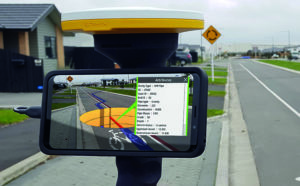
Imagine if you could see things that are hidden or that don’t actually exist yet. Trimble® SiteVision™ brings geospatial data to life so you can easily visualise, explore and understand complex information with unrivalled centimetre accuracy, right from your mobile device.
Ideal for use before and after in an application such as the NUAR project, SiteVision is proven technology used for the visualisation of underground assets by organisations such as Balfour Beatty Plc, O’Brien Contractors and the A14 Integrated Delivery Team.
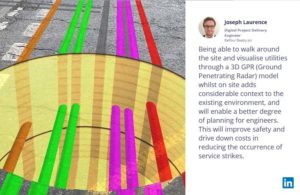
Trimble SiteVision couldn’t’ be easier to use and is highly portable for use on site.
Centimetre accurate, low-cost positioning for large workforces
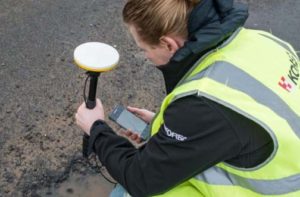
If you have a large workforce that requires centimetre positions to support its main line of work, then Trimble Catalyst provides an excellent way of enabling a varied workforce of non-surveyors to achieve the high accuracy that utility positioning requires, but without the costs of a high-end survey grade GNSS.
Trimble Catalyst is a revolutionary, GNSS concept delivering positioning as a service to mobile devices. It turns your existing Android or iOS device into a precision mapping, navigation and measurement tool that you can use with any location enabled app or service including KOREC Capture and Esri FieldMaps.
The cost of the Catalyst hardware has been kept low at just £300 per receiver and subscriptions come in a range of choices depending on the number of licenses required and hours used. However, Catalyst is more suitable for some users than others and our business case post on this is well worth a visit.
It’s also the perfect partner for our KOREC Capture Utility module for field data capture specific to the utilities sector.
If you’d like to find out more about any of these technologies, please contact:
Call UK Sales: 0345 603 1214
Call Ireland Sales: 01 456 4702
For anything else, view our contact page.
If surveying isn’t your main day to day activity but you still have a need for cm positions in your workflow, then the business case for Trimble’s Catalyst is a strong one.

Trimble Catalyst is a revolutionary, GNSS concept delivering positioning as a service to mobile devices. It turns your existing Android or iOS device into a precision mapping, navigation and measurement tool that you can use with any location enabled app or service including KOREC Capture and Esri FieldMaps.
The cost of the Catalyst hardware has been kept low at just £300 per receiver and subscriptions come in a range of choices depending on the number of licenses required and hours used.
However, Trimble Catalyst is not a solution for those who cite survey grade accuracy as the primary part of their working day. Instead, Catalyst has been developed for users who require cm positions as back up to the bulk of their work, for example, the scientist who needs to know precisely where a sample was collected, the utilities engineer who needs to position a valve or the knotweed removal specialist who must know exactly where the plant is located.
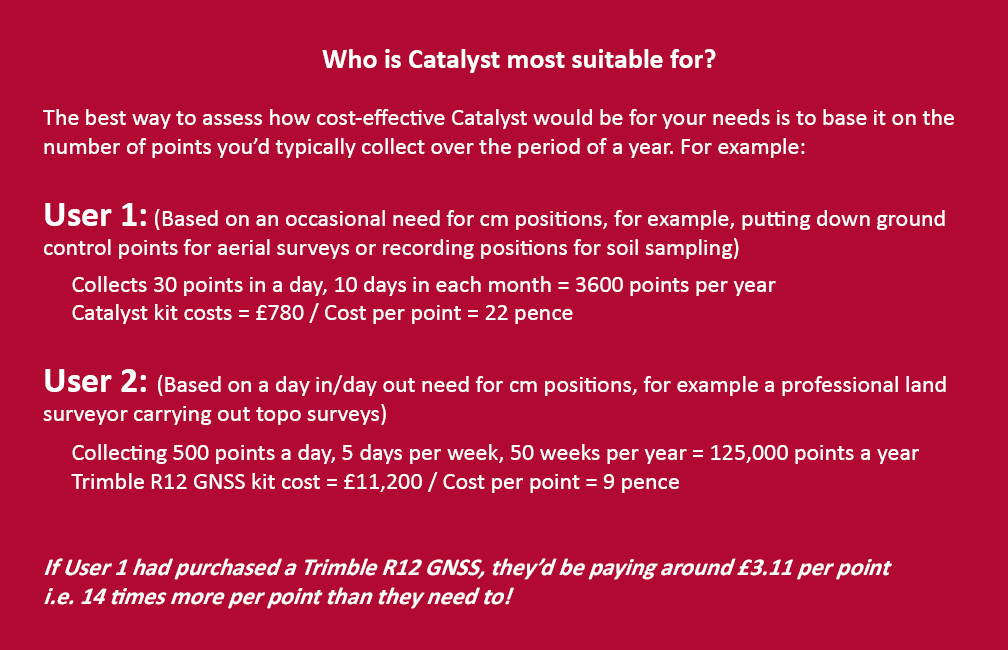
In short, the best way to assess whether Trimble Catalyst will provide the best value proposition for your cm positions is to base it on the number of points you typically over the period of a year.
Case study: DTM Technologies
Typical of the type of user who can benefit from the enormous savings Catalyst delivers is Owner/Director of DTM Technologies, Alan Roberts.
Established in 2014, North Wales based DTM Technologies offers a range of specialist 3D Structural and 3D Modelling Services capturing data predominantly through 3D Laser Scanning and drones. The company uses the very latest in data capture technology (Including the Trimble TX8 Laser Scanner) and provides the high resolution and accurate survey, mapping and environmental information that’s often used to form the basis of any construction (BIM), environmental or engineering project.
With the majority of Alan’s work requiring either a point cloud or aerial imagery, he has an important but fairly minimal need for cm positions. Six years ago, his approach was to purchase a survey grade GNSS system and a license for the corresponding annual correction service. However, he is quick to cite that he is not an engineer or a degree trained surveyor and during the years with this system, he found it expensive to use. As well as the up-front costs for the initial purchase of the hardware, he was also paying an annual correction service charge of around £1,200 p.a. – both large outlays. He therefore sought a solution that would better fit his requirements, spread the cost and offer better value overall.
Alan accordingly purchased a Trimble Catalyst receiver from KOREC and selected the subscription service best suited to his workflow from the options of 60 cm, 30 cm, 10 cm or 1 cm, in this case 1cm. The Catalyst antenna was compatible with his existing mobile phone, easy to set up and required no specialist positioning or GNSS knowledge for use.
The Business case in numbers
Alan states that in a standard working month he may carry out around four surveys that require cm positions and that he can capture the four or five points he requires plus a few check points in one hour of subscription time. He is therefore spending just £10 per site for cm positions, around four times a month. Based on those figures, with the subscription cost spread over a 12 month period, his annual running costs are £480.
| Previously | |
| Hardware: Initial outlay for GNSS system and controller (approx) | £10,000 |
| Annual correction service charge | £1200 |
| Now | |
| Hardware: Catalyst Receiver for use with Alan’s own phone | £300 |
| Subscription: On demand at £10 per hour based on typical annual use | £480 |
Upfront hardware savings ≈ £9600
Annual running cost savings ≈ £760 p.a.
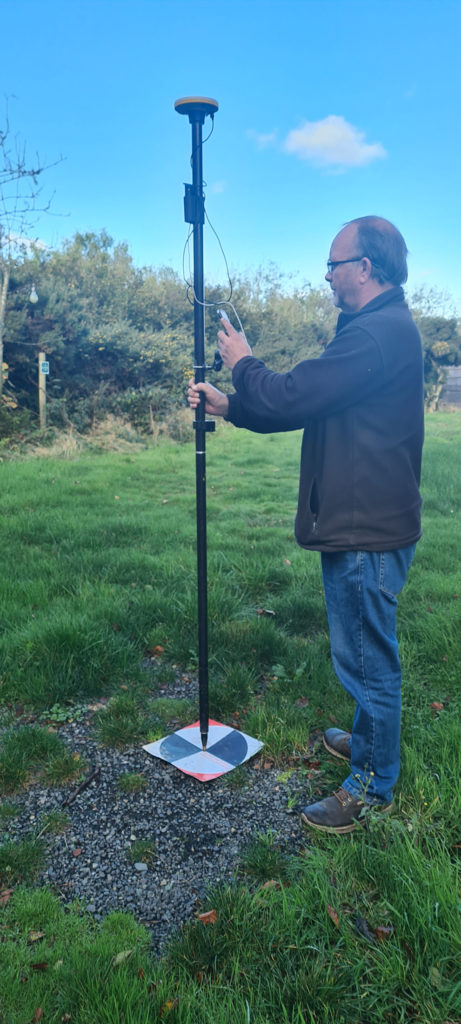
As an experienced user of Trimble Catalyst, even Alan still believes that that system is almost too good to be true. “With Trimble Catalyst, achieving cm accuracy in the field is no longer a niche occupied only by land surveyors, often with the price tag to match. Previously, I was pretty well priced out of the market for this level of accuracy but Catalyst really does bring high cm positions to a mass audience. I’m now in a good position to pass my savings on to my clients which definitely helps in a competitive marketplace.”
Next steps – the new Catalyst DA2
Alan was an early adopter of the Trimble Catalyst system and is already assessing the recently released DA2 receiver.
With much of his work in Snowdonia, mobile phone reception is often compromised and even taking three different SIM cards doesn’t always guarantee a successful connection. The DA2 comes with RTX corrections which means he will no longer be reliant on receiving his cm corrections over an internet connection. Thanks to Trimble’s RTX technology he will be able to get his corrections via satellite.
In addition, the DA2’s ProPoint technology will enable him to pick up his positions in challenging GPS conditions such as near tree canopy.
You can read about our DA2 test here.
A related case study on knotweed mapping with Catalyst is here and asset data collection here.
Visit our webinar section here for the full details on the new Catalyst system.
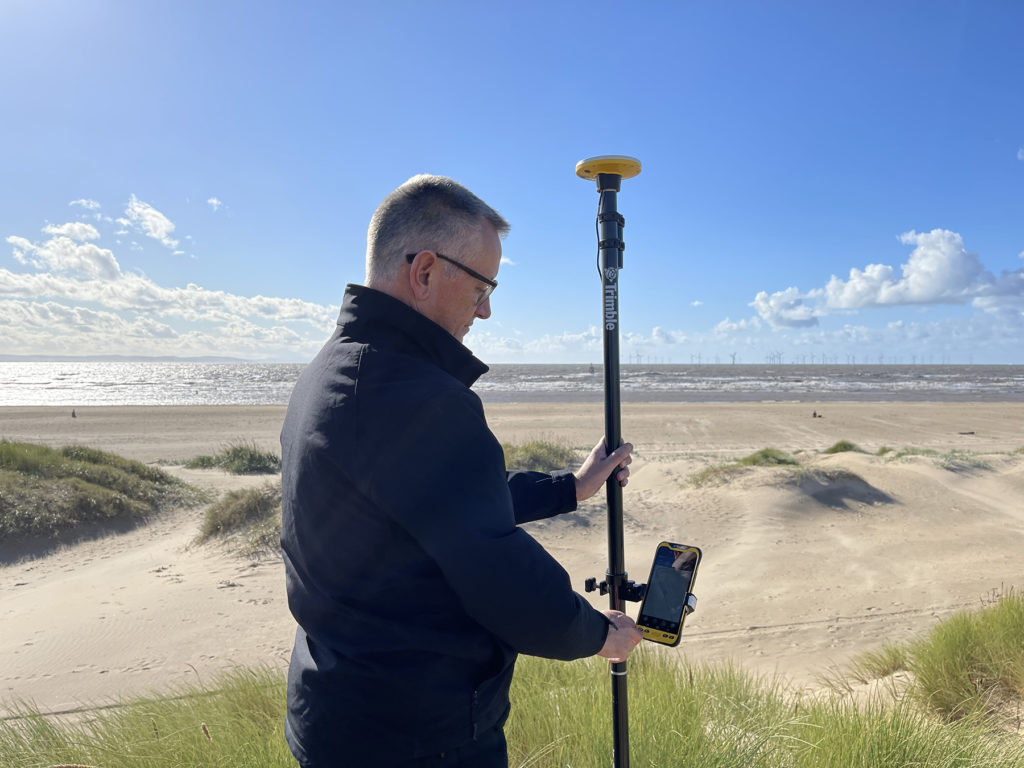
We’d like to introduce you to a new acronym – PAAS or Positioning as a Service!
The DA2 is the second-generation receiver and antenna for Trimble’s Catalyst service. Simply, Catalyst is a revolutionary, GNSS concept delivering positioning as a service to mobile devices. It turns your Android or IOS device into a precision mapping, navigation and measurement tool that you can use with any location enabled app or service including KOREC Capture and Esri FieldMaps.
Catalyst delivers the most cost-effective method for achieving cm accuracy positioning in the industry.
Subscription based services have grown faster than traditional businesses in many areas of the economy. Trimble is leading the way in PAAS with its Catalyst positioning service.
Of course, here at KOREC we don’t just take things at face value so our Mapping Business Area Manager, Richard Gauchwin, has been out and about putting the DA2 through its paces.
We caught up with him to find out what’s new and what’s impressed. Here’s his verdict:
- Number one has to be the fact that the DA2 is now a full GNSS receiver which removes dependencies on the mobile device which you may have seen with the DA1.
Whilst the DA1 connected via a cable into an Android phone, it was the app on the phone where all the GNSS processing was carried out. In short, processing times etc were limited by the phone’s performance. Not so with the DA2 receiver, it’s a whole different story! The biggest plus is that Catalyst is now so much faster to use. For example using the DA1, it might take you minutes to get a position, with the DA2, we’re talking seconds!
They may look the same and still weigh in at just 330g, but in terms of performance they couldn’t be more different.
2. The DA2 brings you far more flexibility as it now has Bluetooth which allows you to connect wirelessly to your mobile device of choice. And believe me, there is definitely more choice because this now means that the DA2 is compatible with both IOS and Android.
3. The DA2 offers Trimble’s ProPoint technology which has previously only been available in top of the range GNSS receivers. ProPoint means better results in harsh GNSS conditions, for example near tree canopy and in built-up areas. Expect a cm position near tree canopy within 40 seconds.
4. New subscription choices mean even better scalability. Subscriptions have been clarified to accommodate the better accuracies achievable. Choose from 60cm, 30cm, 10cm or 1cm. Trimble have also provided more choice in the number of hours you can purchase including some great options available for equipping large workforces. And of course, you still only pay for what you use.
5. The DA2 means that you are no longer reliant on receiving your cm corrections over an internet connection. Thanks to Trimble’s RTX technology you can now get your corrections via satellite which is great for areas with limited mobile phone coverage and internet connectivity.
6. The DA2 is future proof and will update wirelessly when required.
Who is Catalyst suitable for?
In a nutshell, we describe Catalyst as being a truly cost-effective option for those who require high accuracy positions as a part of their workflow, for example, positioning Ground Control Points for an aerial mapping project, recording the location of soil samples on a construction project or positioning valve or pipe connections on a drainage job. By having access to a cm accuracy system, with no training costs and no outlay for expensive, specialist hardware, Trimble Catalyst is truly a system that can put cm accuracy into the hands of the many different users and/or across large workforces.
We have a great analogy comparing Catalyst to a buying a printer and printer inks. Simply, the hardware costs in buying a printer are minimal, the service, or in this case the printer ink is where the cost lies. If you are just printing out two or three pages every now and again then this is the equivalent of a Catalyst user who can really gain value from the system. If however, you print off many full reports every day, then you will not achieve good value from Catalyst and it’s best to consider a dedicated survey grade GNSS.
If you’d like to see which KOREC customers been using Catalyst then please visit our customer story blog here to read about:
· V.T.O.L Media – establishing ground control points for aerial surveys
· 3LM – a holistic approach to agriculture and the land
· TP Knotweed – rapid response identification and removal of knotweed
· A14 Integrated Deliver Team – fast one-off positions and augmented reality in the field
A related case study on knotweed mapping with Catalyst is here and asset data collection here.
Visit our webinar section here for the full details on the new Catalyst system.
Solihull Council is stepping up its roll out of electric vehicle charging points in a bid to ensure that residents in all types of accommodation, and especially those with no private driveway, are able to charge their electric vehicle locally and efficiently. Locations have also been selected based on whether there is a current demand or expected future demand for vehicles in that area.
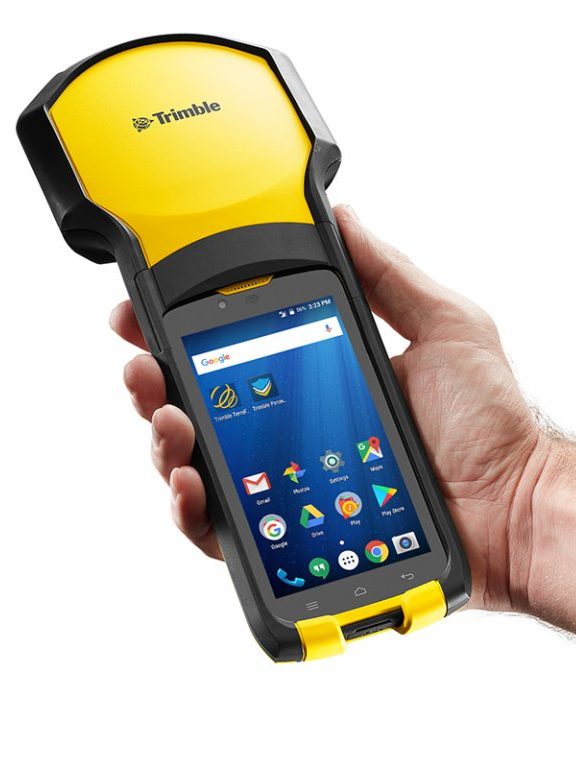
Of course it’s vital for electric vehicle owners to know exactly where each of the fifty-six charging bays are located and the Highways Infrastructure department of the council used a KOREC supplied Trimble TDC150 data logger with KOREC Capture field data capture software on-board to locate each of the ‘as-built’ charging-points around the Borough.
Ryan Wilson, Apprentice GIS Mapping Technician for Solihull Council, customised a form in the KOREC Capture software to collect attributes alongside positional information. Fields included locality name, a photograph, whether the bays at that site were legally restricted by Traffic Regulation Orders and the number of satellites tracked.
Achieving 1-2cm in the field
Using Trimble’s VRS real-time data correction service, Ryan was achieving 1-2cm accuracy with the TDC150 Trimble logger, well over what he required. Even in heavily built-up areas still achieved 20-30 cms.
Ryan also put the TDC150 to good use to locate the nail on which his total station stood to place it within the BNG CRS (Ordnance Survey National Grid reference system) when he needed to measure the layout at one particular site where the road layout was modified slightly.
Our thanks to Ryan Wilson, Apprentice GIS Mapping Technician for Solihull Council for providing the information and images.
Visit here for more information on our range of Trimble GNSS enabled data collectors
Find out about KOREC’s in-house field data capture software here.